
BON Loyalty
Customers with a significant connection with your brand spend 67% more than first-time buyers. As a business owner, it’s important to maintain these customers and keep them returning for more.
One of the most practical ways to do this is by creating and promoting a special loyalty program that offers great rewards. Not only will this improve their overall experience, but it will also make your store look more attractive. We have Bon Loyalty & Rewards. By using this app on a regular basis, you will be capable of growing your customer list, improving your retention rate, and converting leads into sales.
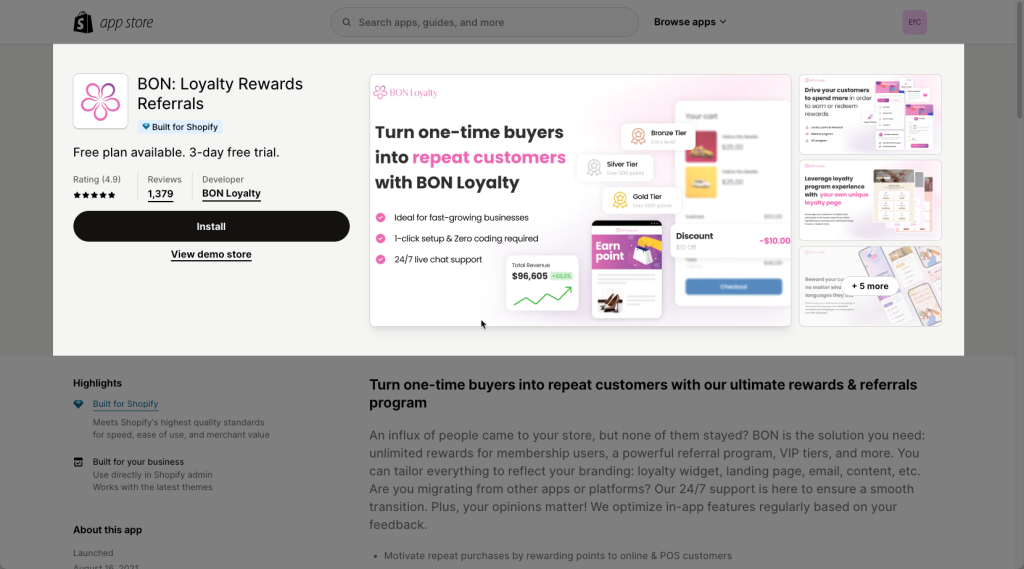
Note: You must be on Paid plan of the BON Loyalty App to be able to use this extension.
This extension can work on any page types.
1. Turn on the App in Shopify admin
Please make sure that you already enabled the app. There are a few steps that need to be done first.
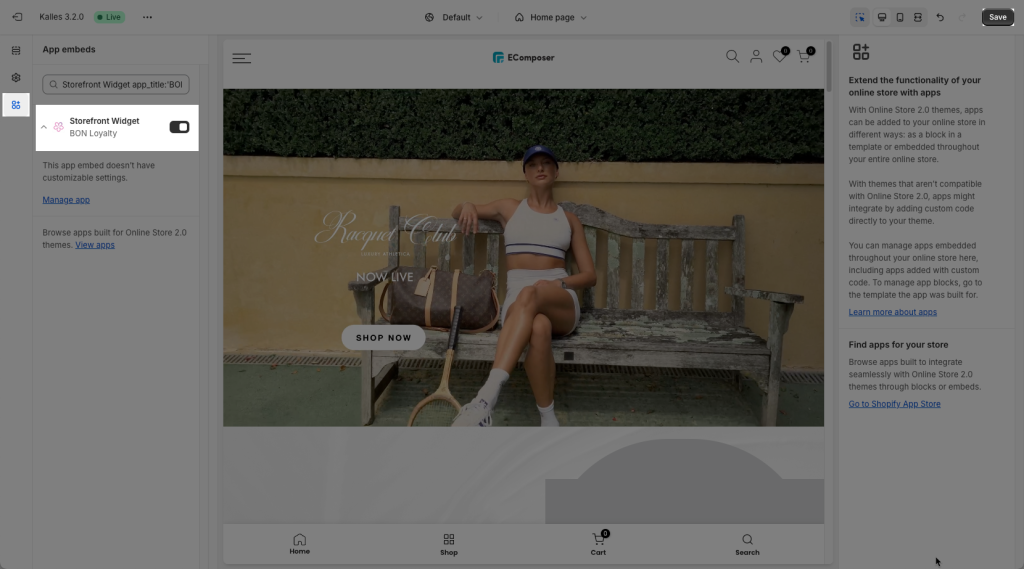
Step 1: From Shopify admin, go to Online store -> Theme Customize -> App embeds -> turn on the BON Loyalty and click the Save to save the change.
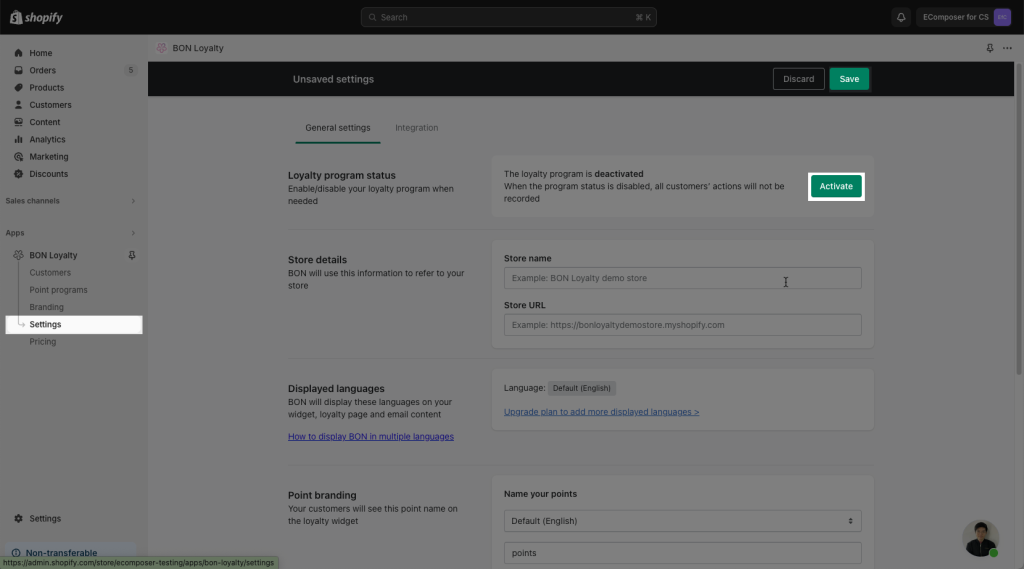
Step 2: Open BON Loyalty App -> Settings -> Click Activate to activate the app on your store.
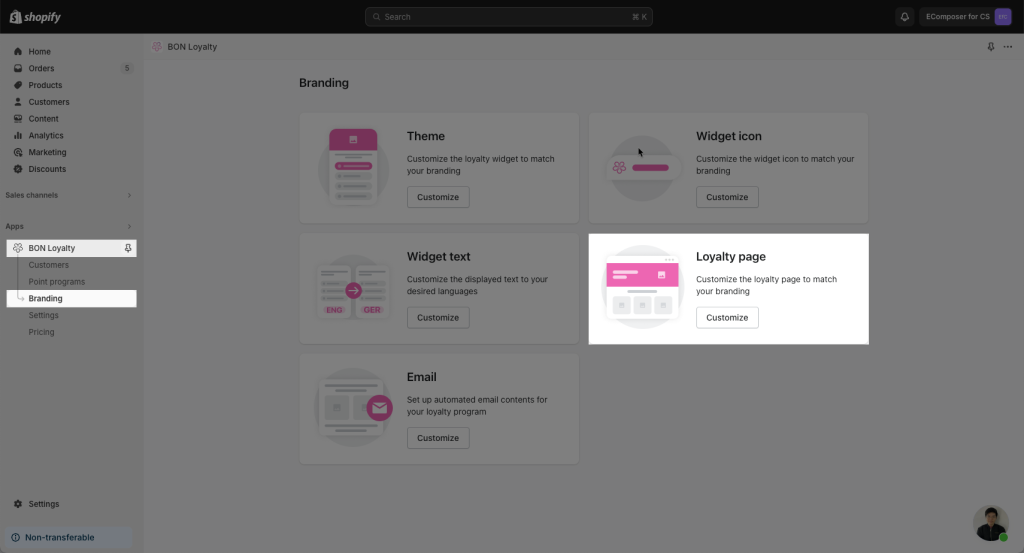
Step 3: In the app, go to the Branding -> Loyalty page
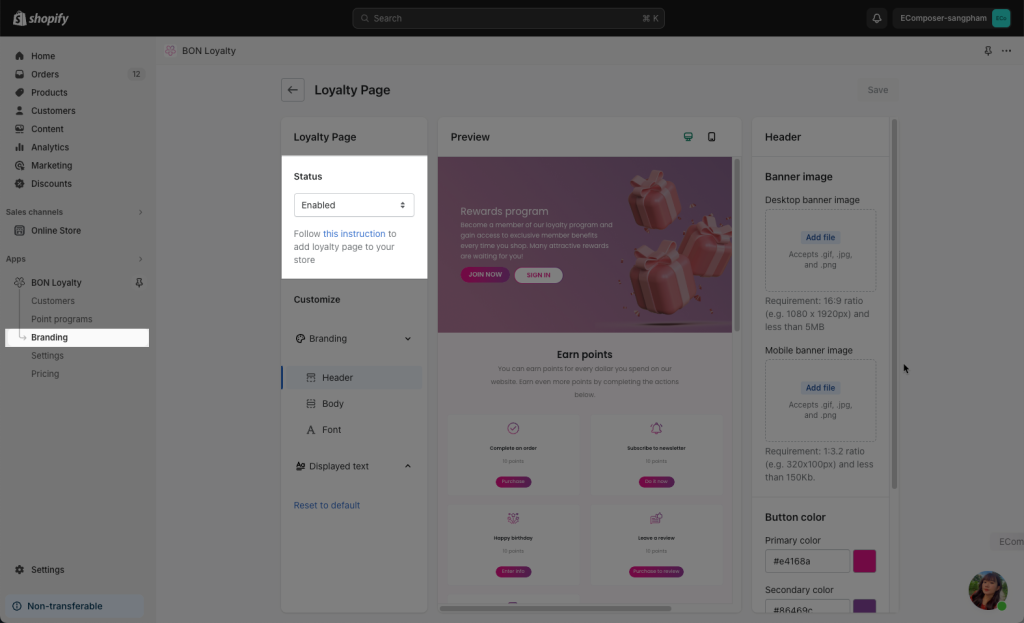
Step 4: Enable the Status option to make this page being published to your visitors.
2. Install BON Extension in EComposer
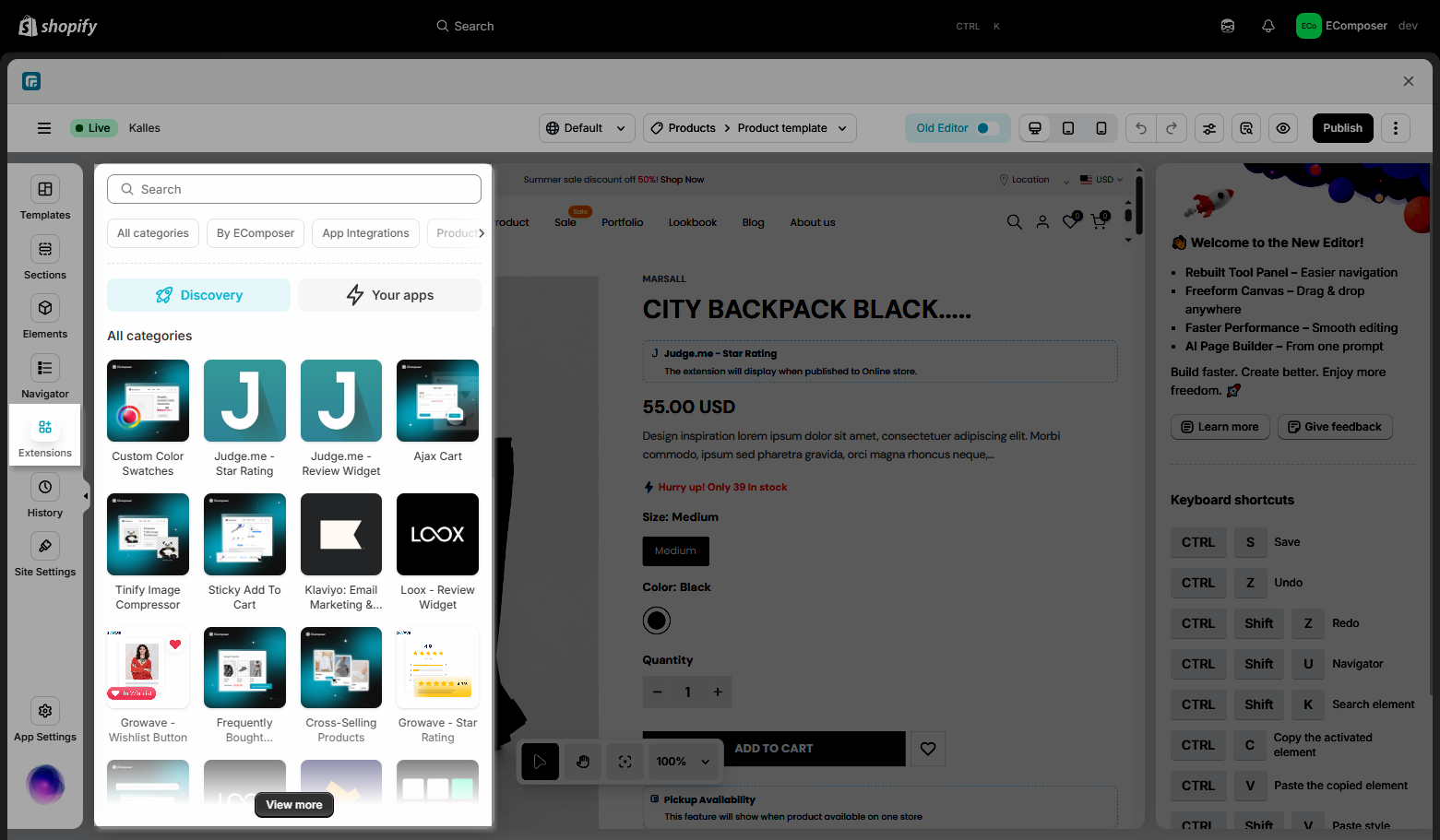
Step 1: To open the Extension popup: From the left sidebar, go to Extensions → search for the extension name and click to install, or click View more to browse all available extensions in the app.:
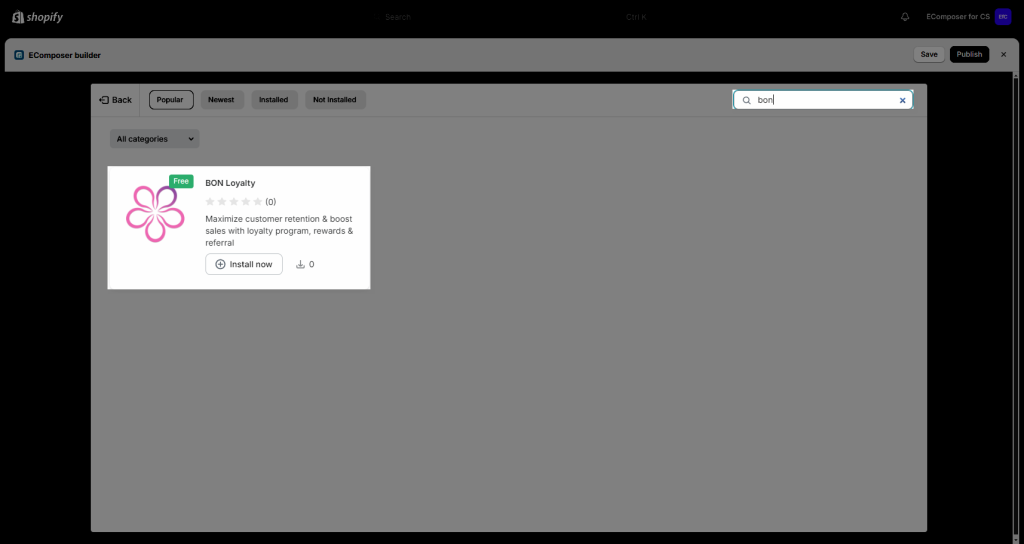
Step 2: On the Extension Library, find the BON Loyalty extension -> click Install now to install the extension to your store.
Step 3: Just Drag and Drop the extension to anywhere that you expect it to be.
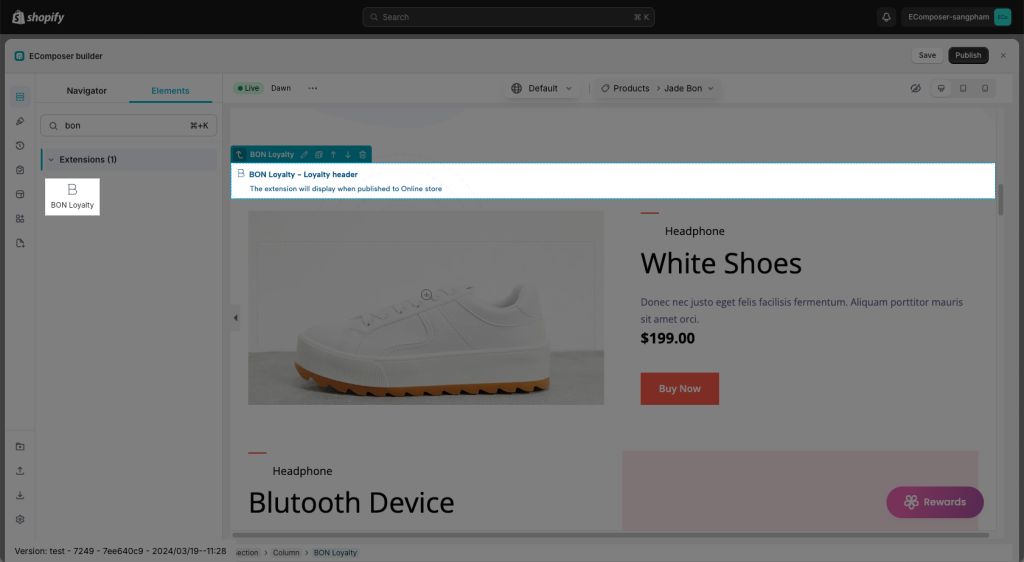
3. Extension configuration
In the Content tab of the extension, we have 6 options corresponding to different features in the BON app.
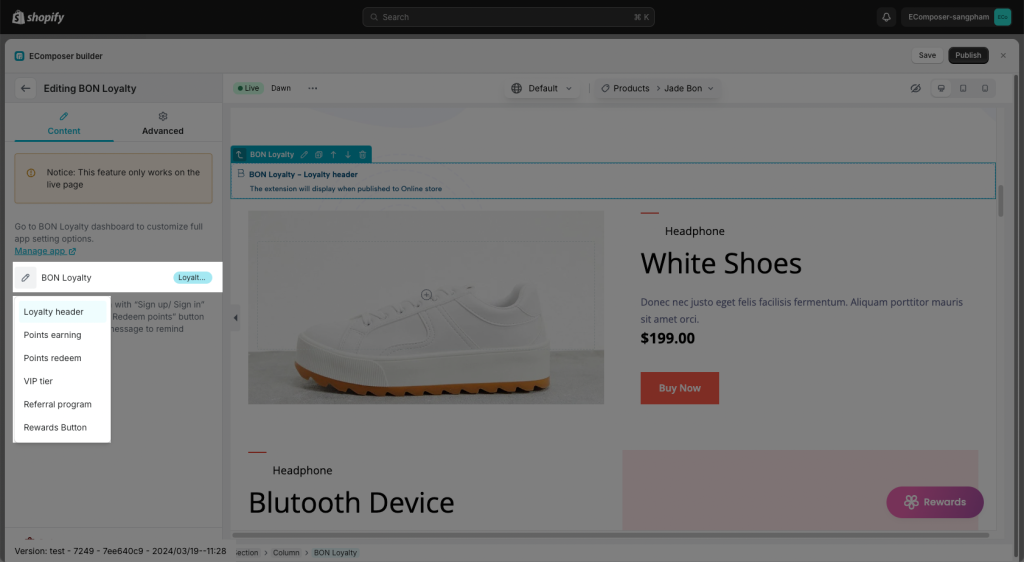
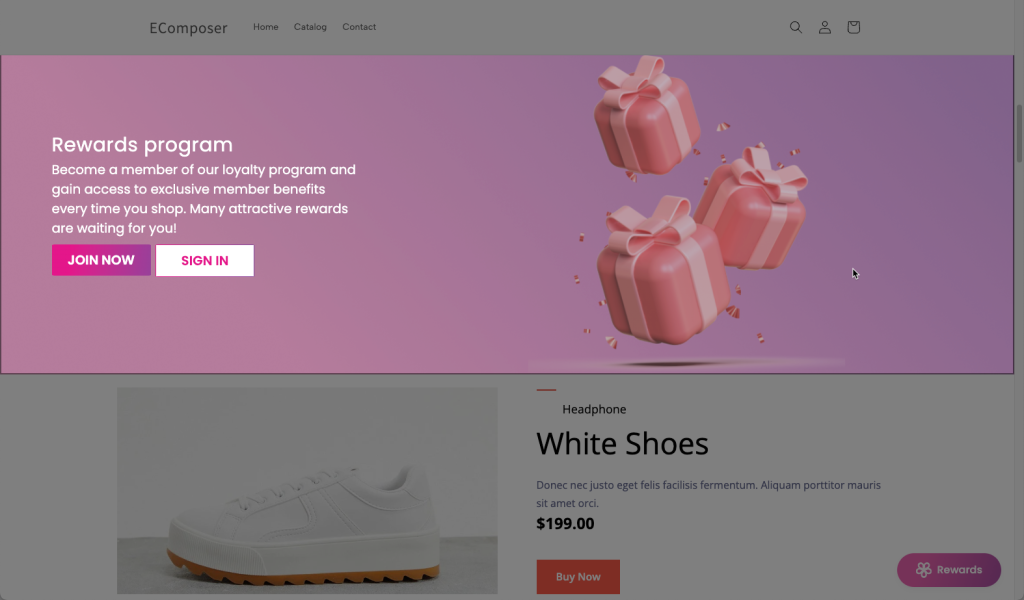
3.1 Loyalty Header
If your customer hasn’t created any accounts yet, The BON widget will display Sign in/Join now (Sign-up) buttons like below on the live page.
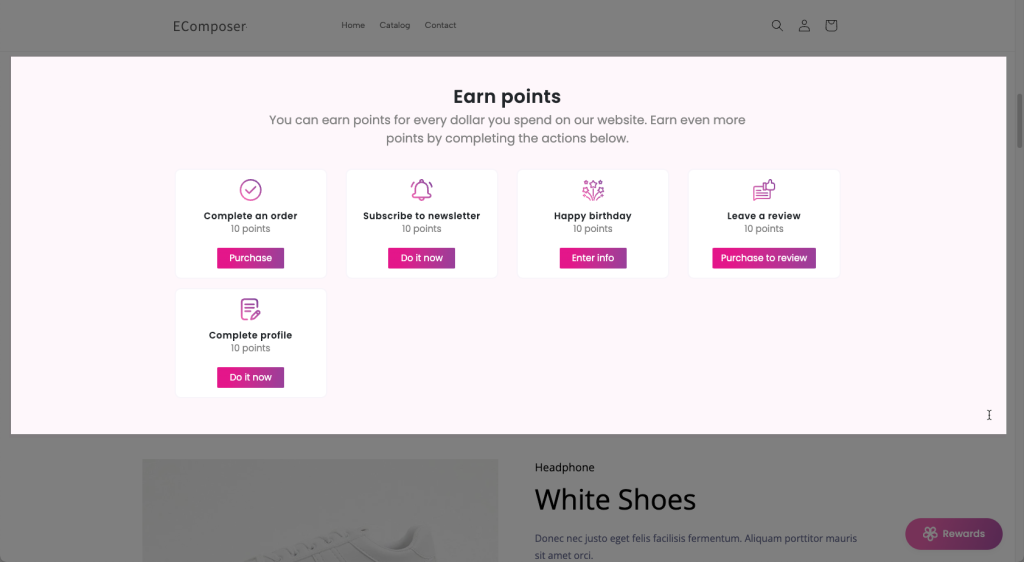
3.2 Point earnings
Set up how your customers can earn points when they interact with your brand.
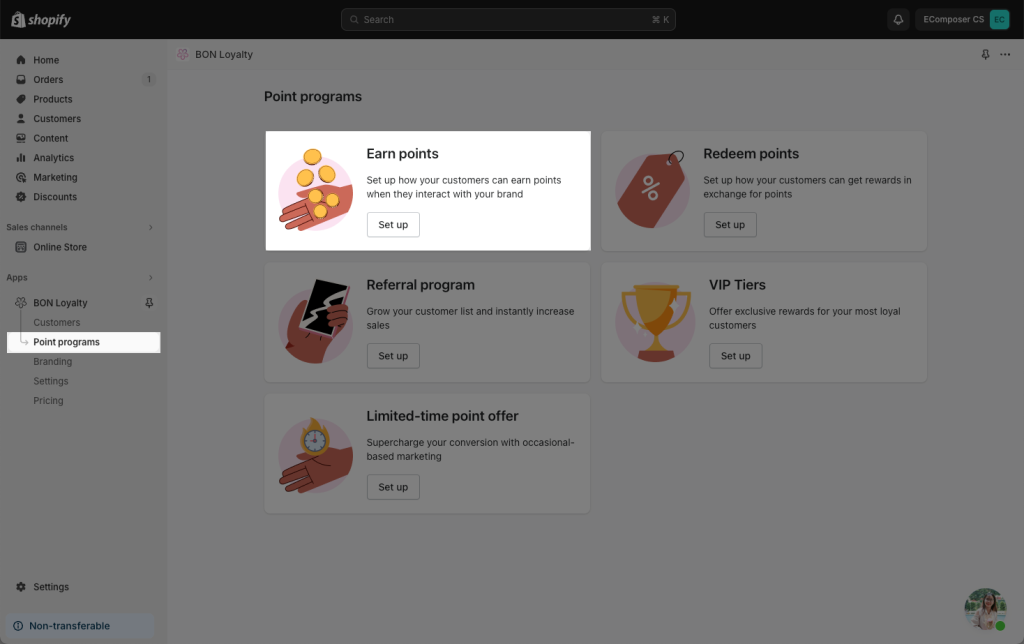
Make sure that you have one at least Earning point method Active.
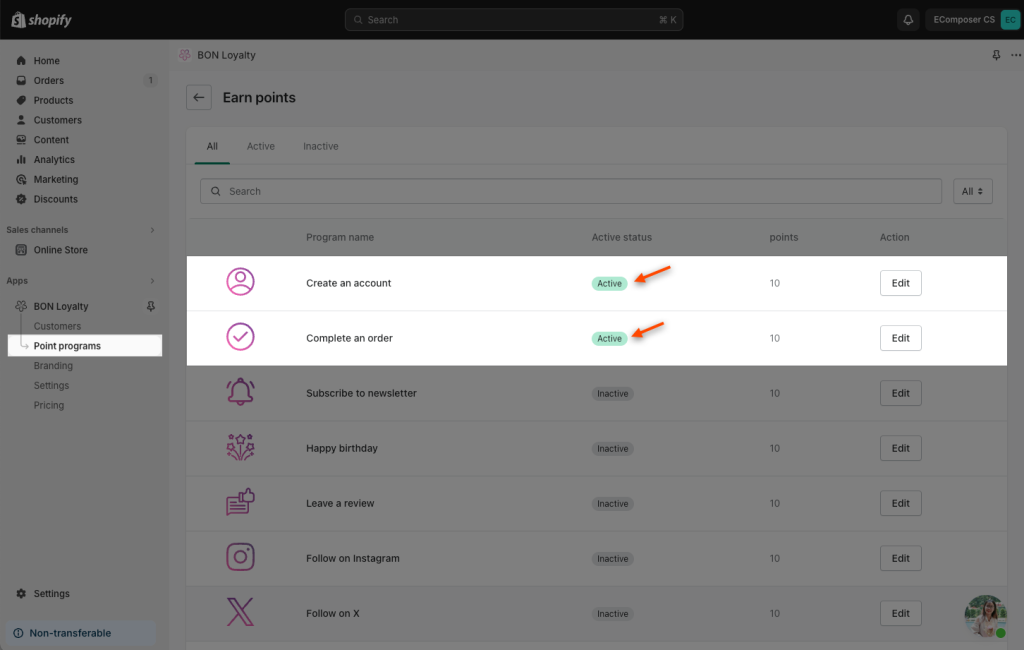
Result:
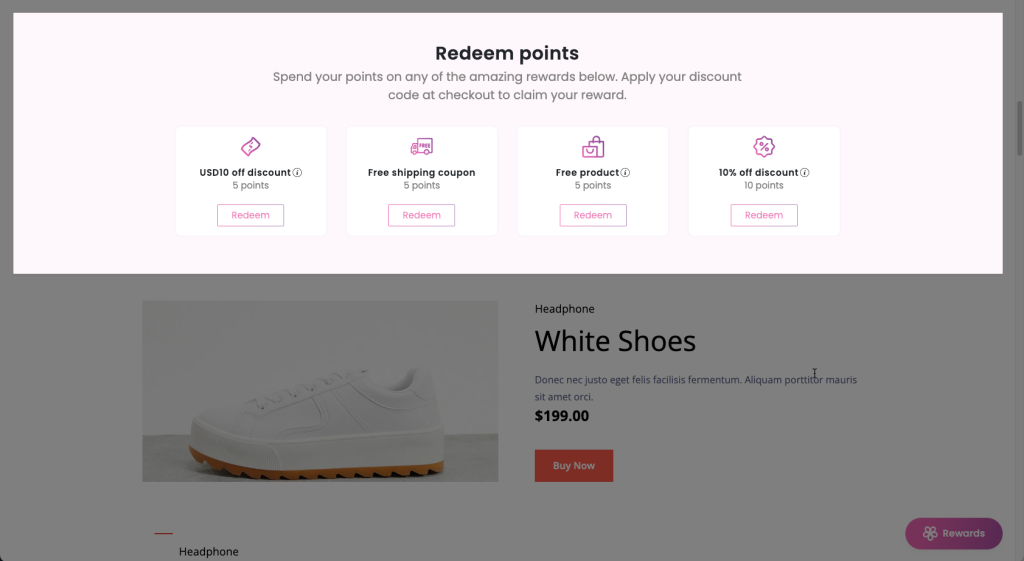
3.3 Redeem points
Set up how your customers can get rewards in exchange for points. Shopify loyal app owners can easily provide an infinite number of discounts to reward their customers.
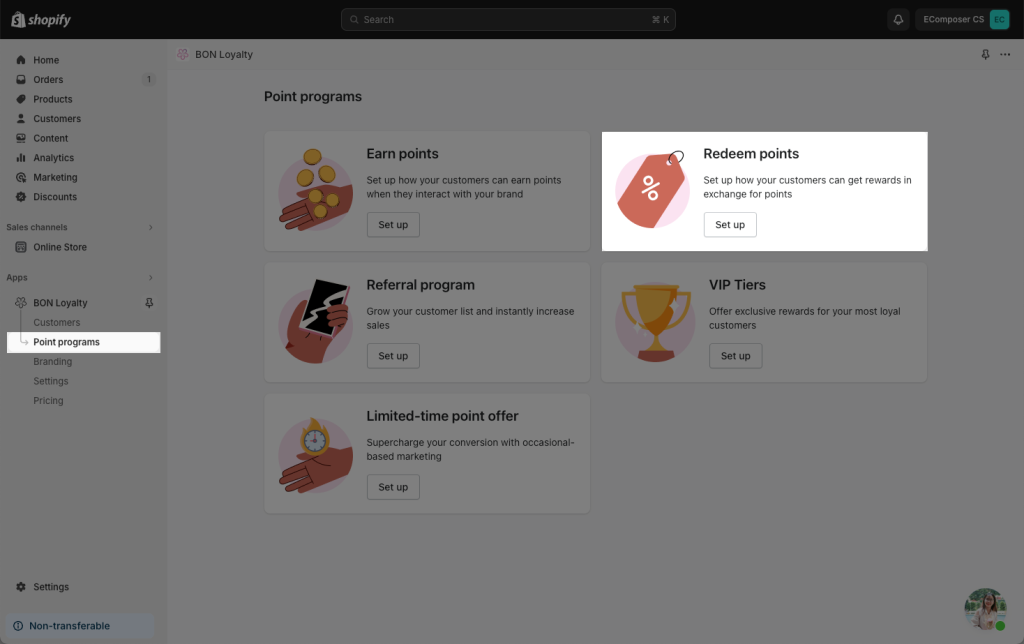
Make sure that you have at least one Discount offer Active.
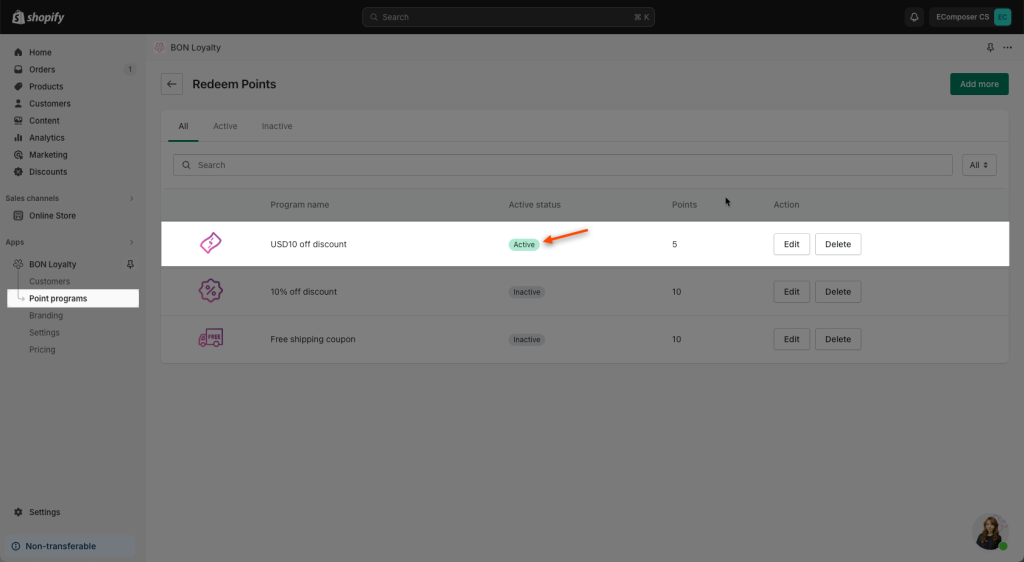
Result:
3.4 Referral Program
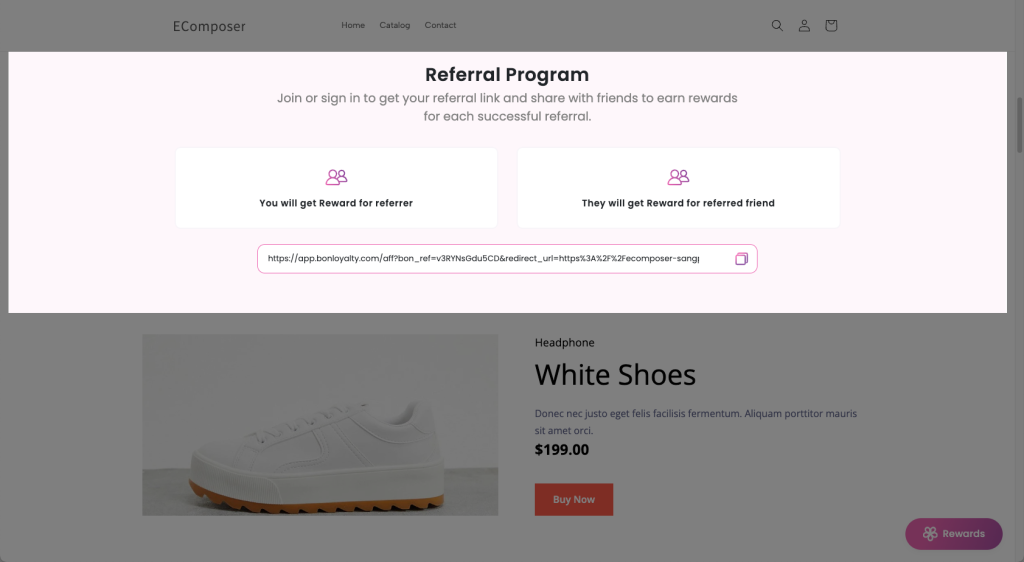
The referral program will assist you in increasing organic traffic, and growing your customer list and sales.
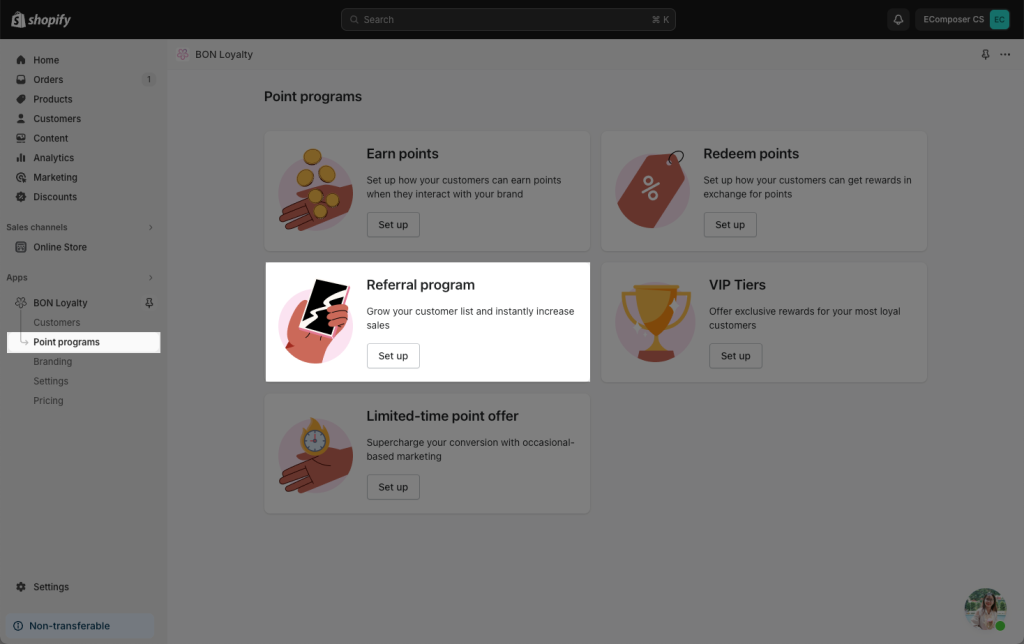
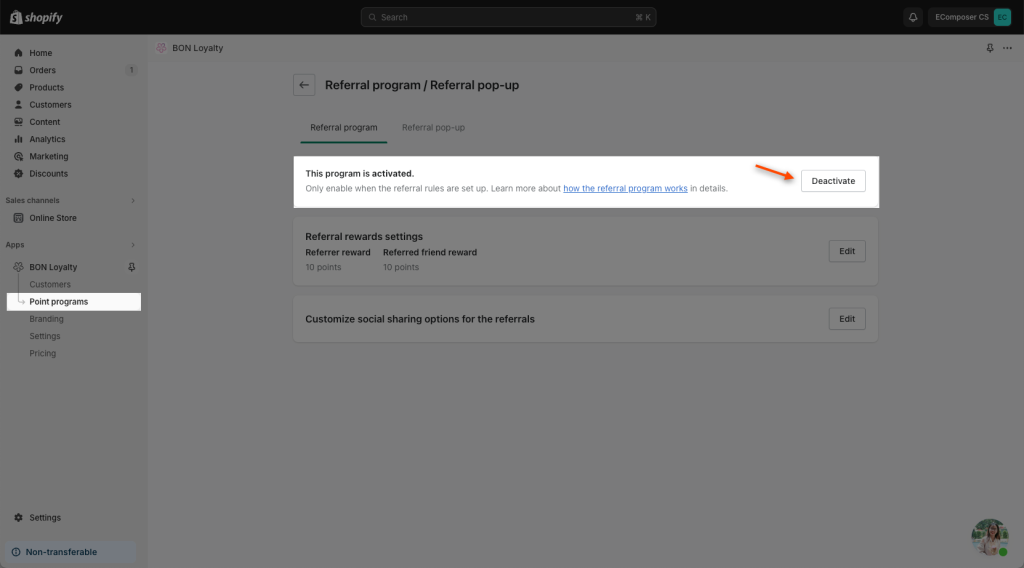
Make sure that you have one at least program Activated.
Result:
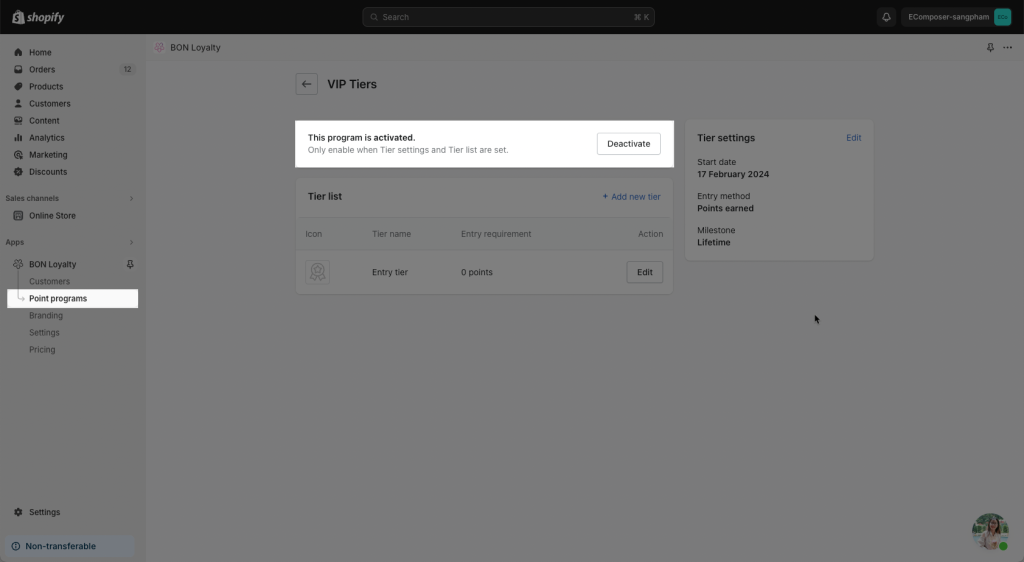
3.5 VIP Tier
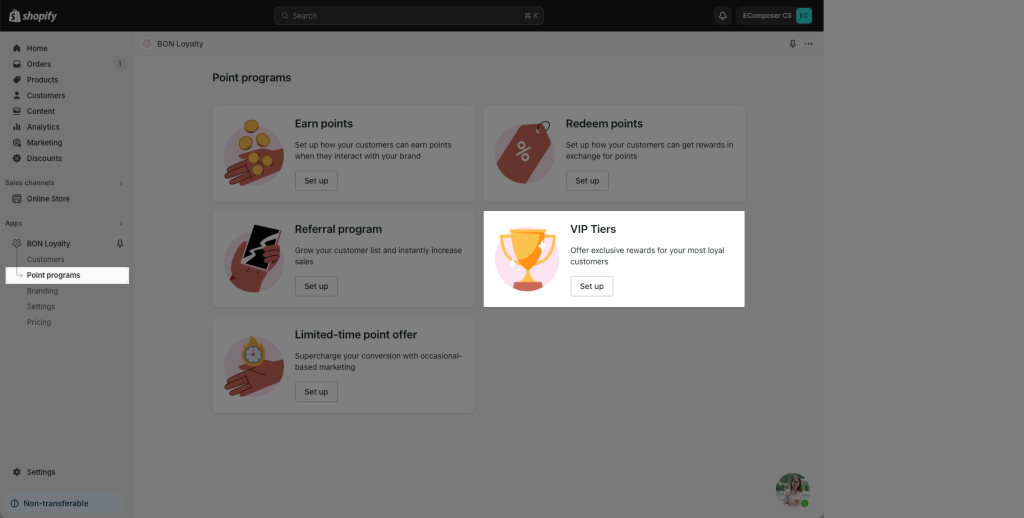
Make sure that Tier settings and Tier list are set and activated
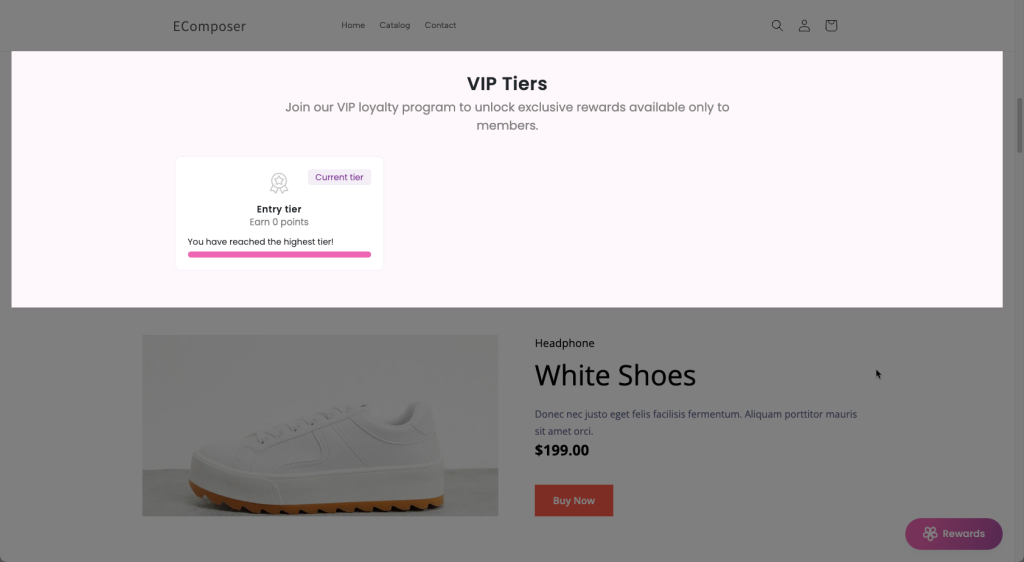
Result:
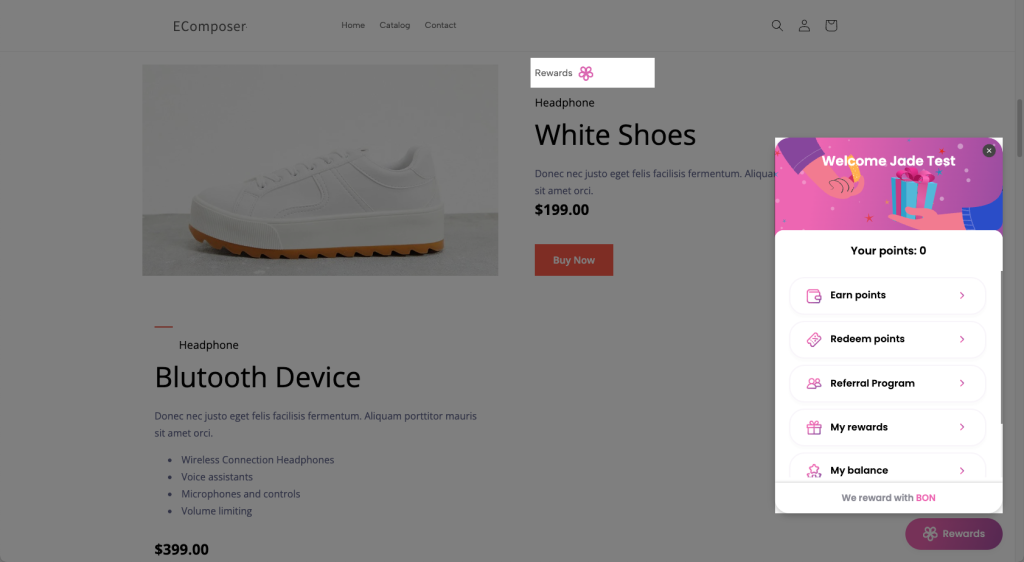
3.6 Rewards button
Result: It’s showing a button that you can click to open your BON pop-up promptly