

Aris Product Options
Avis Product Options, Variants lets you create unlimited custom product options and variants to deliver a more personalized shopping experience. By integrating with EComposer, you can seamlessly display and customize product options on your EComposer product pages without affecting your store’s design.
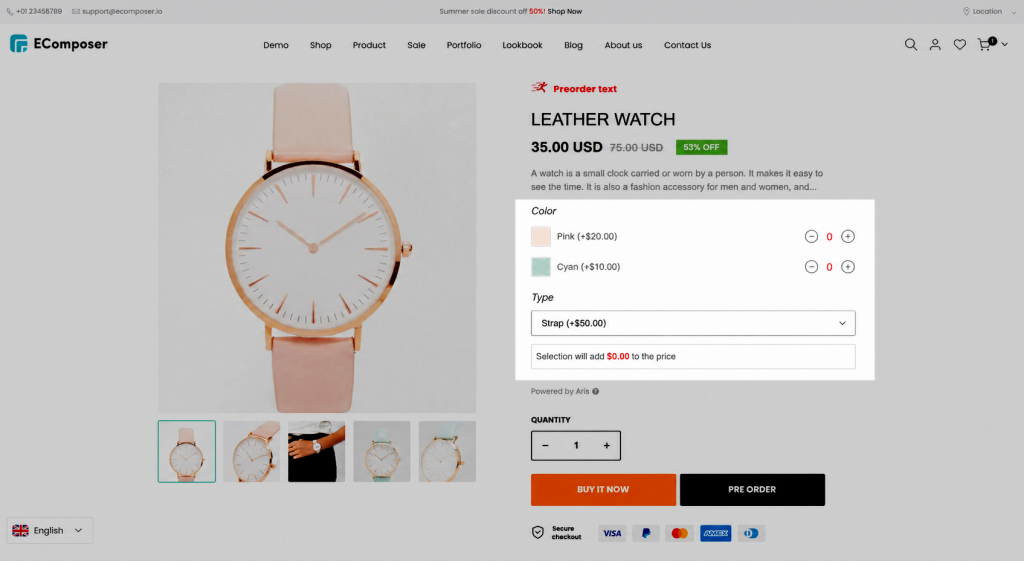
This guide walks you through installing the app, connecting it with EComposer, and showcasing custom product options on your storefront.
1. Install the Aris Product Options app and create options
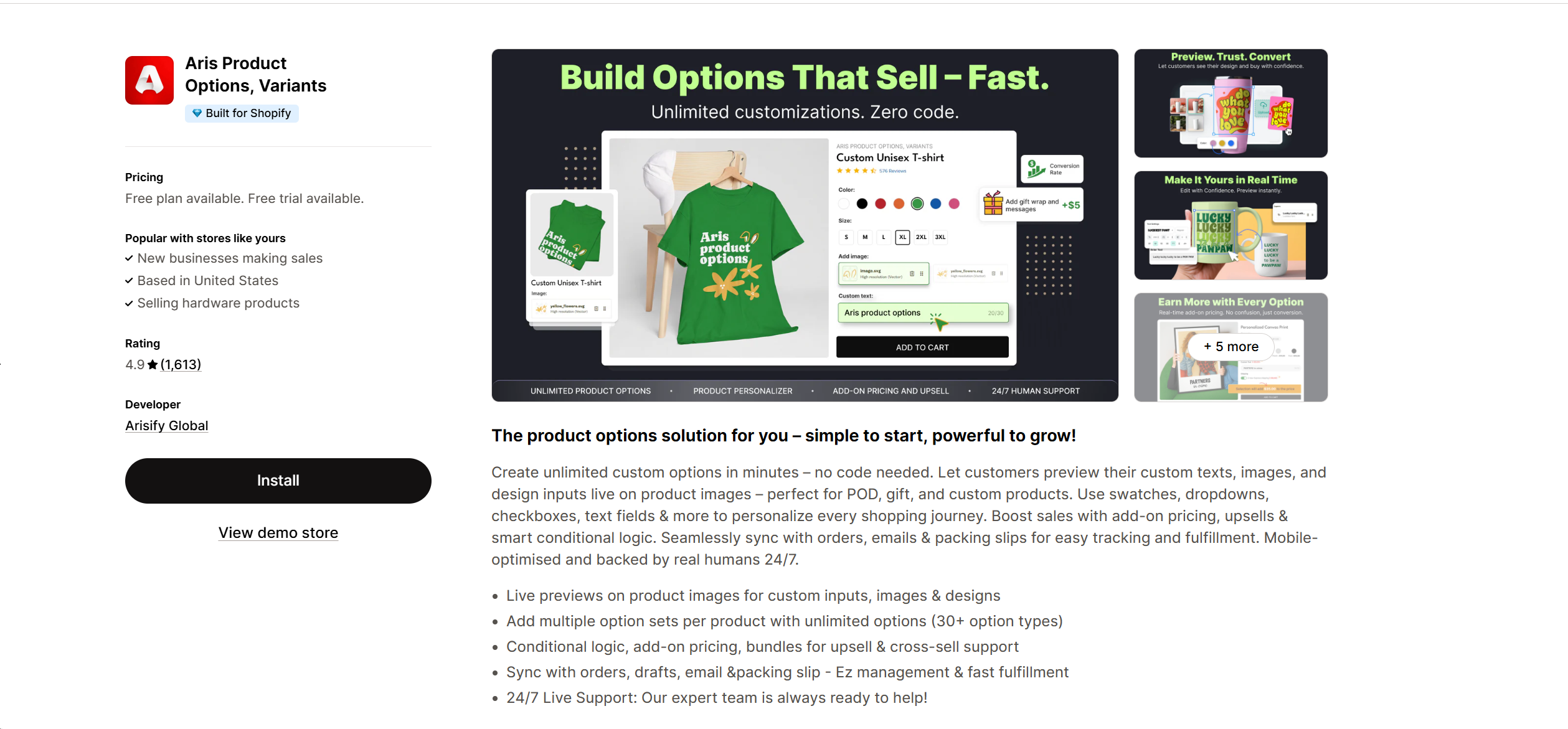
Step 1: Install the Aris Product Options, Variant app from your Shopify App Store first.
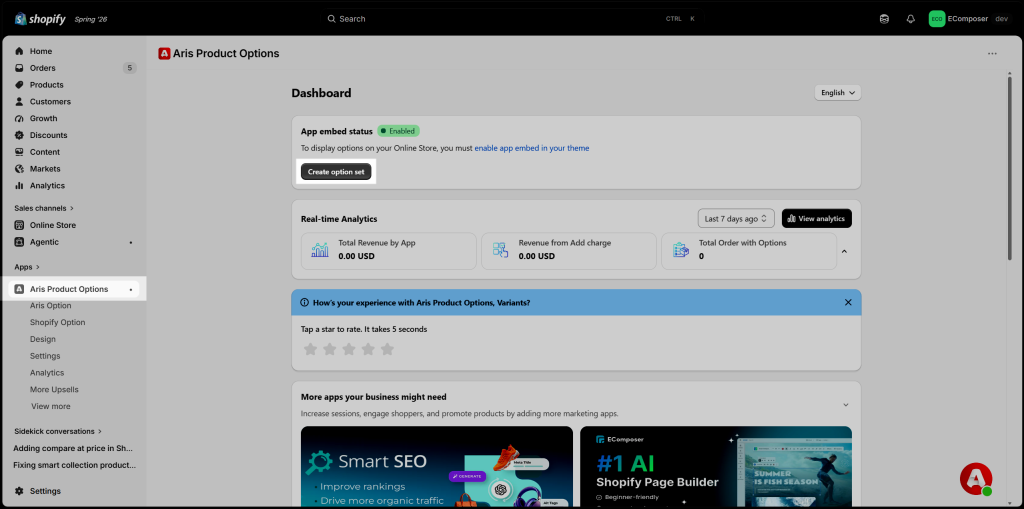
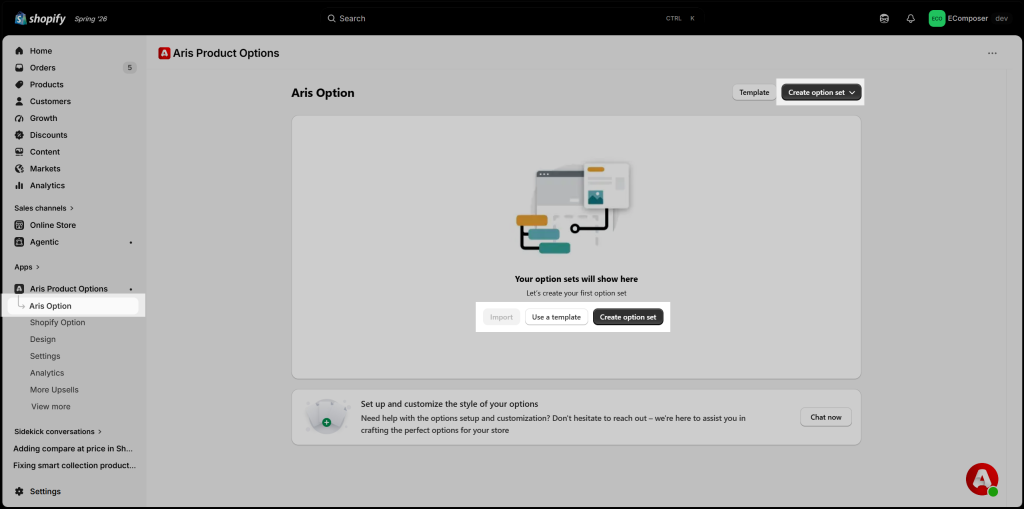
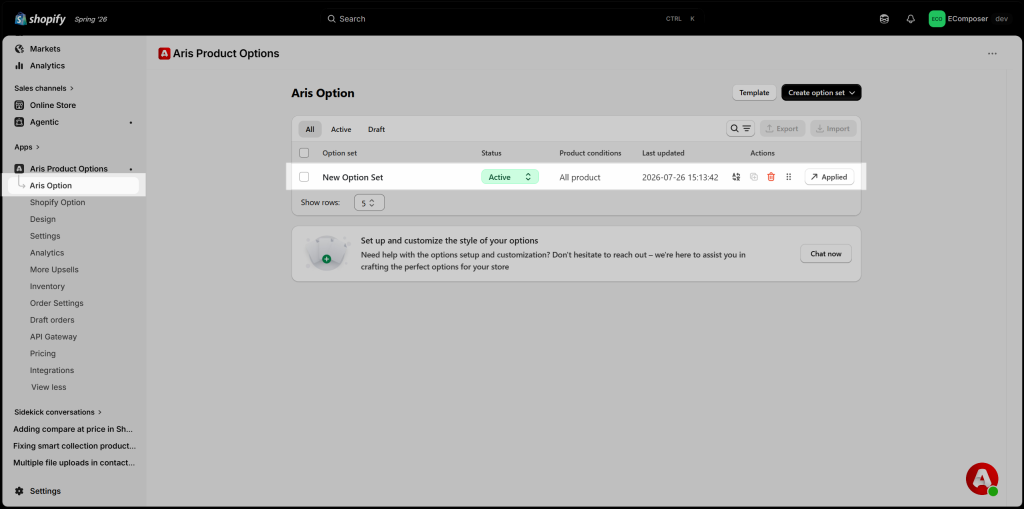
Step 2: Open the Aris Product Options app → Aris Option, then click Create option set.
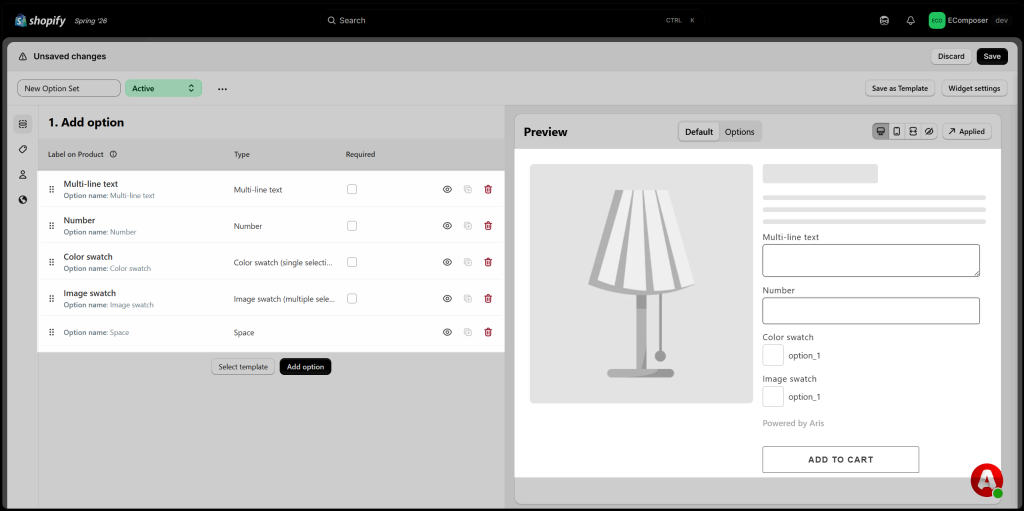
Step 3: Add and configure the required option types (Text, Number, Color Swatch, Image Swatch, etc.)
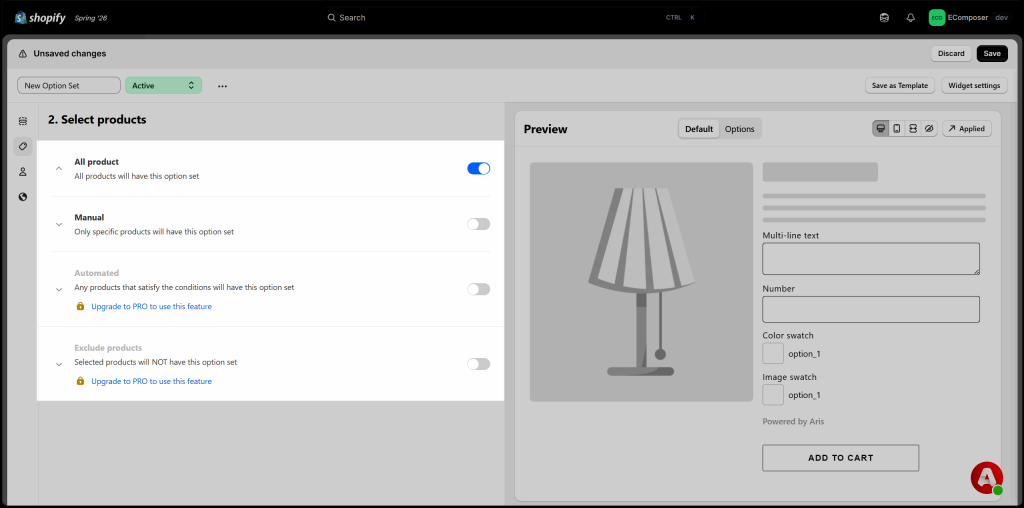
Step 4: Select the products that will use the option set.
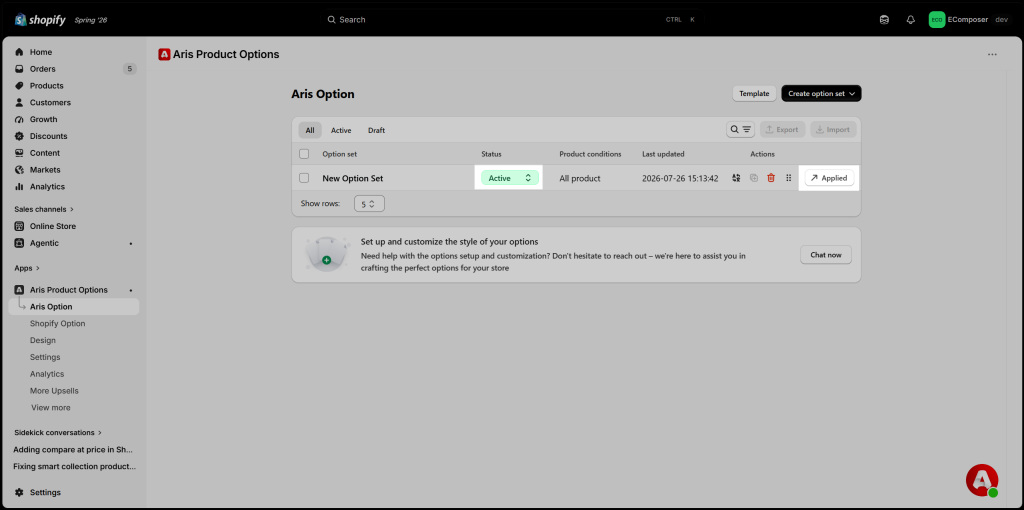
Step 5: Click Save, then make sure the option set is Active before using it in EComposer.
2. Install and add the Aris Product Options extension into EComposer product page
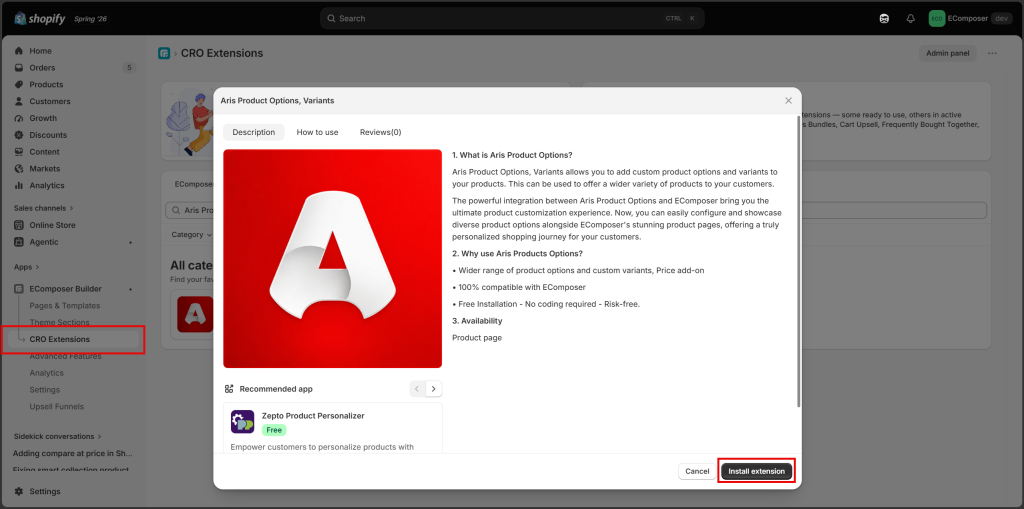
Step 1: Open CRO Extensions, find Aris Product Options, Variants, then click Install extension.
Step 2: Open your EComposer Product page, then drag and drop the Aris Product Options, Variants extension to the desired position.
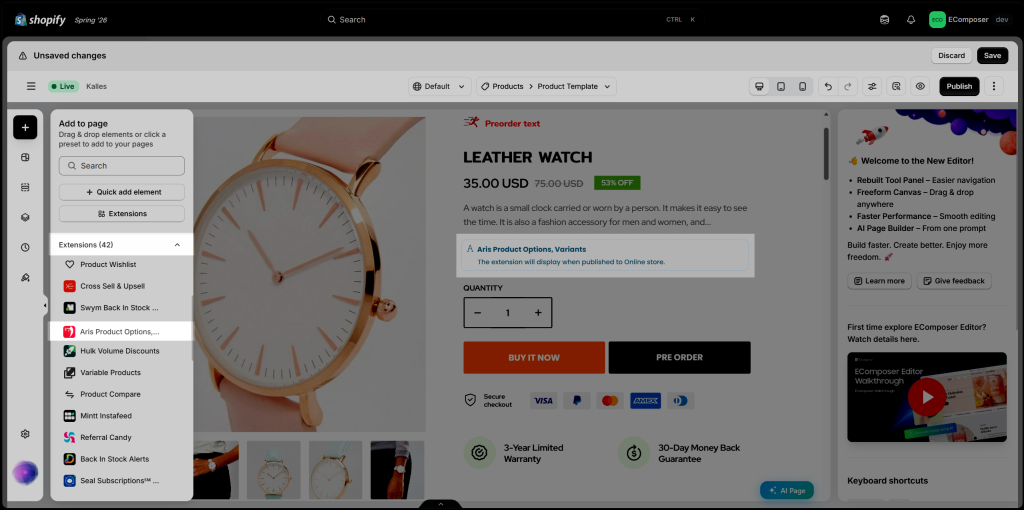
Step 3: Save and Publish the page to display the configured product options on your storefront.
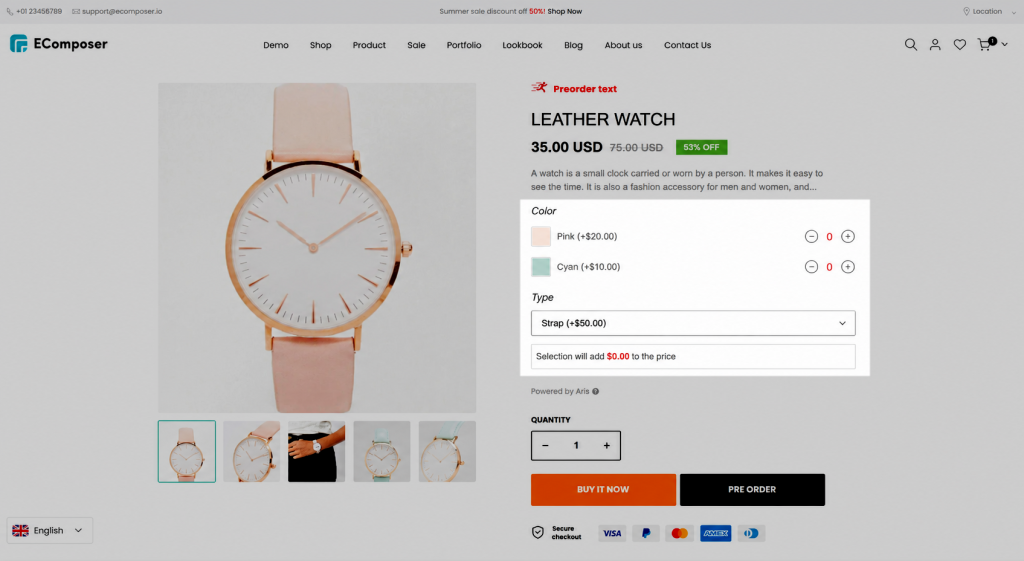
Note: The extension only displays Active option sets that have been assigned to the current product in the Aris Product Options app.
3. FAQs
3.1. Why aren’t my product options displayed on the EComposer product page?
Make sure the Option Set is Active and has been assigned to the current product in the Aris Product Options app. Also, verify that the Aris Product Options extension has been added to your EComposer product page.
3.2. Do I need to configure my options in both EComposer and Aris?
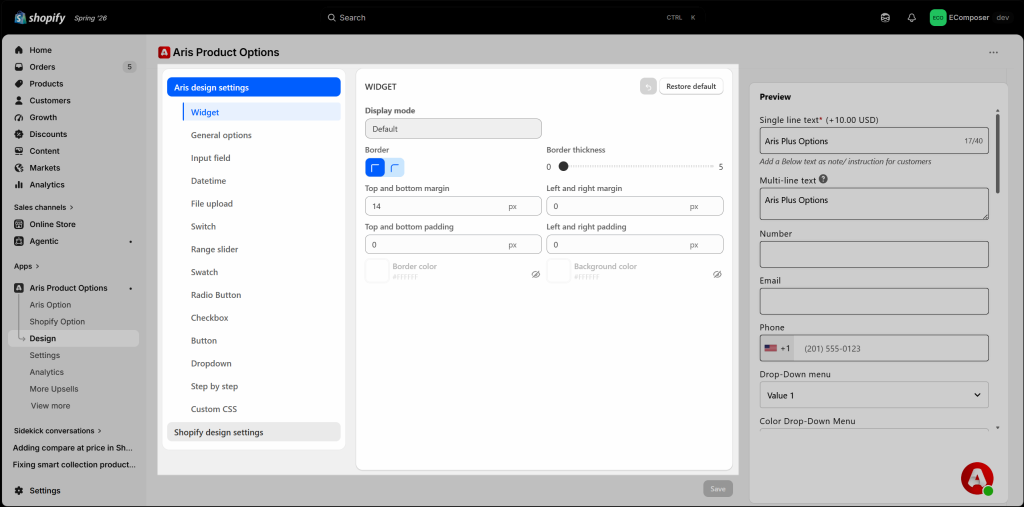
No. All product options are created and managed inside the Aris Product Options app. EComposer only displays those options on your product page.
3.3. Can I customize the position of the product options?
Yes. You can drag and drop the Aris Product Options extension anywhere on your EComposer product page to match your preferred layout.