

Infinite Options
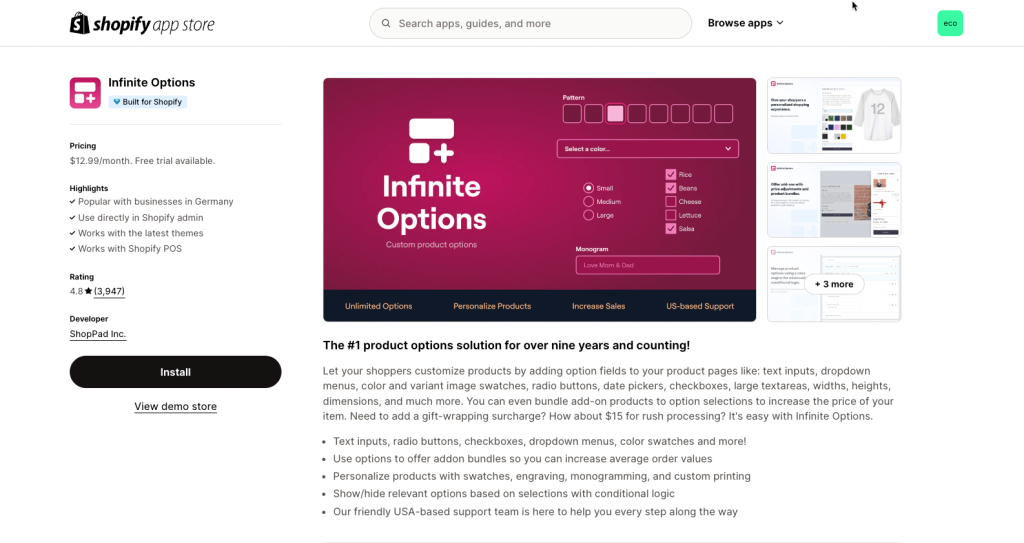
Infinite Options of ShopPad is a Shopify app that allows merchants to create customizable product options, like dropdowns and text fields, without needing to edit their store’s code.
EComposer seamlessly integrates with the Infinite Options app, allowing merchants to enhance their product options by adding dynamic elements like dropdowns, image swatches, text fields, number inputs, checkboxes, calendars, and radio buttons. This extension can be used once per page.
1. How to install the Infinite Options extension?
Step 1. To use this extension, please install the Infinite Options app from your Shopify store first.
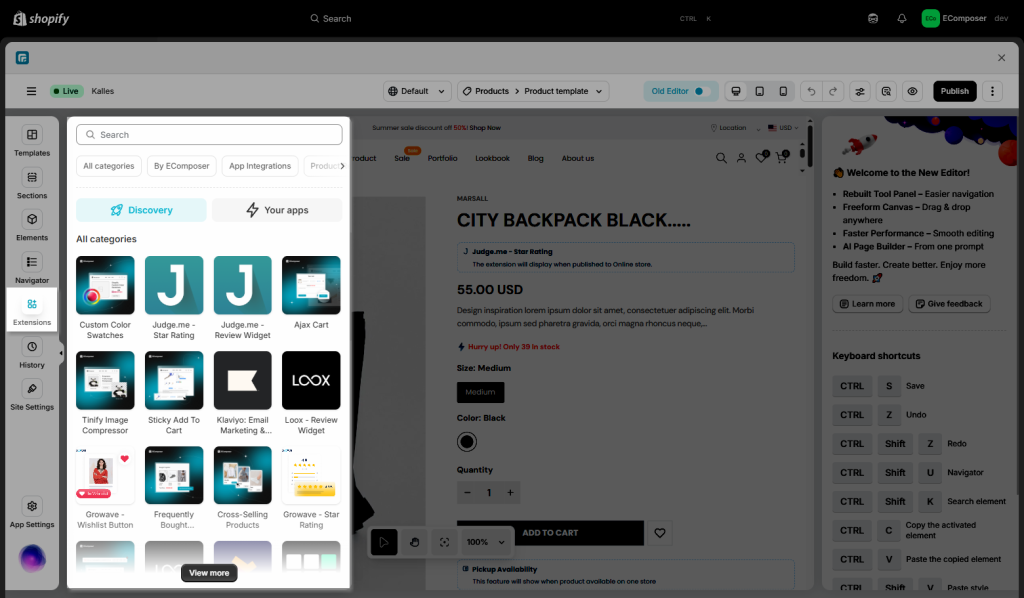
Step 2. To open the Extension popup: From the left sidebar, go to Extensions → search for the extension name and click to install, or click View more to browse all available extensions in the app.
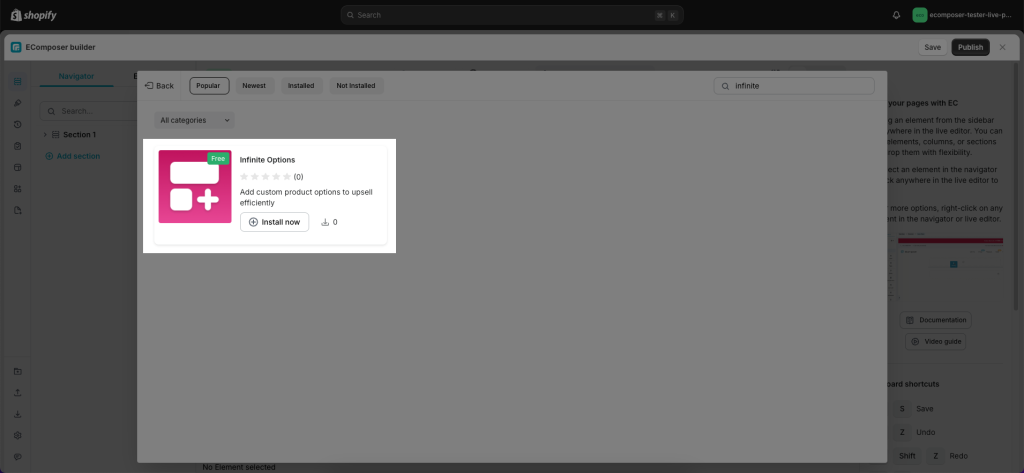
Step 3. In the last stage that we have to do to complete all the adding steps, now you can search for Infinite and click on the “Install now” button to install the extensions.
2. How to create Option Set in Infinite Options app
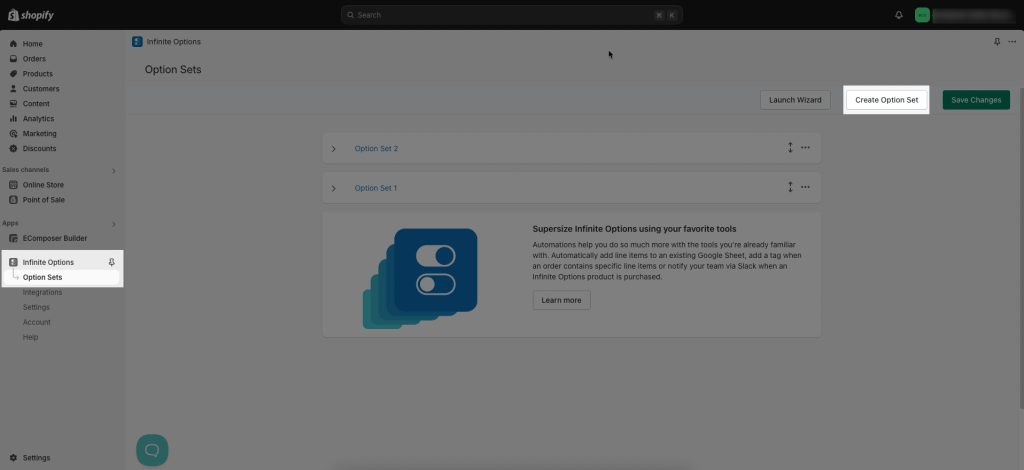
Please now open the Infinite Options app -> Option Set -> Create Option Set
Assign all products to Infinite Options or assign specific products by adding product conditions in the section.
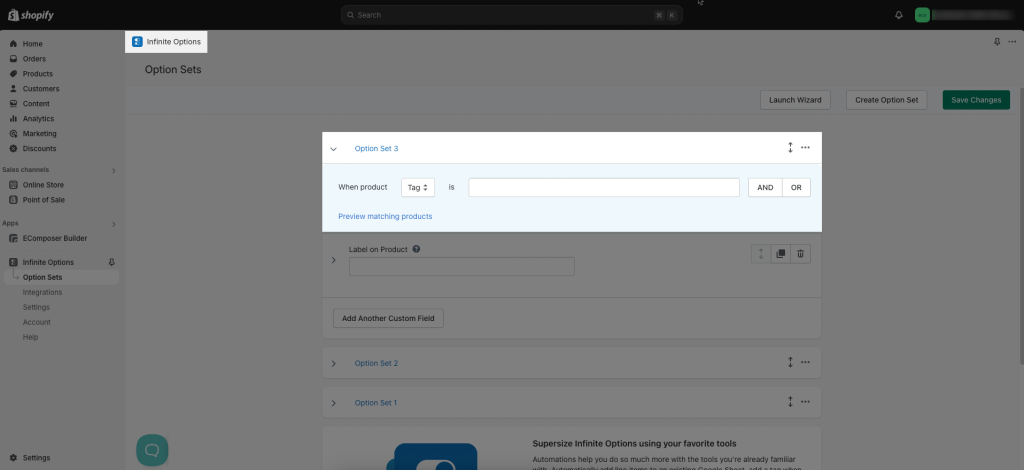
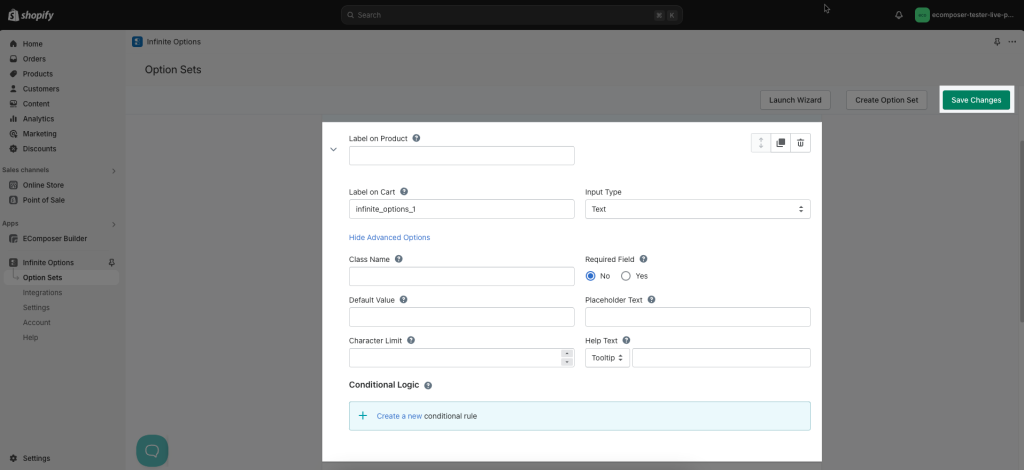
Add your labels and make all the necessary configuration. Then click the “Save Changes” button.
3. How to add Infinite Options extension into EComposer?
All you need to do is drag & drop the extension into the position you want on Product page. Template is only showing on the live/ published page.
Results: