
AI Search Optimization
1. What is AI Search Optimization?
AI Search Optimization is a feature in EComposer designed to help your store rank higher and look better on modern search engines.
Unlike traditional SEO that only looks at keywords, AI Search Optimization helps AI tools (like Google’s new AI search, ChatGPT, or Bing) understand exactly what your page is about. It bridges the gap between your products and what customers are actually searching for in a natural way.
Using this feature brings three main benefits to your business:
- Better Visibility: Your store is more likely to appear when customers ask AI-powered search engines for recommendations.
- Saves Time: You don’t need to be an SEO expert. The AI automatically suggests the best titles and descriptions for your pages.
- Higher Click Rates: By creating clear and relevant summaries, customers are more likely to click on your store link because they see exactly what they are looking for.
- Professional Content: It helps you write product descriptions and headings that sound natural, helpful, and persuasive.
To activate this feature, go to EComposer App Dashboard -> Advanced Features –> AI Search Optimization
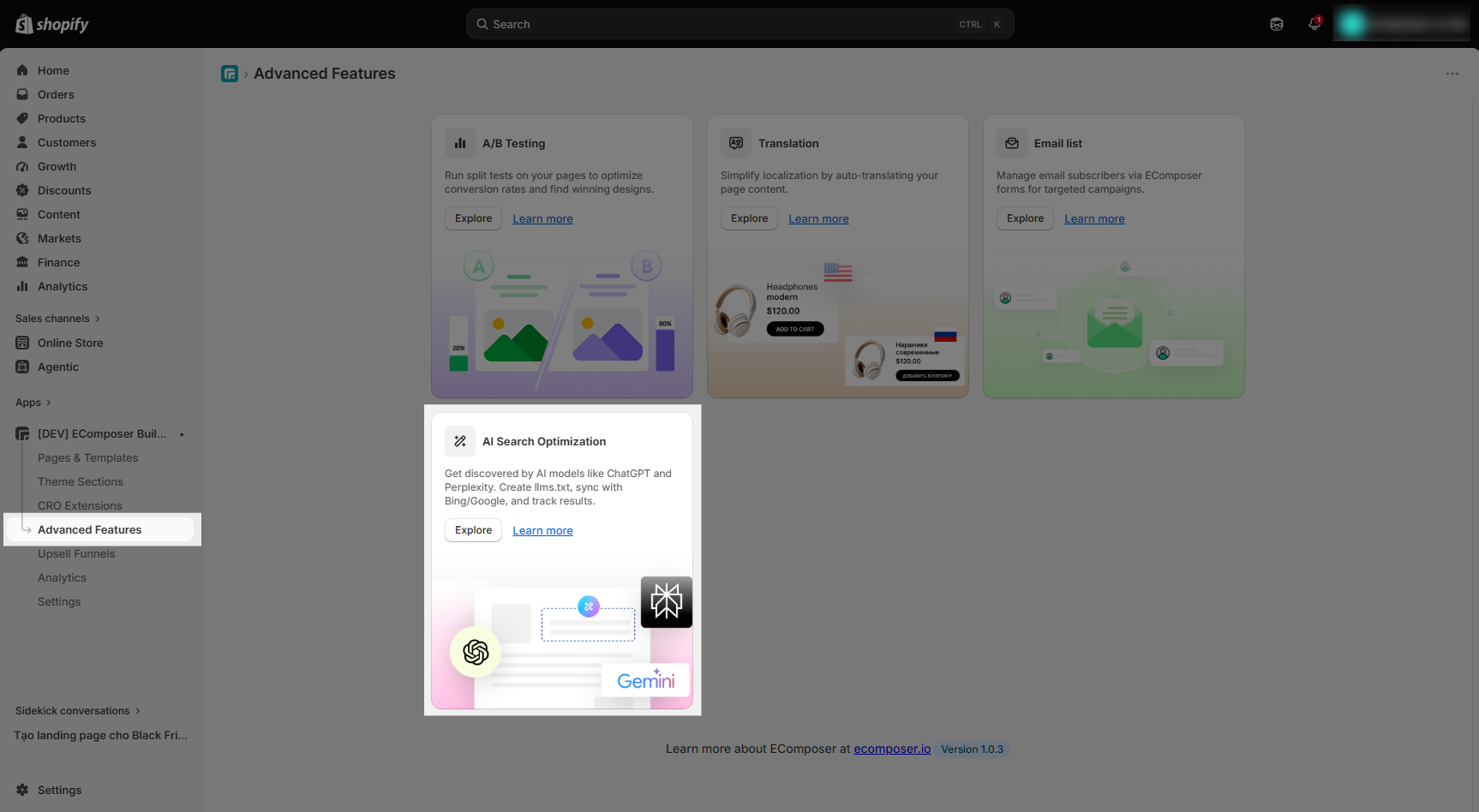
2. AI SEO Setup Guide
To make your store ready for the future of AI search, you should turn on these settings. Here is a simple breakdown of what they do:
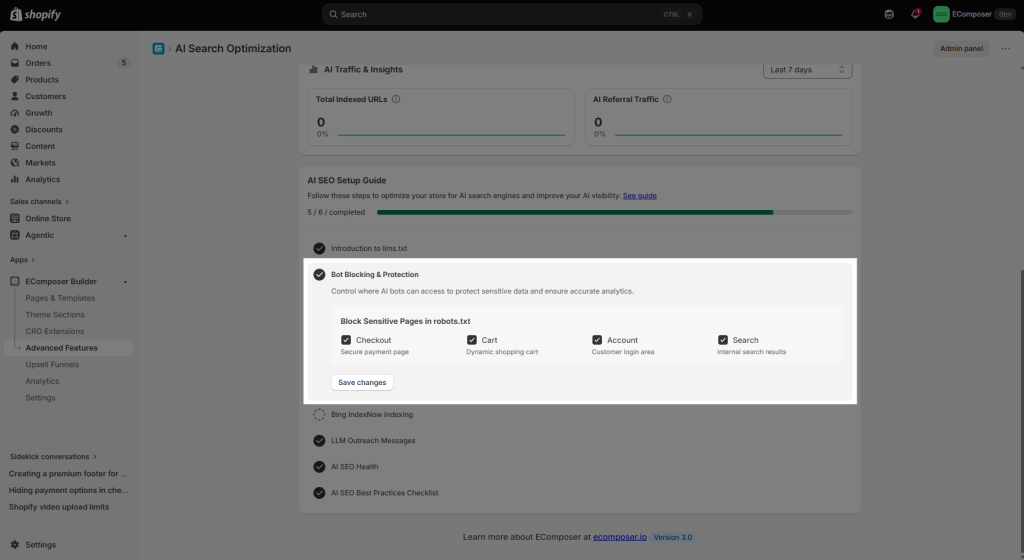
- Introduction to llms.txt: This creates a simple instruction manual for AI models (like ChatGPT). It tells them exactly how to read and use your website content correctly.
- Enable llms.txt: Enabling the llms.txt button is essentially like handing an AI model a cheat sheet. It creates a specific file on your website’s server that serves as a structured guide for AI crawlers (such as those from OpenAI, Anthropic, or Google).
- Exclude URLs or Keywords: Essentially a “Do Not Disturb” sign for AI models. It gives you control over which parts of your website are shared with Large Language Models (LLMs) like ChatGPT or Claude when they “crawl” your site to index information.
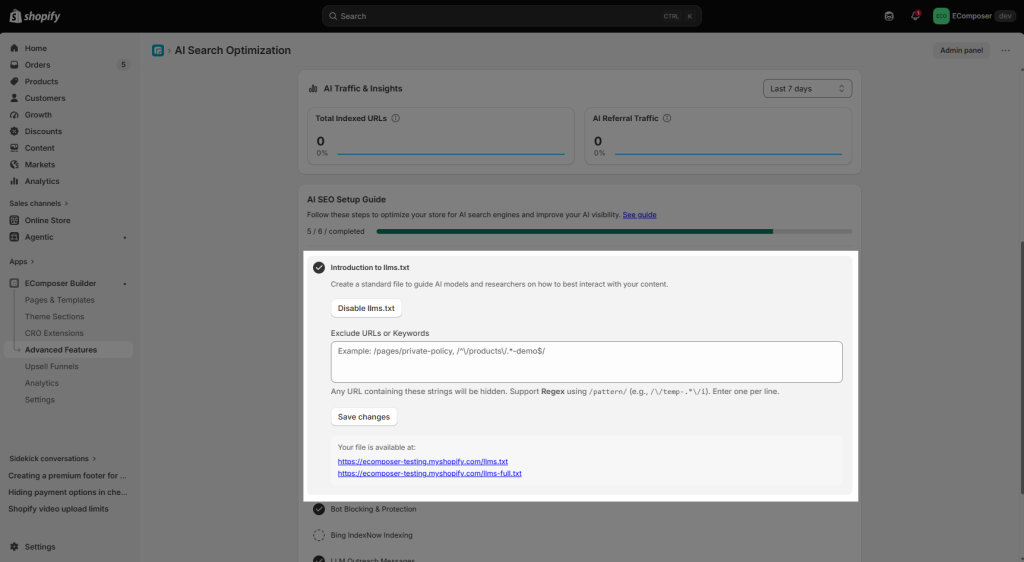
- Bot Blocking & Protection: Think of these settings as a Security Perimeter. While the AI Search Optimization helps “good” AI find and promote your brand, these checkboxes ensure that “malicious” or “unnecessary” bots don’t interfere with your actual sales operations or site speed.
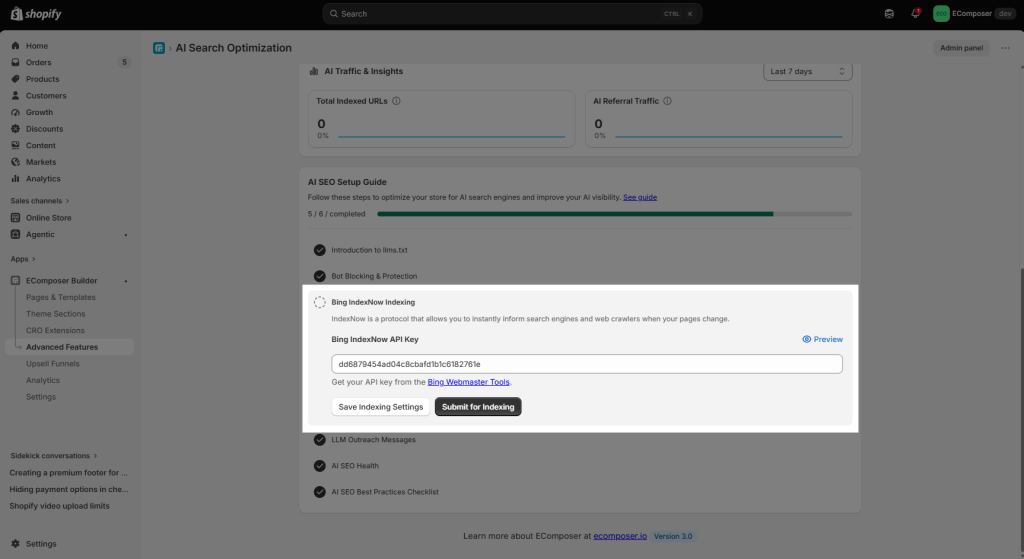
- Bing IndexNow Indexing: This feature will let you submit the URL of your store to IndexNow. To enter the Bing IndexNow API Key, kindly get your API key from here
You can easily understand it, like your store has 20 pages as 20 URLs – you submitted them. Then tomorrow, if you have 2 new pages as 2 new URLs, you should hit the Submit for Indexing button to update IndexNow.
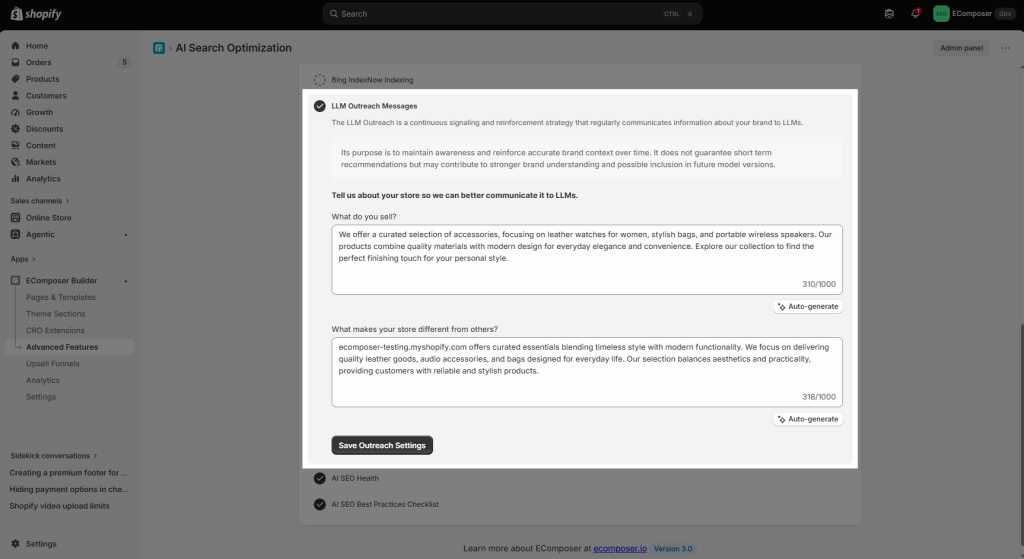
- LLM Outreach Messages: Regularly “reminds” AI models about your brand. It’s like sending a frequent status update to AI so they don’t forget your store.
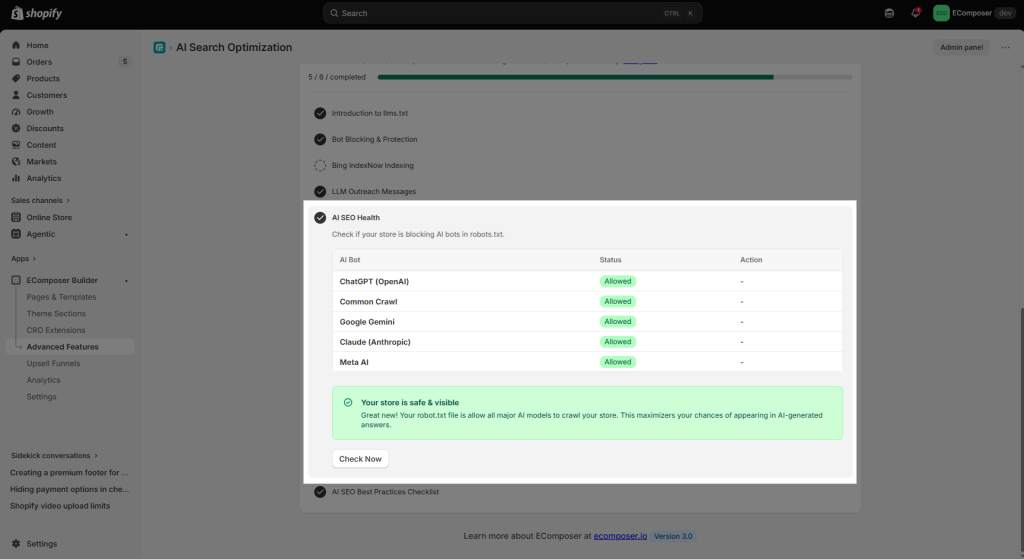
- AI SEO Health: AI quick scan to see if your store is accidentally “hiding” from AI. It makes sure your site’s settings aren’t blocking the bots you want. It is a diagnostic tool that performs a comprehensive scan of your store’s “discoverability” from the perspective of an AI model.
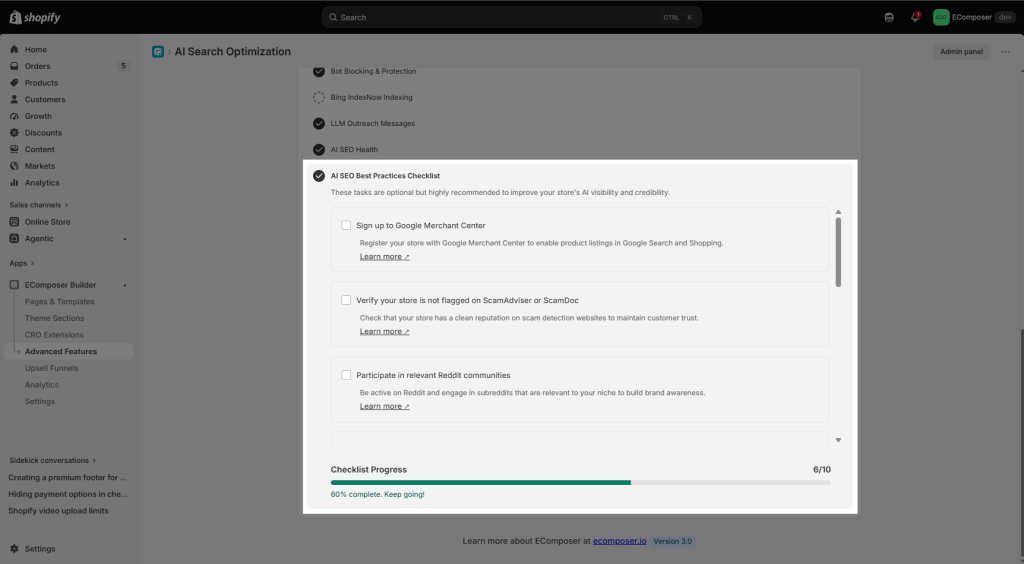
- AI SEO Best Practices: A simple “To-Do” list. It gives you extra tips to make your store look more professional and trustworthy to AI systems.
3. AI Overview
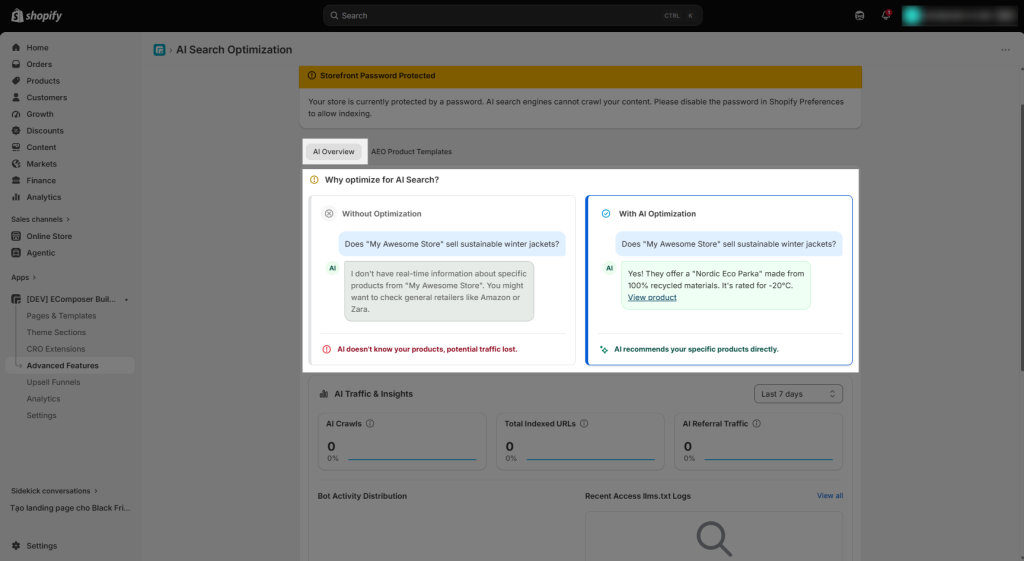
Without AI Search Optimization vs. With
The images below illustrate how AI search results may appear with and without AI Search Optimization. With proper optimization, your content has a stronger opportunity to be understood, surfaced, and presented by AI-powered search features such as AI Overviews. Without optimization, your content may have less visibility or may not be selected as a source for these AI-generated results.
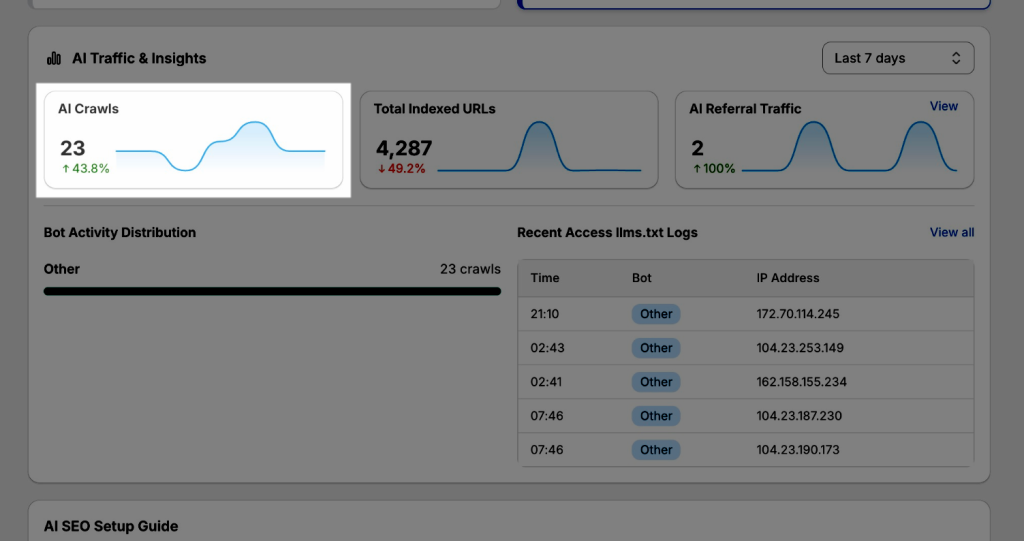
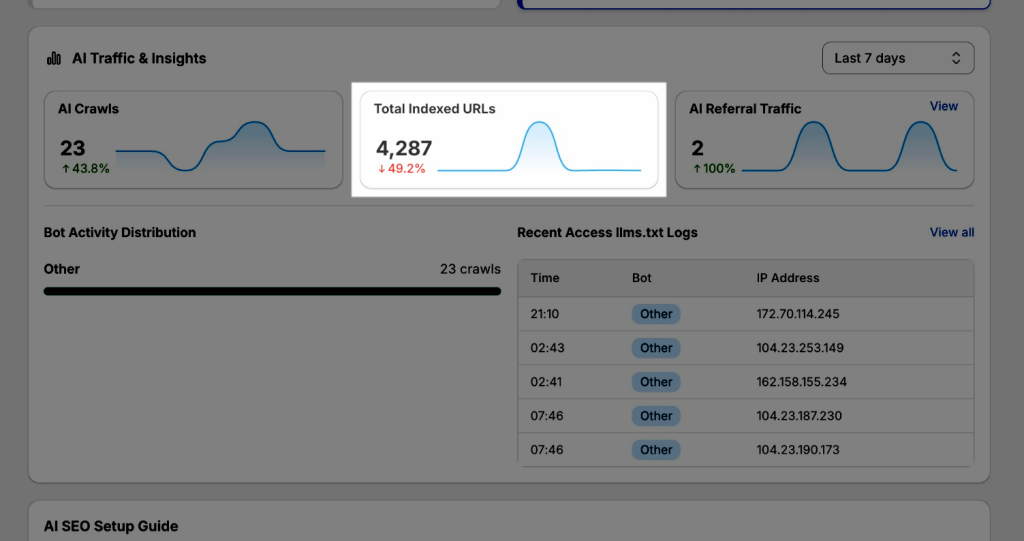
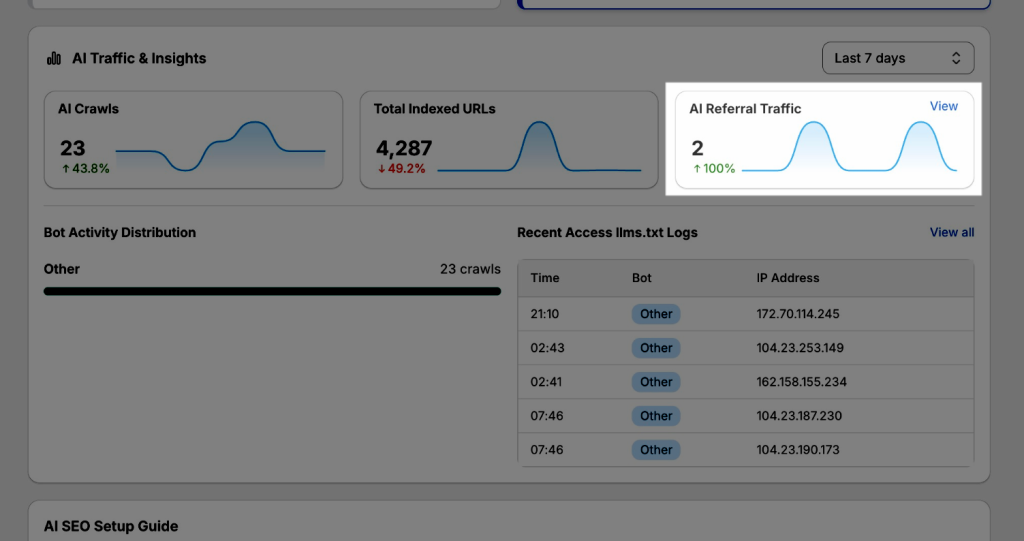
AI Traffic & Insights provides an overview of how AI bots interact with your store, including crawl activity, indexed URLs, and referral traffic from AI platforms. It also shows bot activity distribution and recent access logs, helping you monitor and optimize your store’s visibility in AI-powered search engines.
- AI Crawls: It means how many times AI bots (like ChatGPT or Google Gemini) have visited your site to read your content. It helps you know if AI is actively paying attention to your store. More crawls mean your data is always fresh in the AI’s “brain.”
- Total Indexed URLs: The number of pages on your store that AI models have successfully saved in their memory. It helps ensure all your products and blogs are “discoverable.” If this number is high, AI can recommend any part of your store to a user.
- AI Referral Traffic: The number of actual shoppers who clicked a link to your store after an AI gave them an answer. It helps you see the real profit. It proves that AI isn’t just reading your site—it’s actually sending you “ready-to-buy” customers.
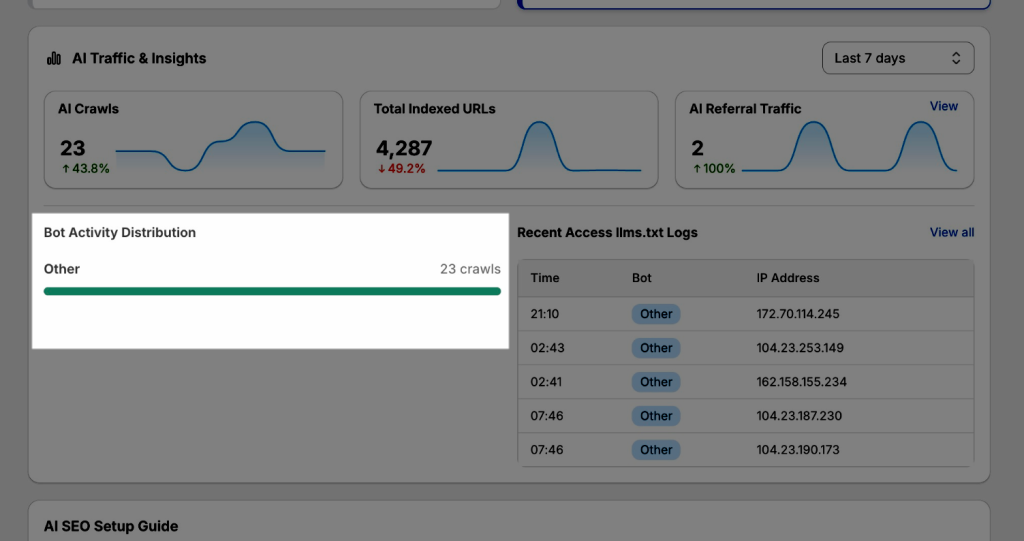
- Bot Activity Distribution: The total number of times your store’s “AI cheat sheet” has been read. It also shows that the app is successfully broadcasting your store information to the AI world, even if the specific names of those bots aren’t fully identified yet.
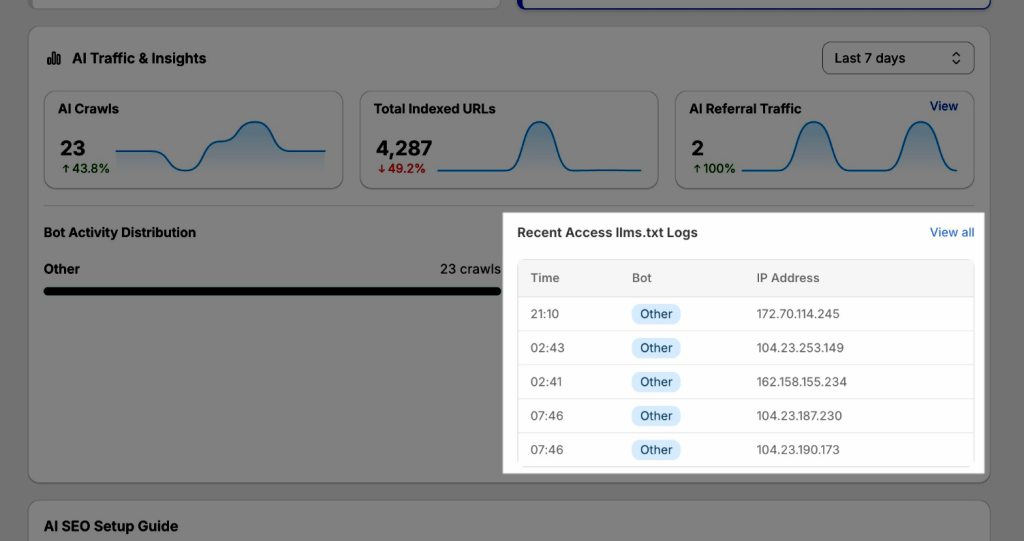
- Recent Access llms.txt Logs: Breaks down the types of bots accessing your store and their crawl frequency, giving you a clearer view of bot behavior.
4. AEO Product template
Helps you analyze and optimize all product page templates in your current Shopify theme for AI search visibility. With this feature, you can:
- Analyze all product templates in the current store.
- Covers templates from the Theme, EComposer apps, and other apps.
- Analyzes the actual live storefront page and rendered HTML.
- Identifies specific AEO issues and provides actionable recommendations.
- Does not consume credits from the your plan, so you can check all available product templates without additional credit usage.
AEO Product Templates Overview
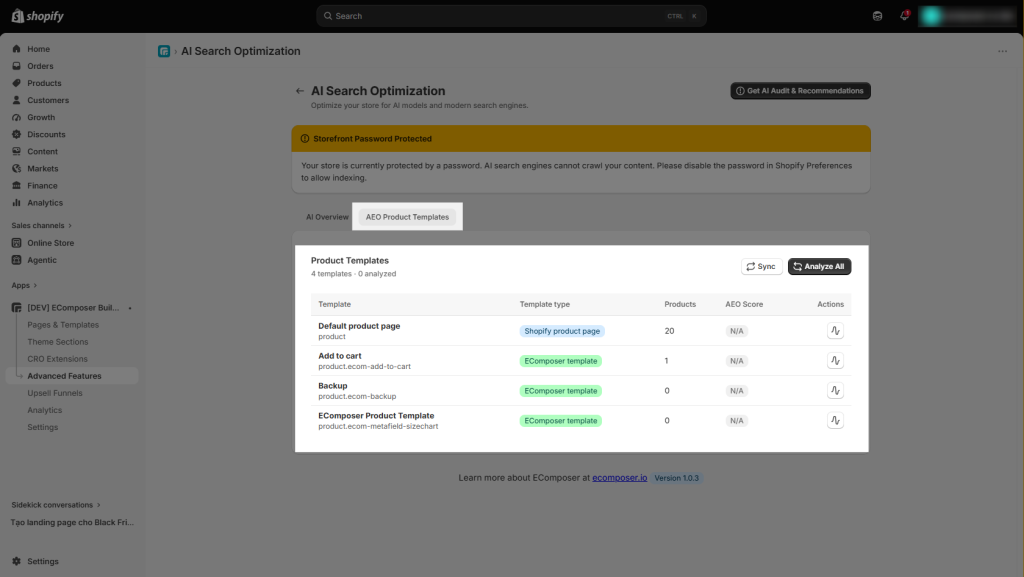
- Product Templates: Shows the total number of product templates available, how many have been analyzed, and the average AEO score across all analyzed templates.
- Sync: Refreshes the template list to detect the latest product templates available in the store.
- Analyze All: Starts AEO analysis for all available product templates, allowing you to check their entire product template set at once.
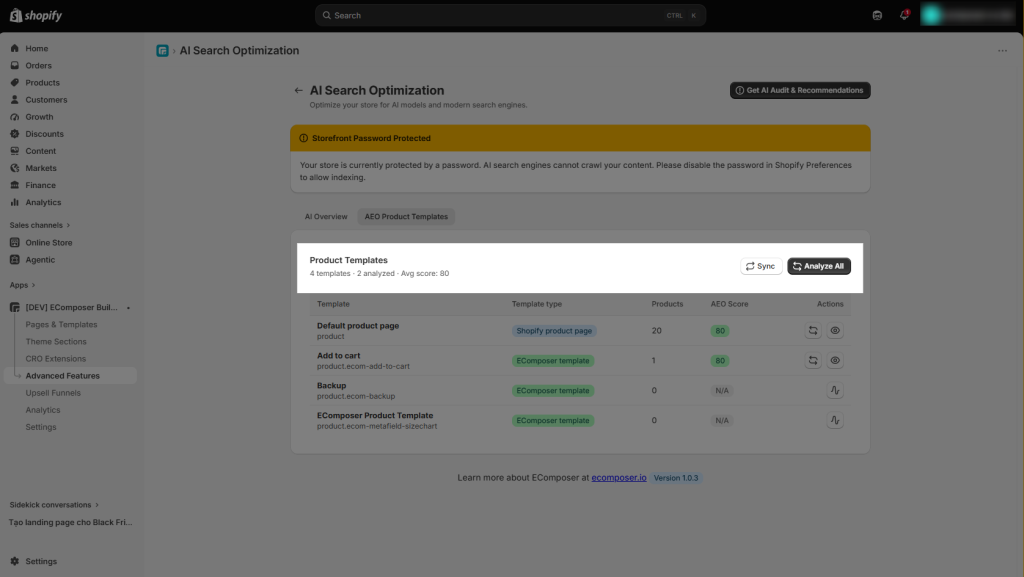
- Template: Displays all product templates available in the store, along with their template names and identifiers.
- Template Type: Shows where each template comes from, such as a Shopify product page (known as the Default template from the theme) or an EComposer app template.
- Products: Indicates how many products are currently using each template.
- AEO Score: Displays the analysis score for each template. Templates that have not been analyzed yet will show N/A.
- Actions: Provides options to analyze, re-analyze, or view the detailed AEO analysis of each product template.
- Re-analyze icon: Used to re-analyze the selected product template and update its AEO score and analysis results.
- Eye icon: Used to open the detailed AEO analysis of the selected product template, where you can review the score, passed checks, issues, and recommendations.
- Analyze icon: Used to start the AEO analysis for a product template that has not been analyzed yet.
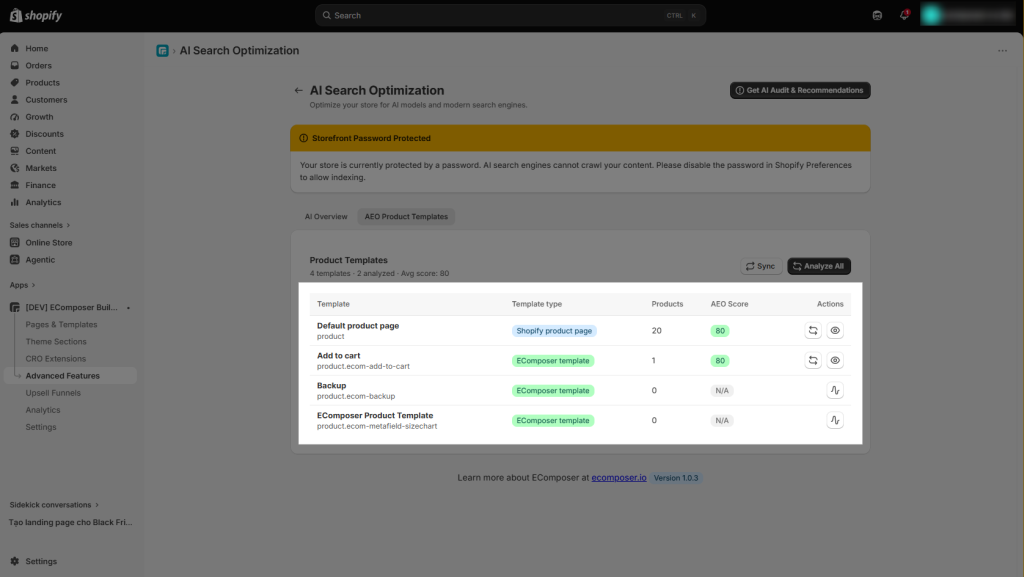
AEO Product Template Analysis Result
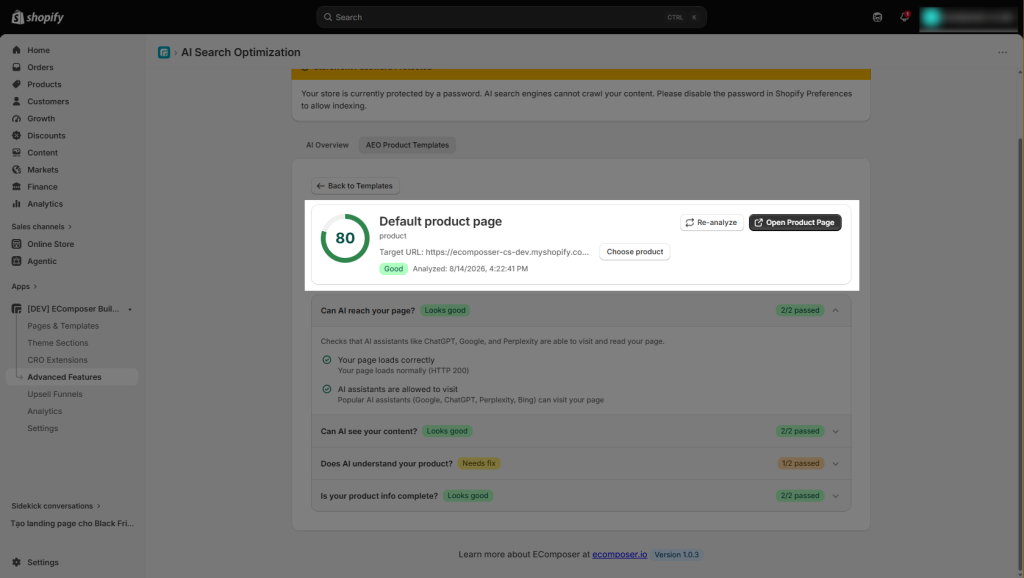
After a product template is analyzed, the result page provides a clear overview of its AEO performance and highlights areas that may need improvement. Click the eye icon to open its detailed AEO analysis, including the score, passed checks, issues, and recommendations.
- Overall AEO Score: Shows the template’s overall optimization score and status, helping you quickly understand its current AEO readiness.
- Template & Product Information: Displays the analyzed product template, product URL, analysis time, and the option to select a specific product for testing.
- Re-analyze: Allows you to run the analysis again after making changes to the product page or template.
- Open Product Page: Provides direct access to the live product page that was analyzed.
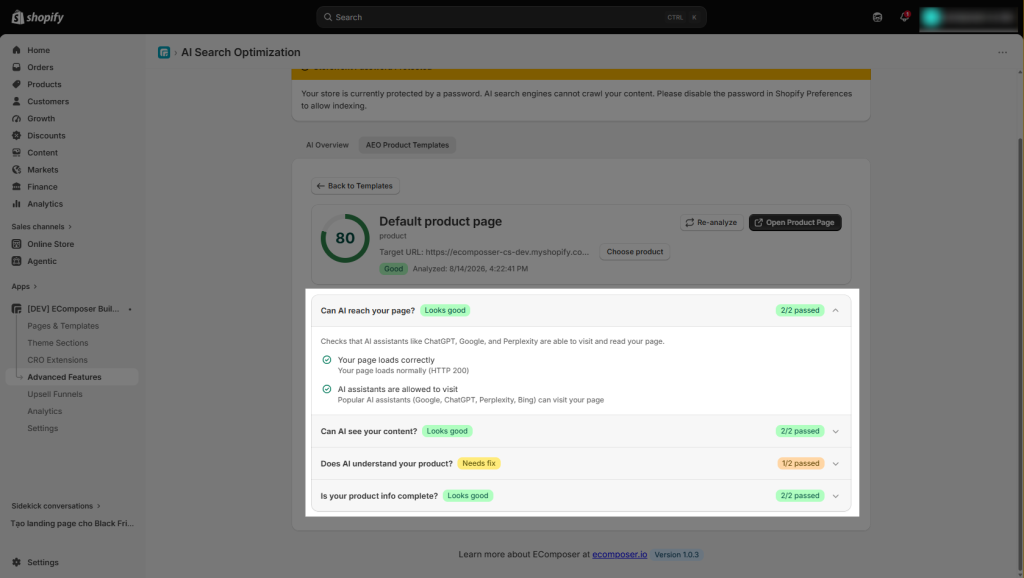
The analysis is divided into key areas that affect how AI systems can access, read, understand, and use the product information. You can expand each criterion to view the specific checks, identify issues, and understand how to fix them.
Also, each criterion will be shown with a Looks Good or Needs Fix status. This indicates whether the page passes the check or requires improvement, along with the number of checks passed.
- Can AI reach your page? Checks whether AI assistants can access and crawl the product page.
- Can AI see your content? Checks whether the important page content is accessible and readable by AI systems.
- Does AI understand your product? Checks whether the product information and page structure provide enough context for AI to correctly understand the product.
- Is your product info complete? Checks whether the key product information needed by AI is present and sufficiently complete.
For example, if a criterion shows a Needs Fix status, you can expand it to see which checks have passed and which require improvement. The expanded details also show how to fix the issue and where the fix needs to be made.
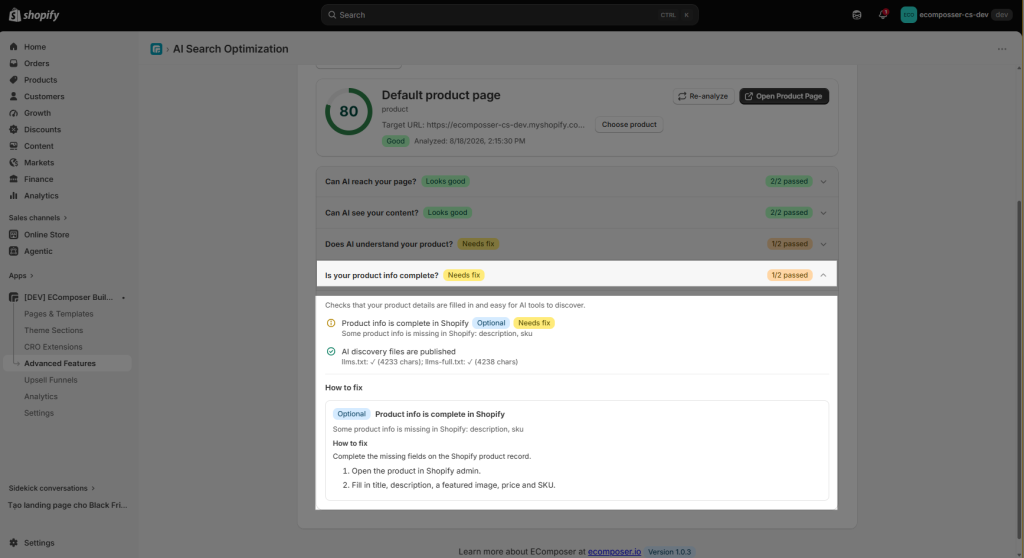
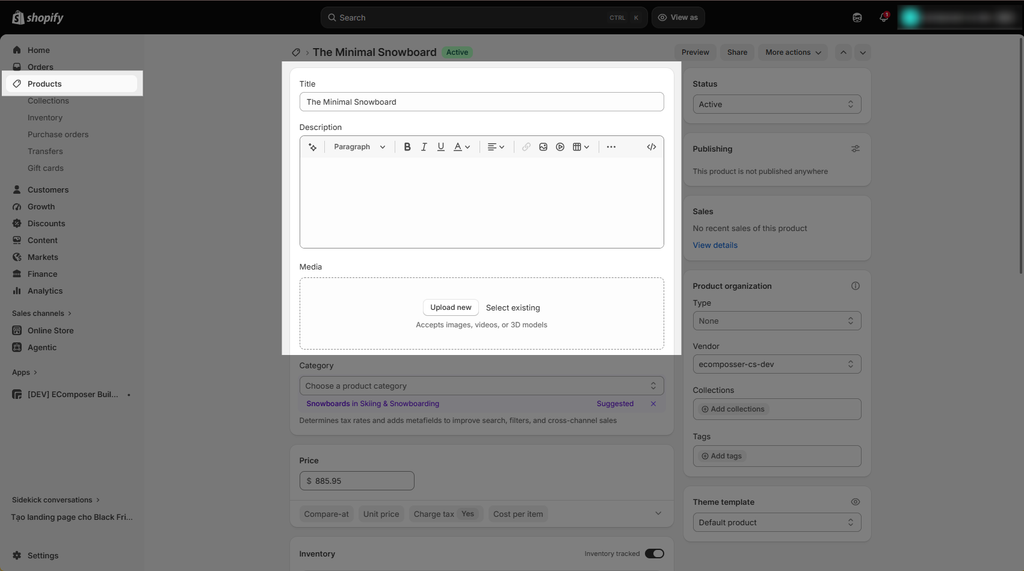
This check ensures that your Shopify product listing is fully completed so AI search assistants like ChatGPT, Perplexity, and Google can easily display your product. Currently, some product details, specifically the description and SKU, are missing from your Shopify admin.
To resolve this, kindly go to your Shopify admin, open the product page, and add a complete product description, feature image, price, along with a SKU number.