
How to Connect Button to Popup in EComposer
In EComposer, you can easily connect a Button element to open a Popup template, allowing you to display any content you want, such as a Contact Form, a Newsletter Signup, or a Promotional Message.
This setup is a great way to increase user engagement and encourage interaction on your website. For example:
- A “Get Discount” button opens a popup with a form to collect emails.
- A “Contact Us” button opens a popup containing your contact information or inquiry form.
Follow the steps below to connect a button to your desired popup.
Step 1: Create a Popup Template
First, you need to create a Popup template that includes the form or content you want to display. To do this, go to EComposer → Templates → Create New → Popup type.
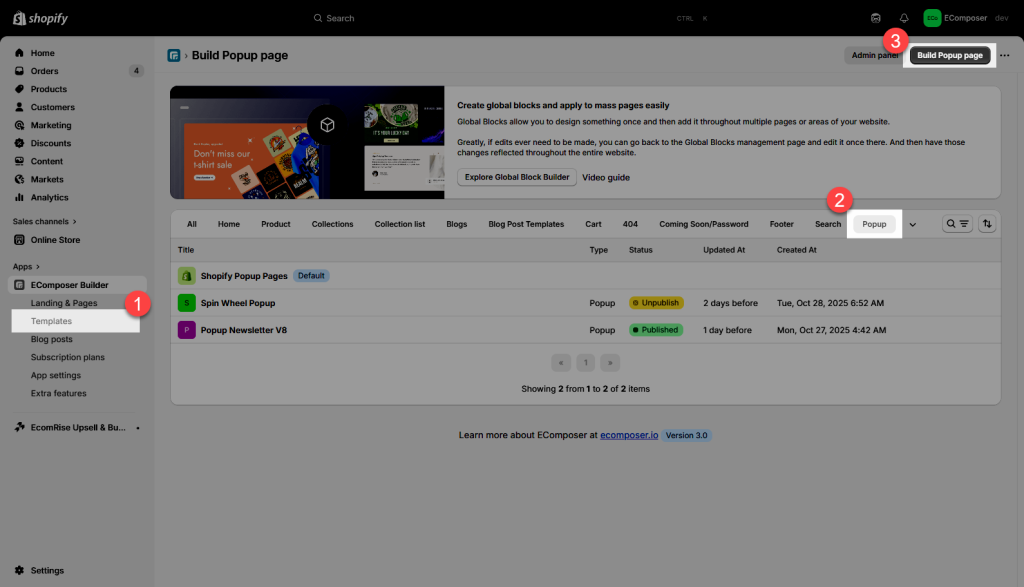
You can follow this guide for detailed steps: How to Create a Popup Template in EComposer
Once created, save & Publish your popup template.
Step 2: Connect the Button to Open the Popup
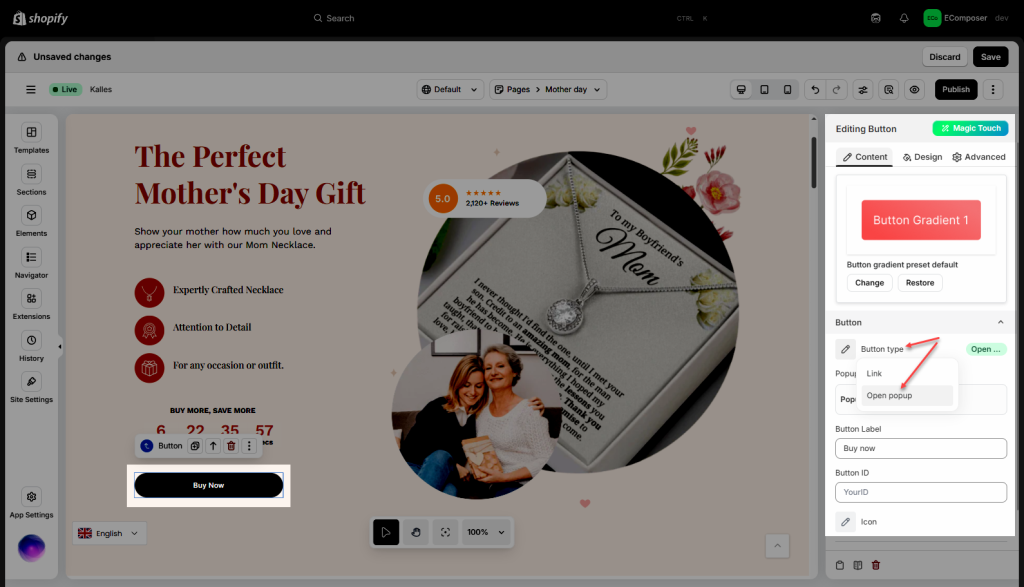
On your page, select the Button element that you want to trigger the popup. In the Button Settings → Button type, choose the option “Open Popup.”
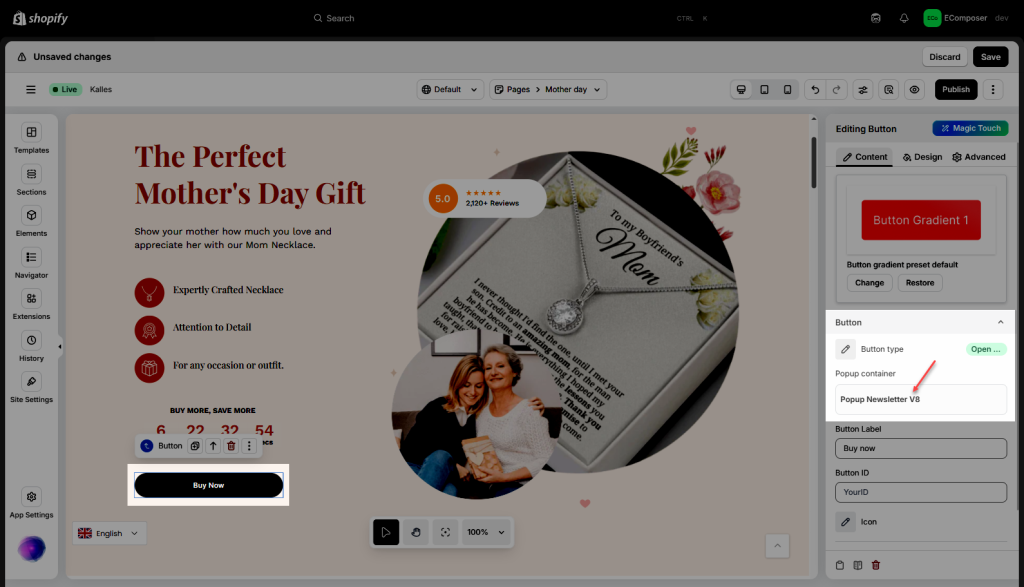
Then, in the Popup container option, select the specific popup template you created in Step 1.
After that, Save & Publish, and view your live page. You can test by clicking the button, your popup should appear instantly.