
How to create a 404 page in Shopify?
A 404 page is a landing page that tells your site viewers the requested page is unavailable or, in some cases, doesn’t exist.
Note: Usually Shopify theme provides only one page in your store. EComposer default 404 page will overwrite your current one in your theme and the changes you made will apply to your store.
1. Building a new 404 page
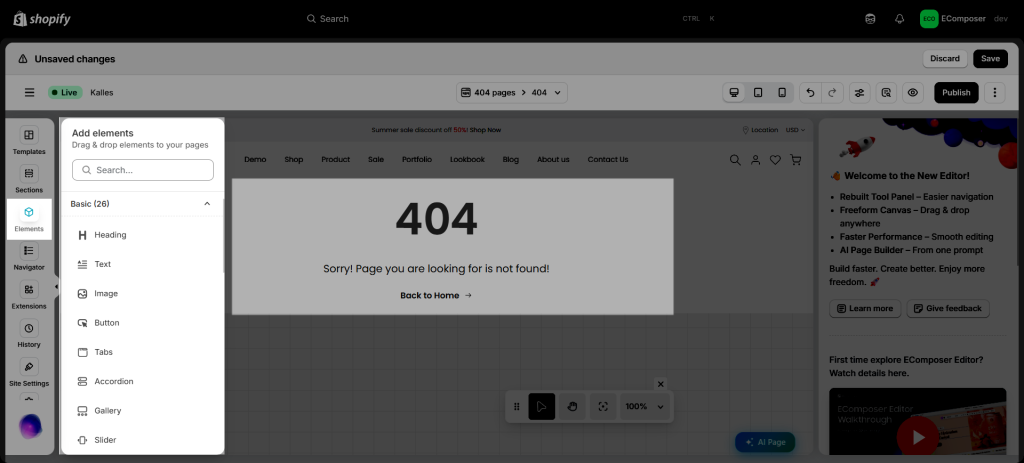
Step 1: From App dashboard -> Templates -> 404 -> Build 404 page
Step 2: Choose a structure first and then drag any elements from the left slider bar to configure.
2. How to apply a new 404 page in EComposer to your store
When you finish creating the Password page, you can make it the Default if you want.
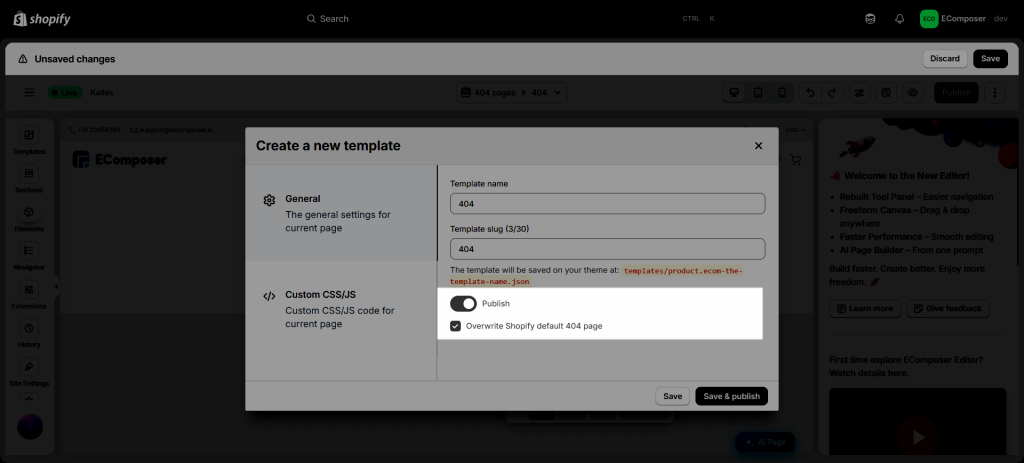
Step 1: Hit the Publish button first.
Step 2: Turn on the Publish option and tick the “Overwrite Shopify default 404 page” option.
Step 3: Press the Save and Publish to finish it.
3. How to restore the original Shopify 404 page?
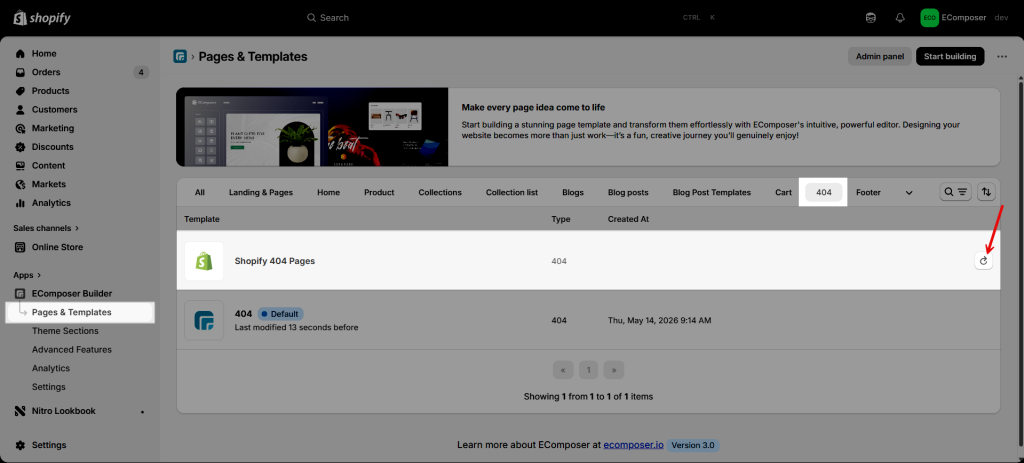
Step 1: From the EComposer dashboard
Step 2: Click on Pages & Templates -> 404
Step 3: Click the Restore icon
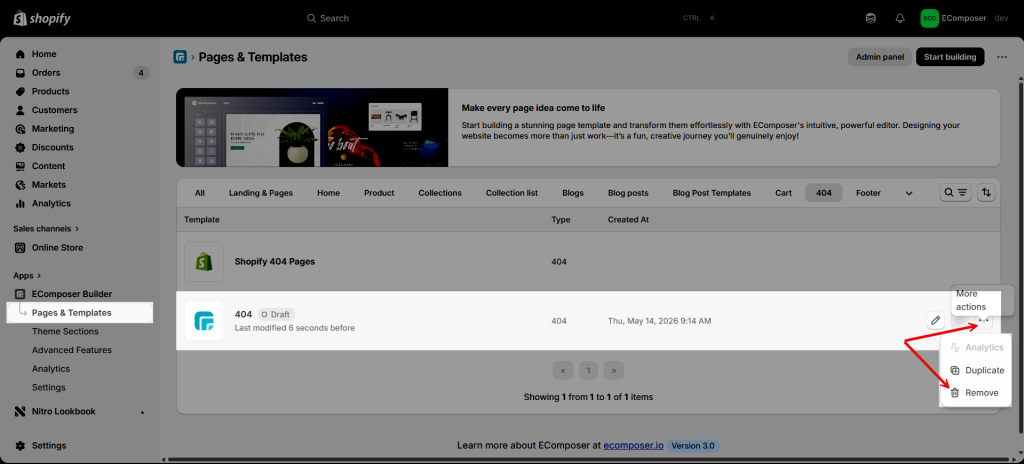
4. How to Remove a 404 page?
Before deleting the 404 template, please make sure to unpublish the template first. This helps prevent unexpected issues or broken page displays on your storefront during the removal process.
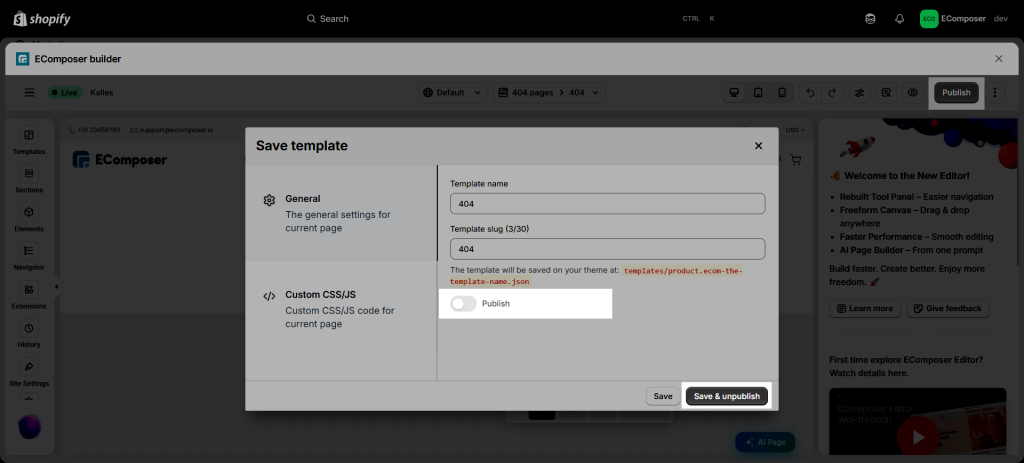
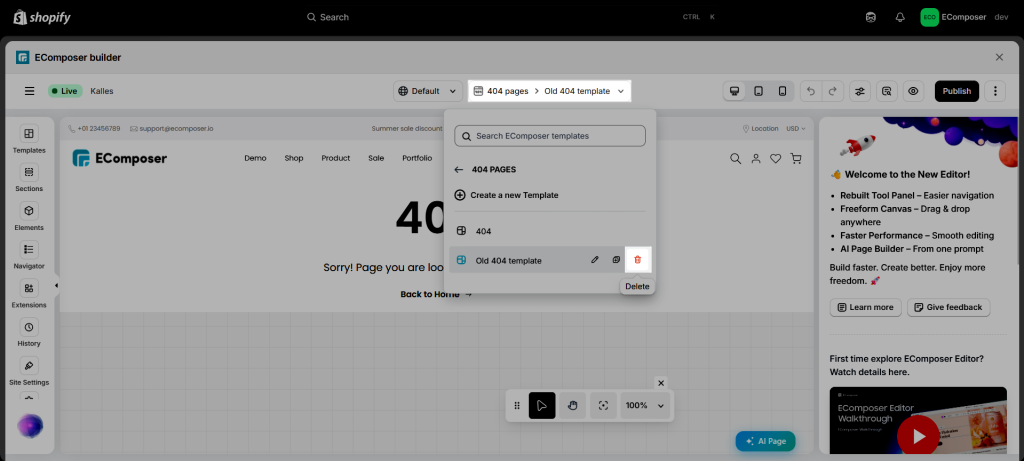
The first way: Click on the dropdown menu 404 page > Delete.
The second way: From the Pages & Templates, choose the page that you want to delete and click on More options > Remove.