
Image Comparison
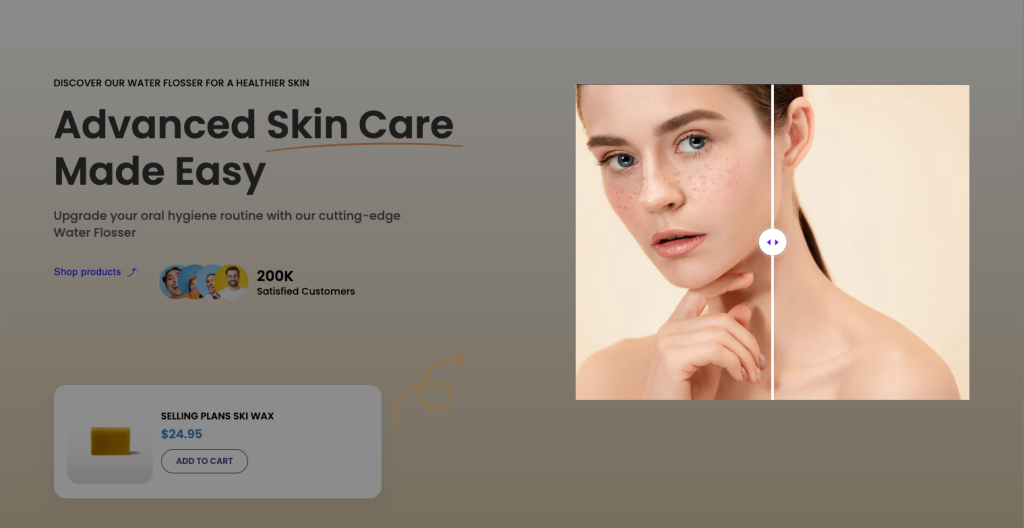
An image comparison section (often called a “before and after” slider) is a highly interactive website element that lets users drag a slider across two overlapping images. It is frequently used to showcase product transformations, AI-generated art, photo edits, or renovation results. With this feature, you can catch your customers’ attention and enhance your store’s visual appeal in minutes.
1. How to add an Image Comparison
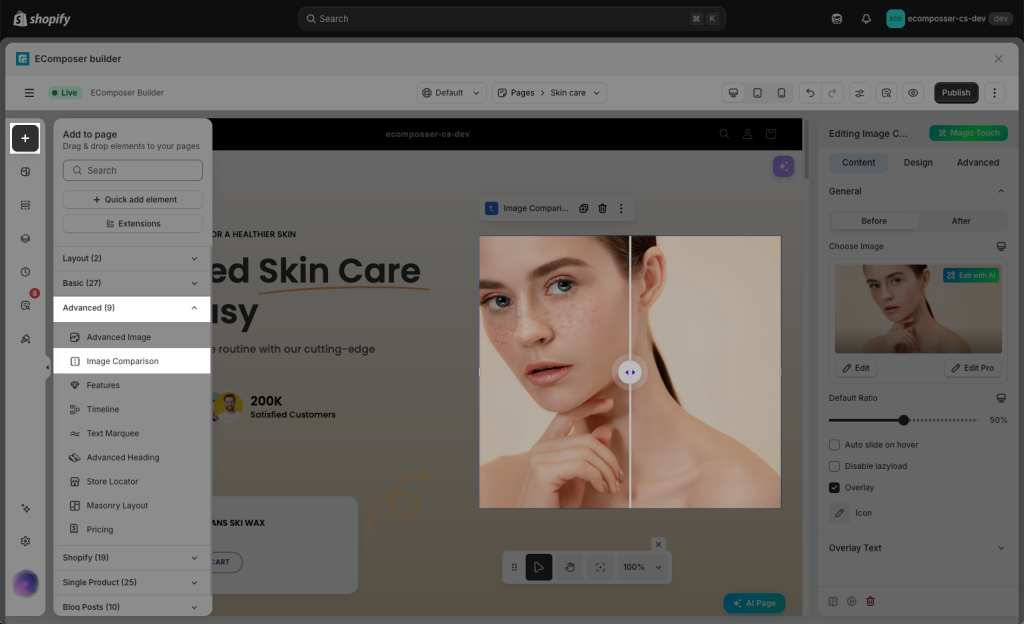
Drag and drop an “Image Comparison” element from the list of available elements on the left-hand side into the page content.
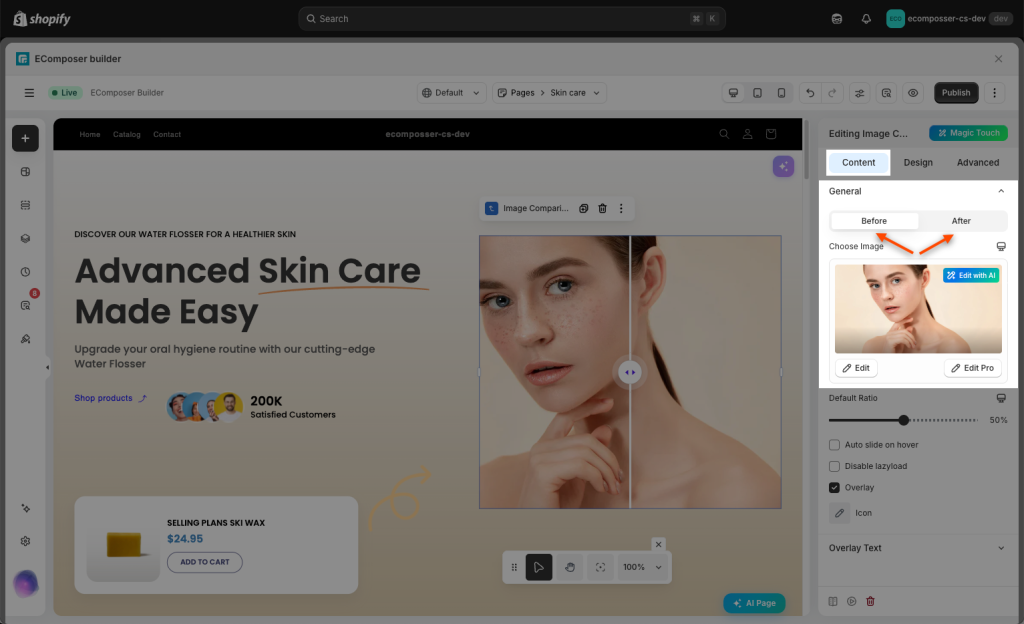
Now you can start configuring that element. The main option is to select the two Before/ After images.
2. How to configure Overlay
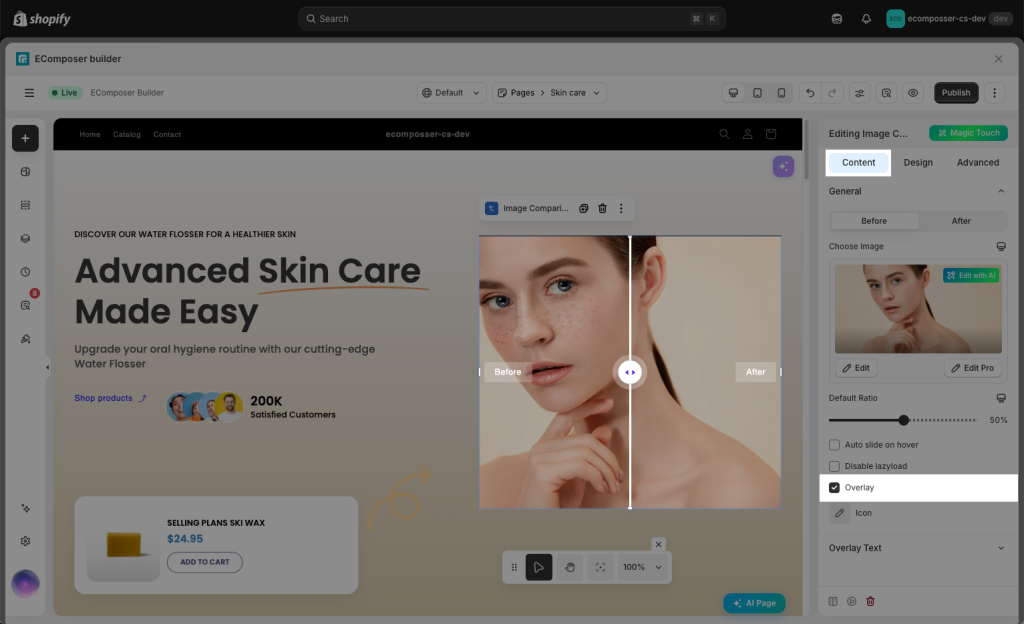
When your consumer hovers over the image comparison, a black cover effect will be visible. To enable this effect, please tick this Overlay box firstly:
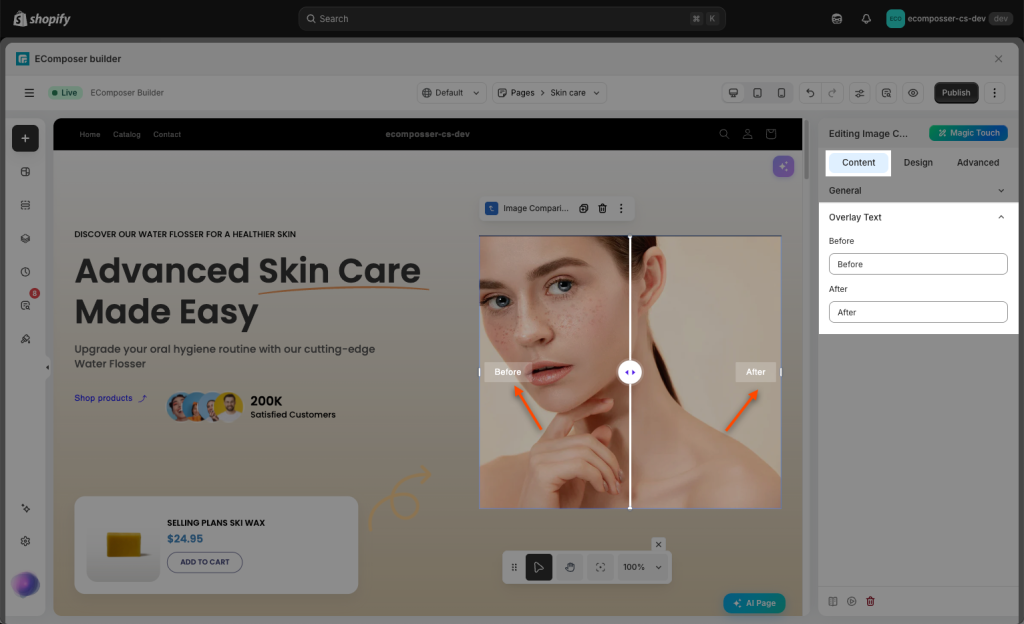
Then you change the overlapping texts here:
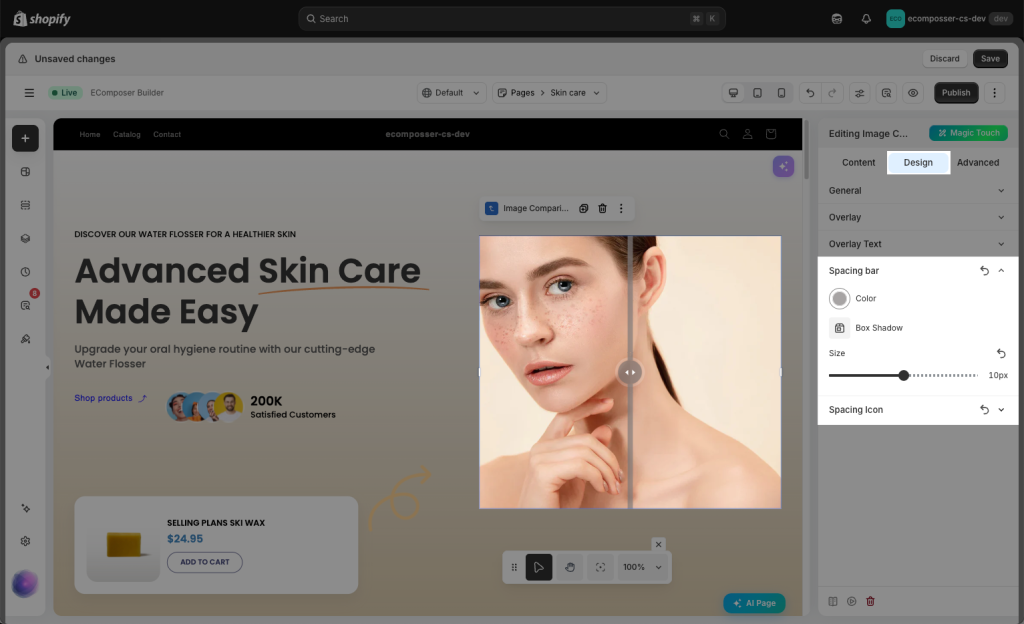
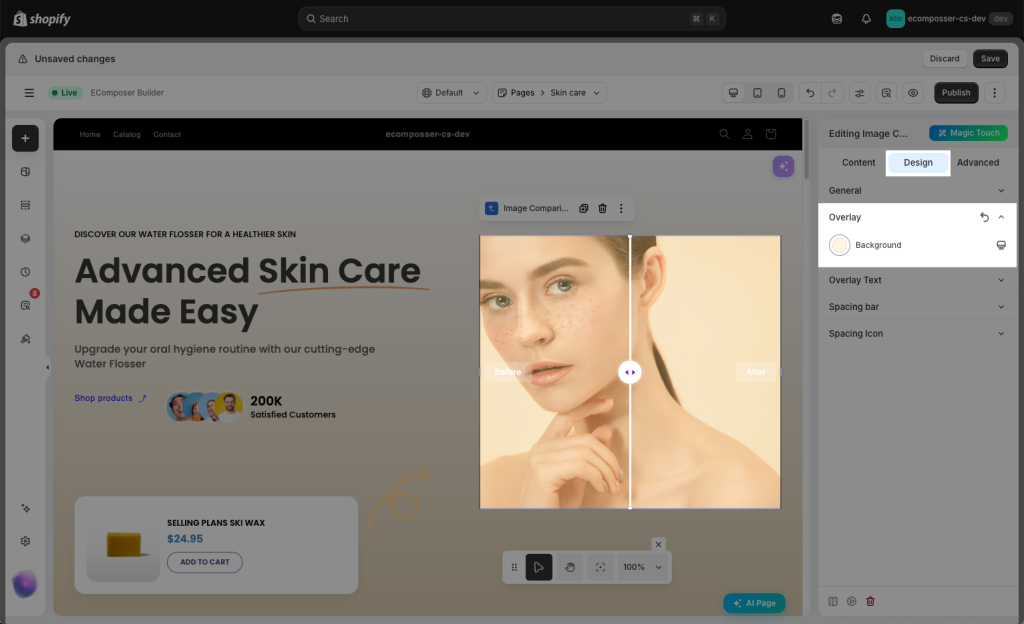
You can change the color of the overlay under Design tab as well.
You can also alter the font, colour, text shadow, and many other aspects of the overlay text.
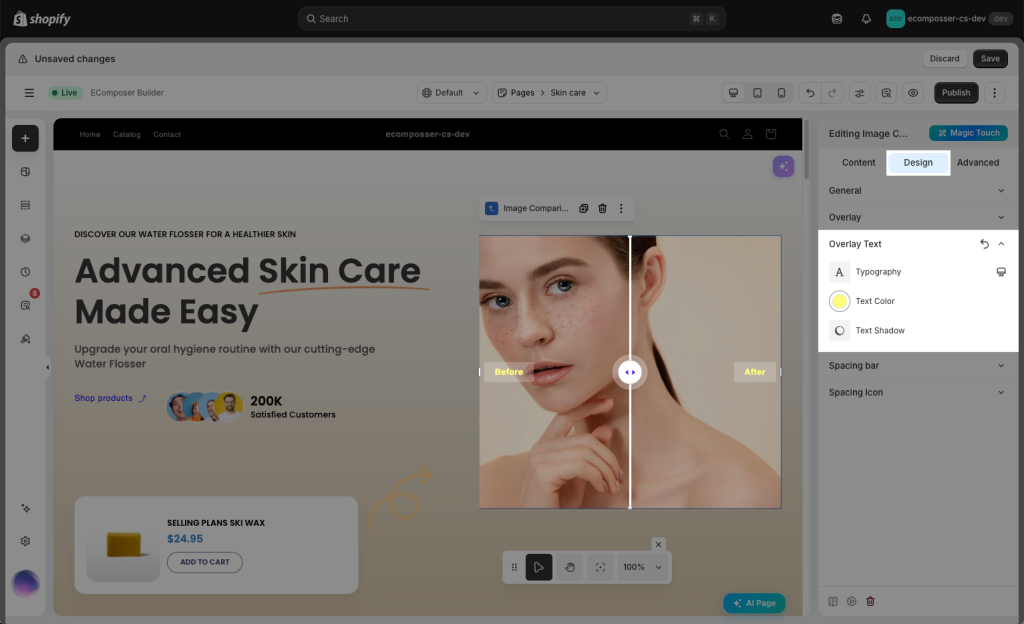
Additionally, Spacing bar & Spacing icon permit changing the colour, box shadow, and, most importantly, the size of the icon and bar.