
Blog Categories
A blog category is a topic that you address on your blog. Your category list serves as your blog’s table of contents. Categories are broad and can include more specific, smaller topics (i.e., tags). A category title should be descriptive and can be several words long. Let’s begin with the EComposer App.
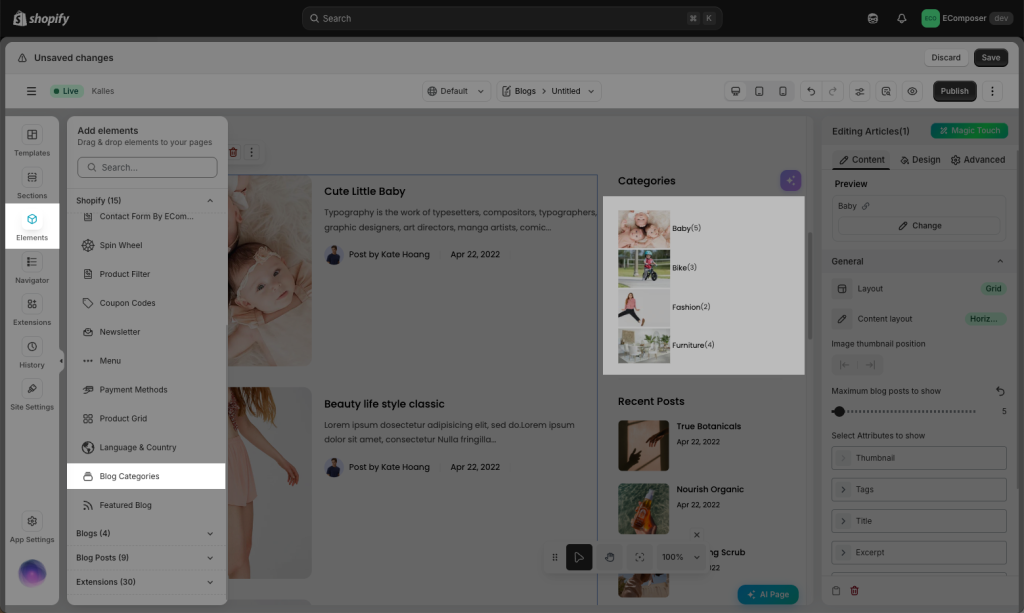
1. Adding the Blog Categories element to your page
From the left side (Elements tab), you will see the Blog Categories element in the list of elements. Drag and drop it to any position on the page.
2. Changing Content of Blog Categories
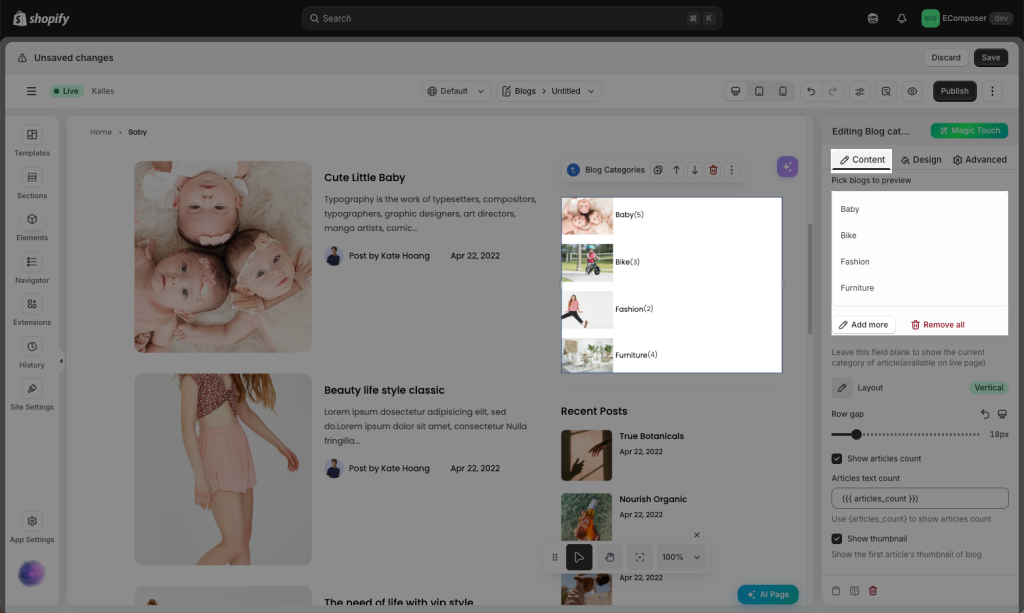
You may change many functions in this Content Setting. For instance, you can add the Blog or remove it, and also you can change the position that you prefer in the Blog Categories. View more details below.
- Pick blogs to preview: You may select the Blog that you want to add to the list, and you may also add 1 or 2 or more Blogs than just 1 at a time.
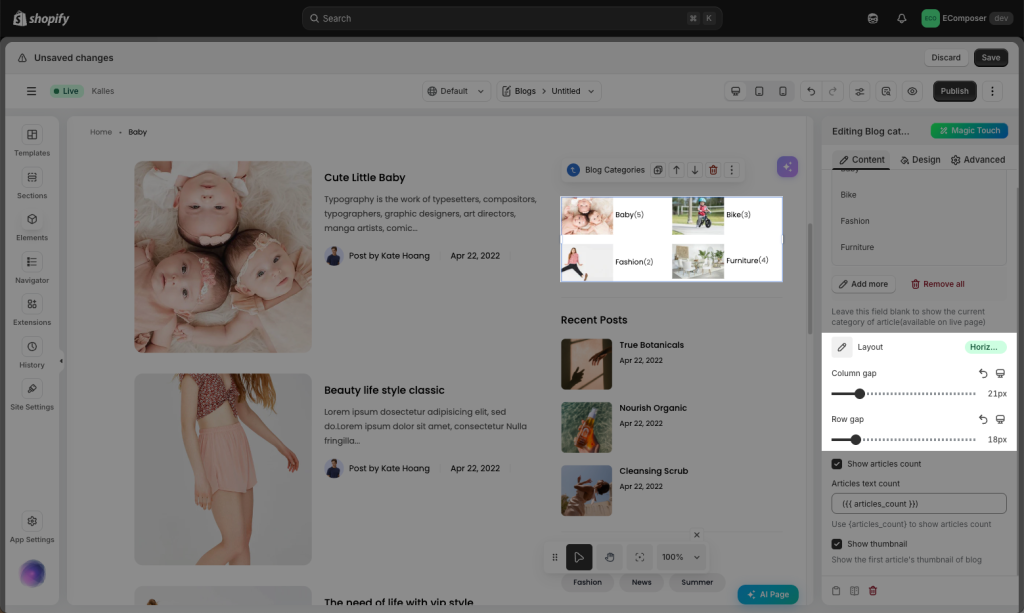
- Layout: This allows you to set the layout style, like Vertical or Horizontal.
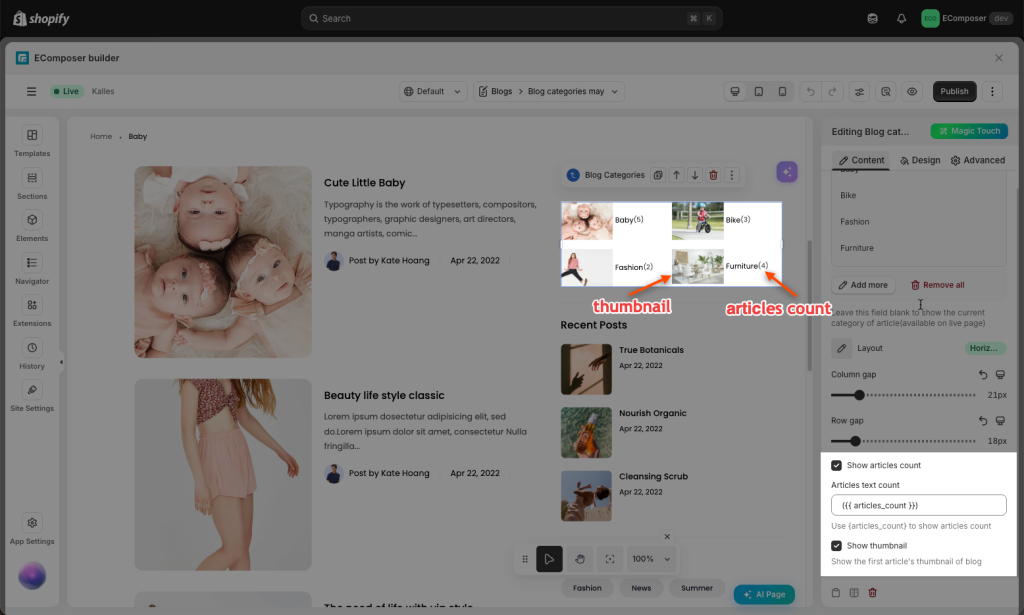
- More options like Show Articles Count and Show Thumbnail.
3. Changing Design of Blog Categories
You can even make your Blog Categories more colorful with:
- General: This function allows you to set the basic ones, such as Alignment, Background color, Box Shadow, Border, and Border Radius.
- Title & Count text: Let you change the Alignment, Typography, even the Normal Text Color, Text Shadow, or the Hover Text Color, Hover Animation, and Transition Duration.
- Category item: Let you change the Width, Background color, Box Shadow, Border, and Border Radius
- Thumbnail: You may want to set Width, Max Width, Height, Image fit, CSS Filter, Box Shadow, Border, or Border Radius.