

Image Popup extension
The Image Popup extension is used to display images in a larger popup view. It allows customers to click an image and view it in more detail. This helps improve the visual experience without leaving the current page.
The Image Popup is useful for displaying a larger view of various images, including:
- Product Images (Product grid)
- Collection Images
- Media Accordion
- Gallery Images
- Image Comparison
- Delivery Time Images
Note: The Image Popup does not apply to the main Product Image on the Product page.
1. How to install the Image Popup extension?
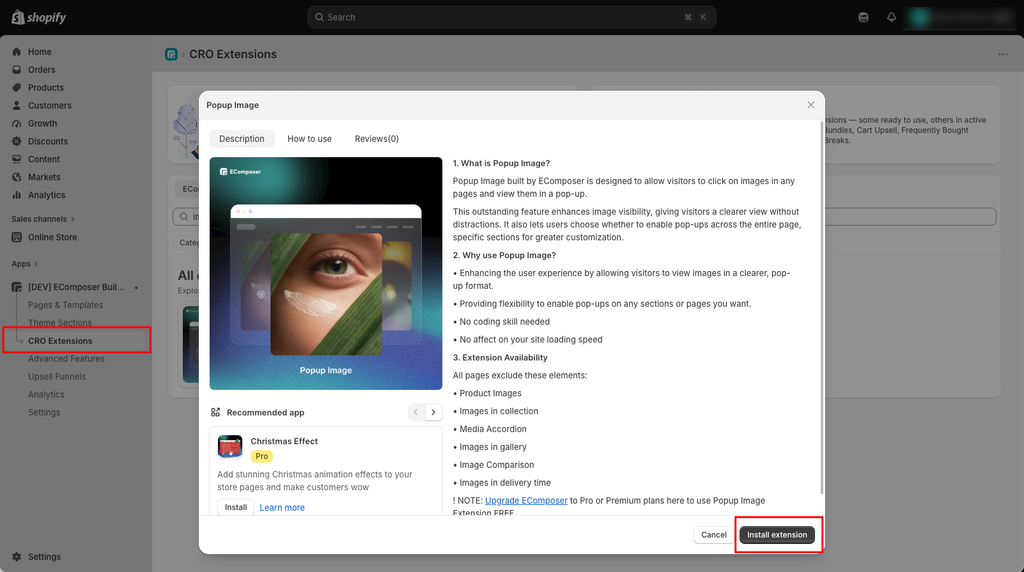
Step 1: From your EComposer dashboard, go to CRO Extensions from the left sidebar menu.
Step 2: Search for the Image Popup extension.
Step 3: Click Details and install the extension on your store.
Note: You can use this extension on EComposer Pro and Premium plans. Upgrade now to unlock
2. Customize
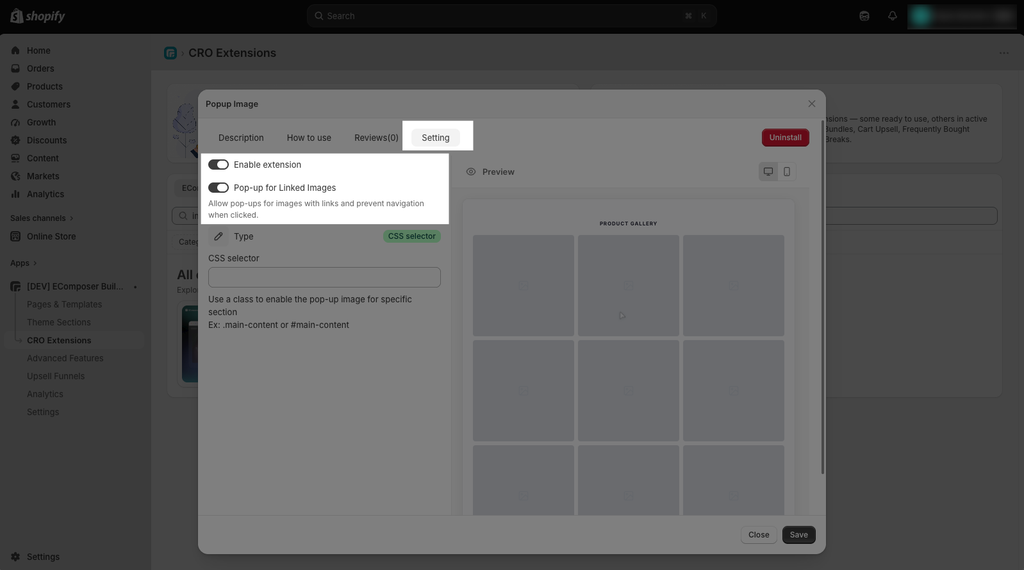
- Enable extension: You can choose whether or not to utilize the extension by checking this box. So uninstalling is not required if you do not want to utilize this extension.
- Pop-up for Linked Images: Allows linked images to open in a popup instead of navigating to the linked page.
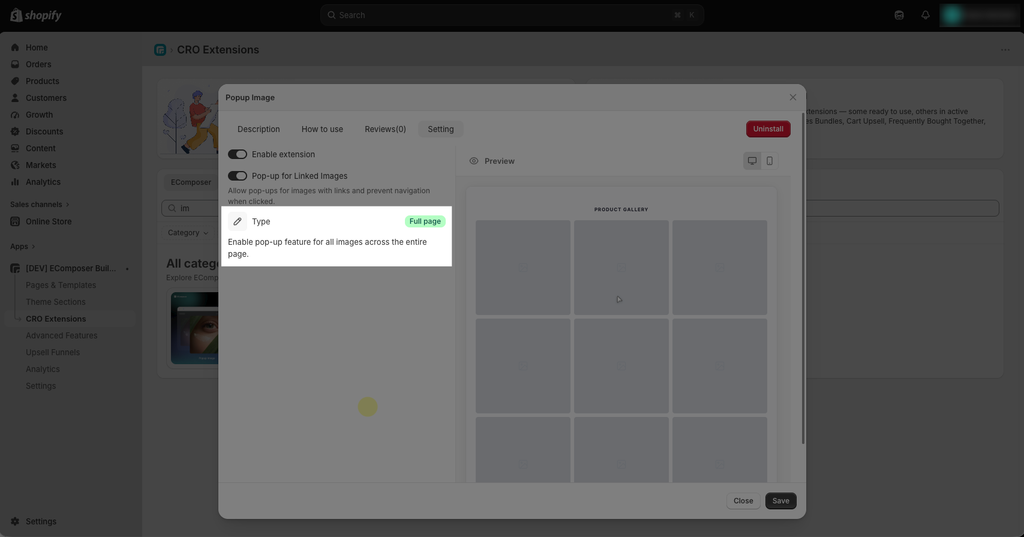
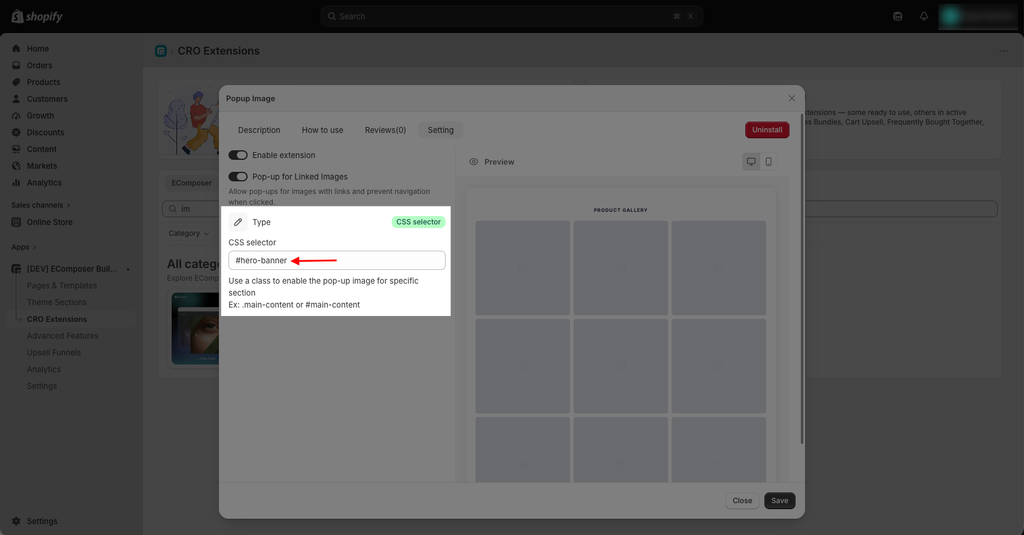
- Type: Choose where the Image Popup feature will be applied.
- Full Page: Enables the Image Popup for all images across the entire page.
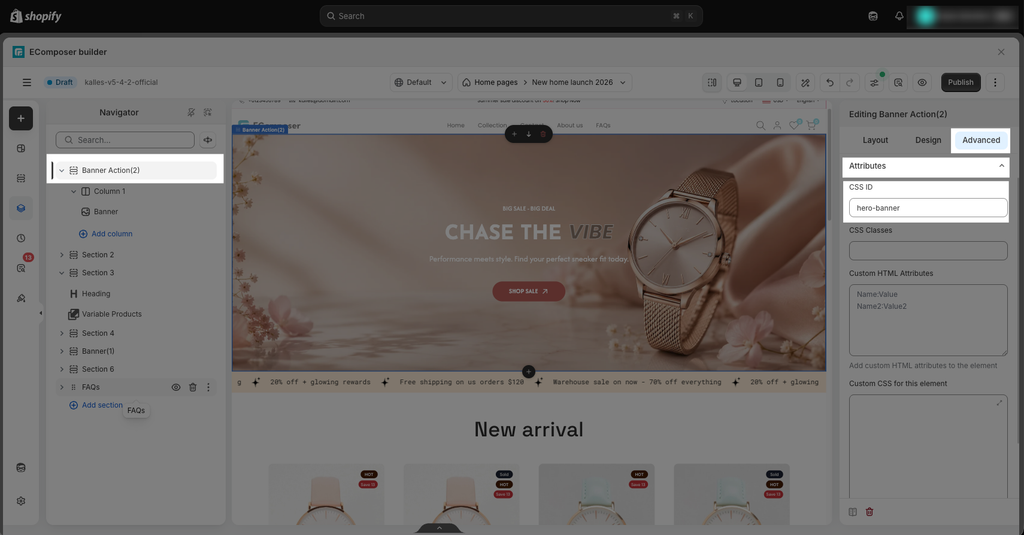
- CSS Selector setup: Use a CSS ID or class to apply the Image Popup to a specific section.
Step 1: Open the EComposer Editor.
Step 2: Select the Section where you want to enable the Image Popup.
Step 3: Go to Advanced → Attributes.
Step 4: Add a Custom CSS ID or CSS Class.
Notice: Extension Availability – All pages