

Page Audit
Page Audit helps you optimize your page for both search engines and conversions without leaving the EComposer editor. While you build your page, EComposer continuously analyzes its quality and provides actionable recommendations based on two key areas:
- SEO Score – Helps improve your page’s search engine optimization.
- CRO Score – Helps improve user experience and conversion opportunities.
Unlike traditional SEO tools that require manual scans, Page Audit runs automatically in real time. Every time you edit your page, EComposer re-analyzes the content and updates the results automatically, so you always have the latest optimization suggestions while building.
Page Audit is designed to help you:
- Identify SEO issues that may affect search visibility.
- Discover opportunities to improve conversions.
- Prioritize fixes based on their impact.
- Build pages that follow SEO and CRO best practices.
Note: Page Audit provides recommendations based on industry best practices. Following all recommendations does not guarantee specific search rankings or conversion results, as these depend on many factors beyond page design.
1. Access the Page Audit feature in EComposer
To open Page Audit:
Step 1: Open a page in the EComposer Editor.
Step 2: In the left sidebar, click the Page Audit icon.
The Page Optimization panel will open and automatically analyze your current page.
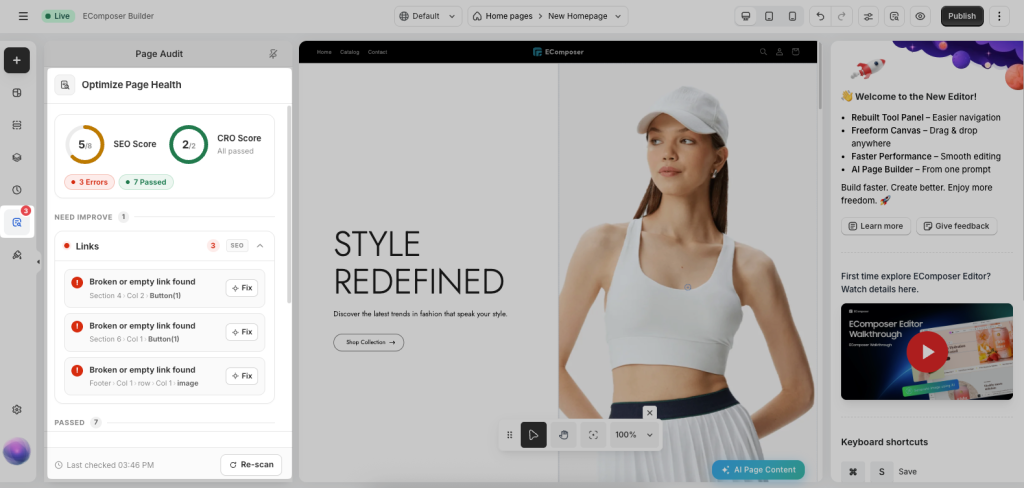
2. How Page Audit Works
Page Audit continuously monitors your page while you edit. Whenever you add, remove, or modify content, the audit automatically runs again after a short delay (approximately 800 ms) and refreshes the results. You don’t need to manually start a new scan. Please watch the video below:
If needed, you can also click Re-scan to run the audit immediately.
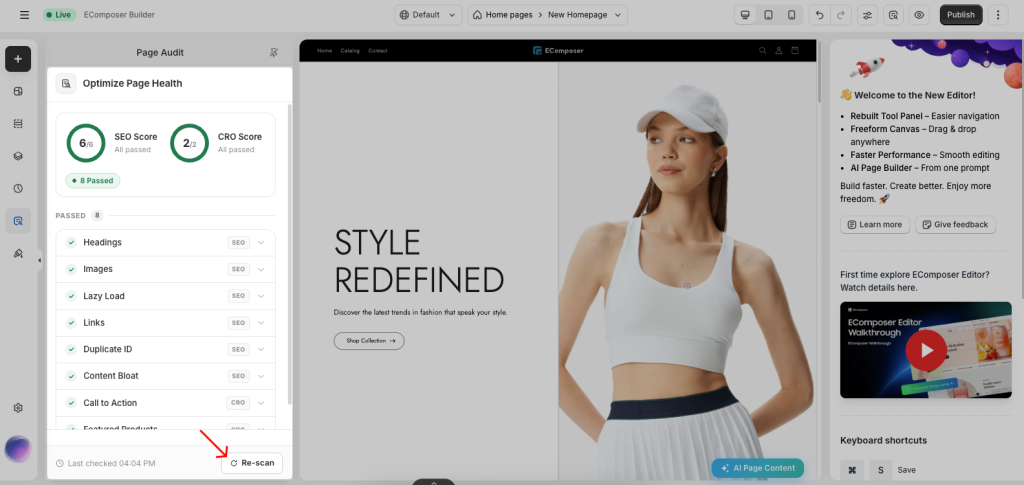
3. Understanding the Audit Results
The Page Optimization panel is divided into two scoring categories.
3.1. SEO Score
The SEO Score evaluates whether your page follows common search engine optimization best practices. Examples include: Page URL, Headings, Images, Meta information, Content structure, Accessibility-related SEO checks.
If an issue is detected, Page Audit explains why it matters and provides guidance to help you fix it.

3.2. CRO Score
The CRO (Conversion Rate Optimization) Score evaluates elements that may influence customer engagement and purchasing decisions. Examples include: Call-to-action visibility, Trust-building content, Page structure, User experience, Conversion-focused recommendations.
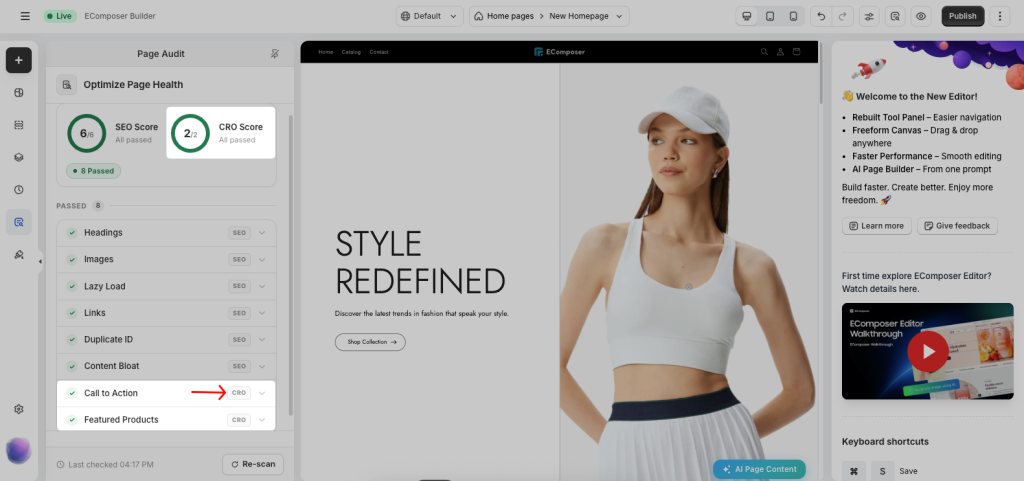
These suggestions are intended to help merchants create pages that are easier to navigate and more likely to convert visitors into customers.
4. Audit Status
Each audit item is grouped by its current status.
- Need Improve: Issues that should be reviewed or fixed.
- Passed: Checks that already meet the recommended best practices.
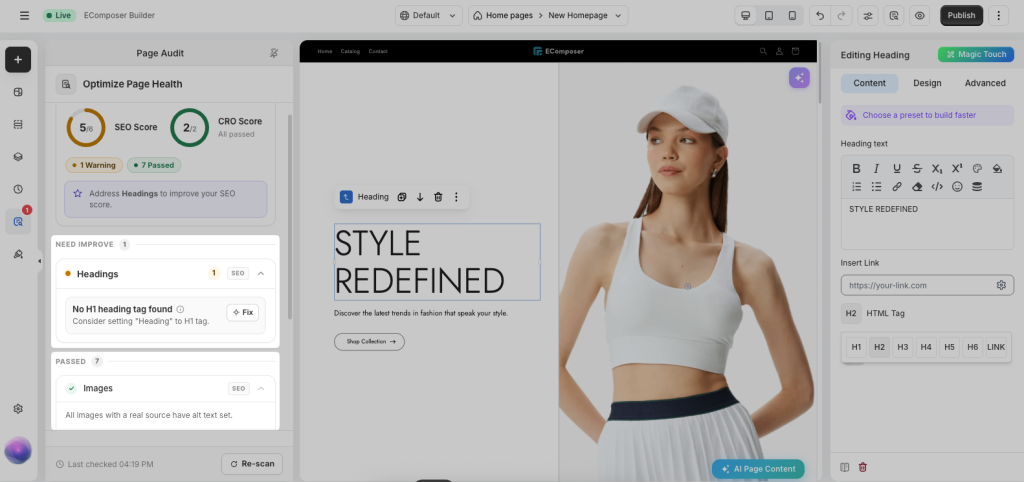
The summary at the top of the panel also shows:
- Total SEO Score
- Total CRO Score
- Number of passed checks
- Number of issues requiring attention