
AOV.ai Bundles Upsell
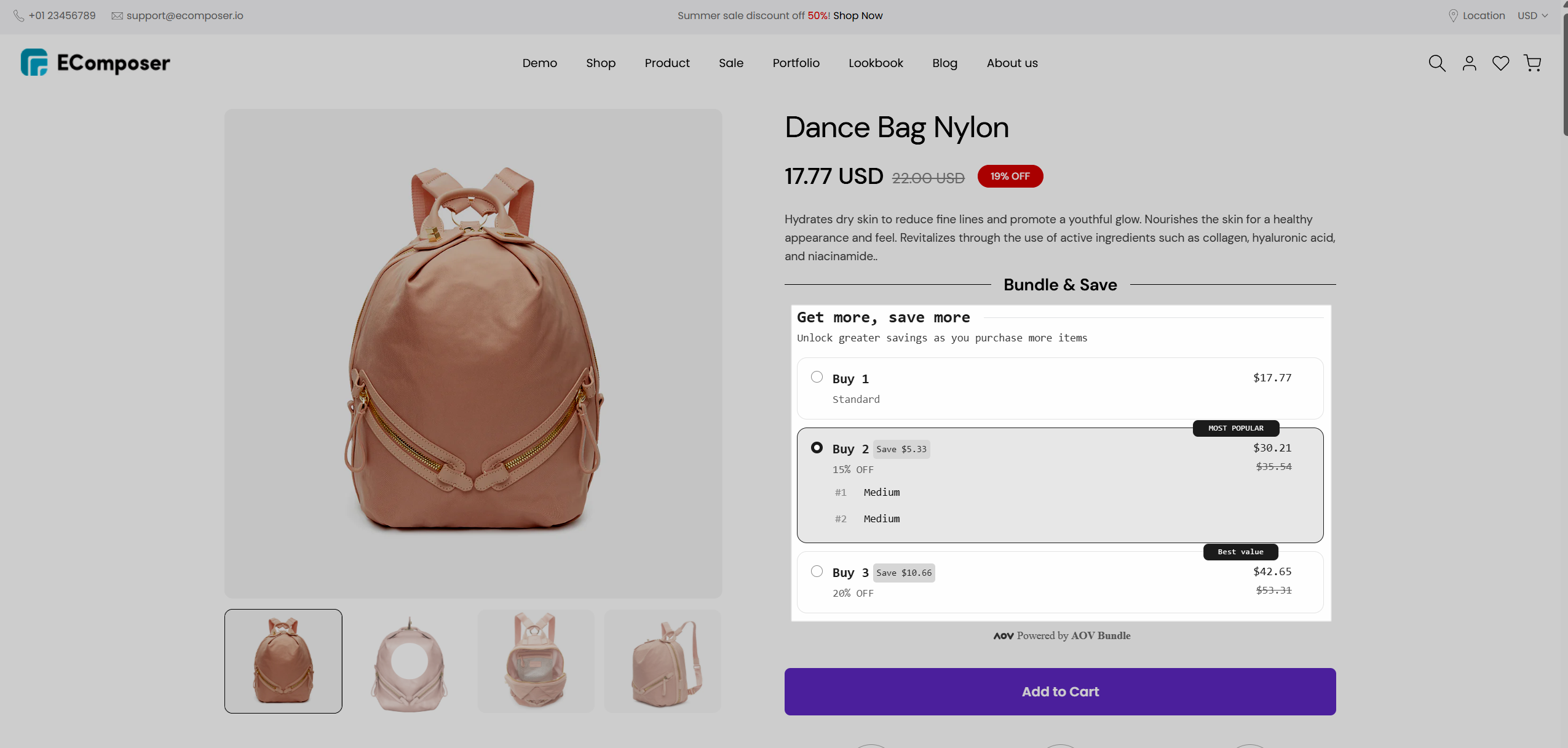
AOV.ai Bundles Upsell is designed to help you increase your average order value by offering product bundles, upsell, and cross-sell deals directly on your storefront. The integration in EComposer allows you to easily add and display these bundle offers on any page built with EComposer, making it simple to create high-converting layouts and promote additional products without needing extra coding.
1. How to install the AOV.ai Bundles Upsell extension?
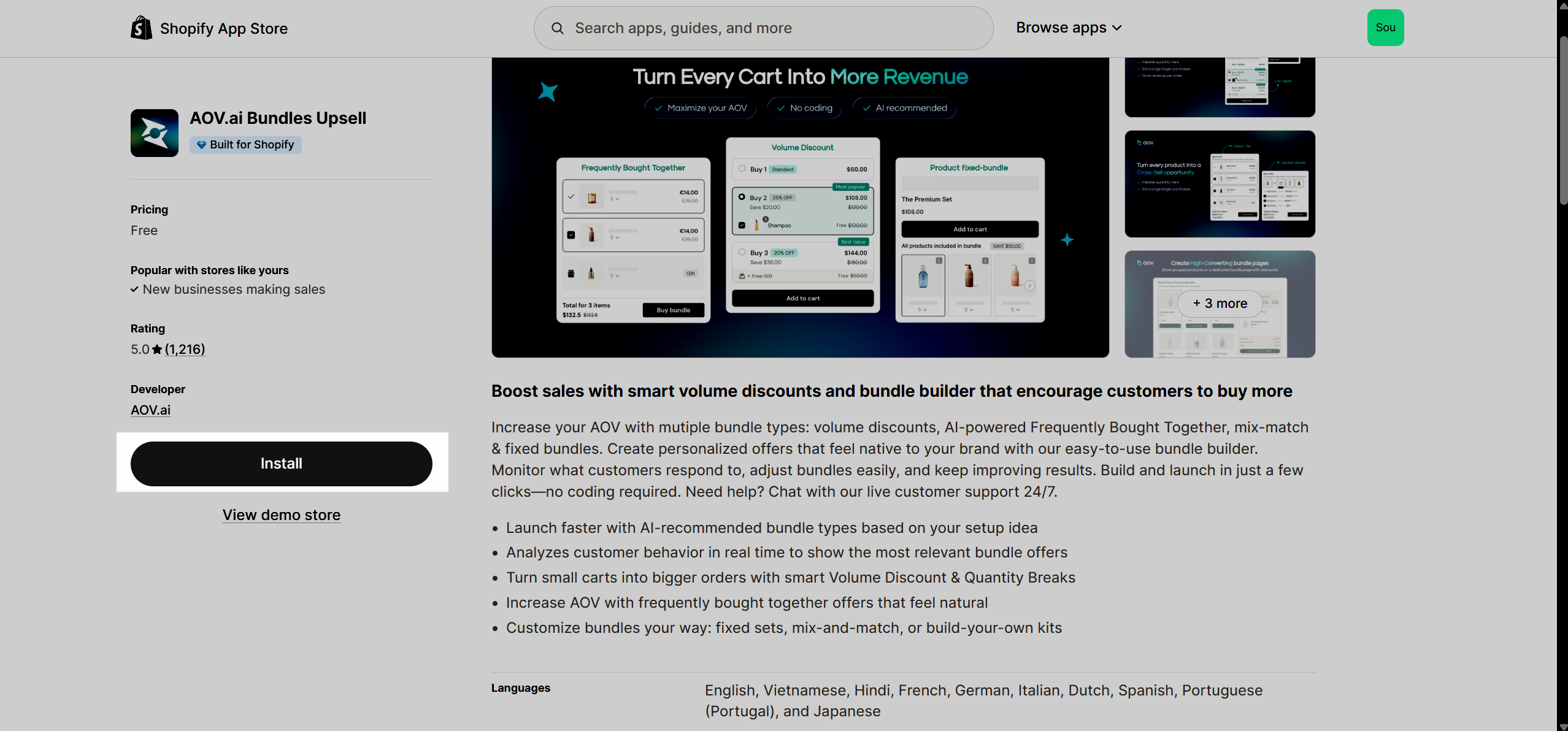
Step 1: To use this extension, please install the AOV.ai Bundles Upsell app from your Shopify store first.
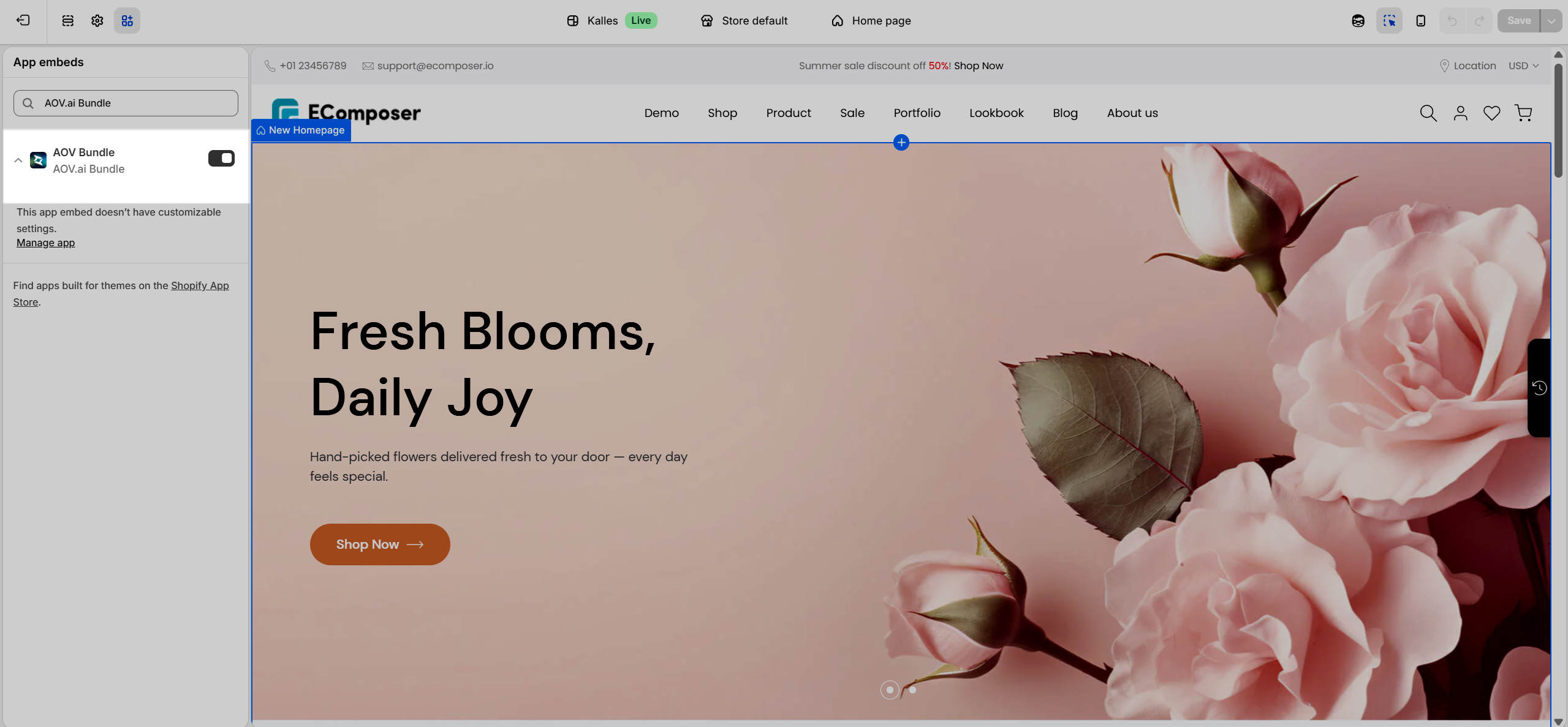
Make sure to enable the App Embed of AOV.ai Bundles Upsell in Online Store → Themes → Edit theme → App embeds, then toggle on AOV Bundle.
Step 2: To open the Extension popup: From the left sidebar, go to Extensions → search for the extension name and click to install, or click View more to browse all available extensions in the app.
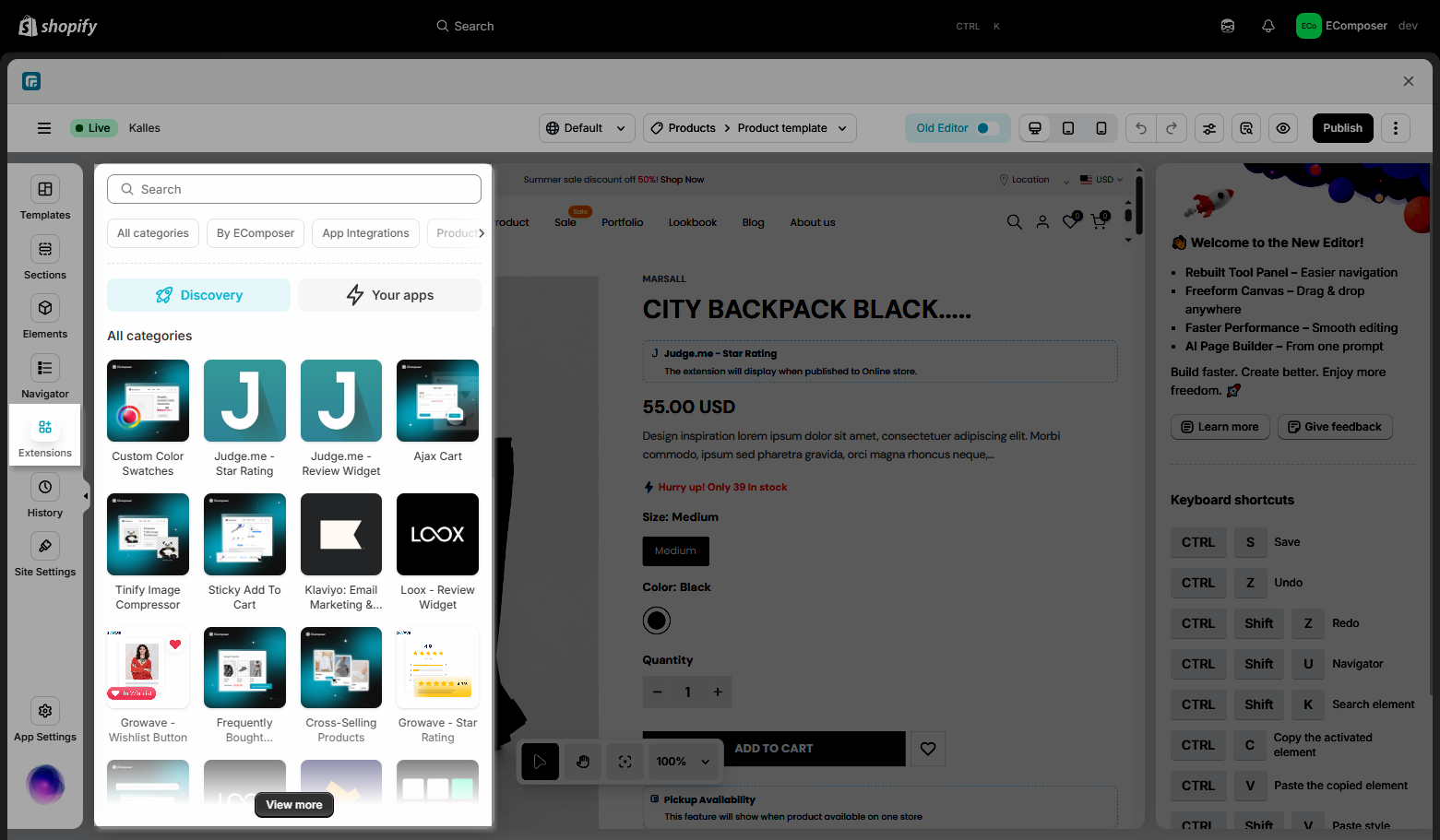
Step 3: In the last stage that we have to do to complete all the adding steps, now you can search for AOV.ai Bundles Upsell and click on the “Install now” button to install the extension.
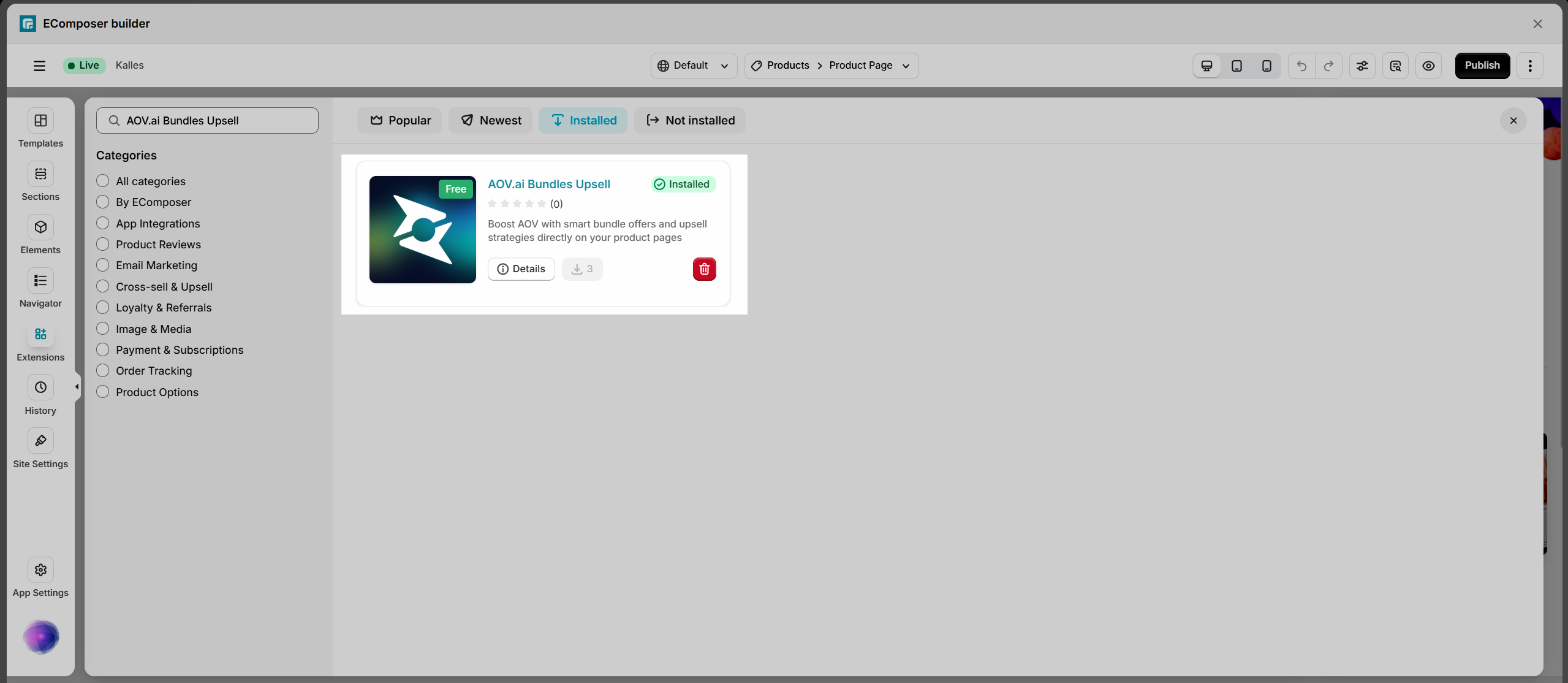
2. How to set up the widget in the AOV.ai Bundles Upsell app
Step 1: Go to the AOV.ai Bundles Upsell app in your Shopify admin.
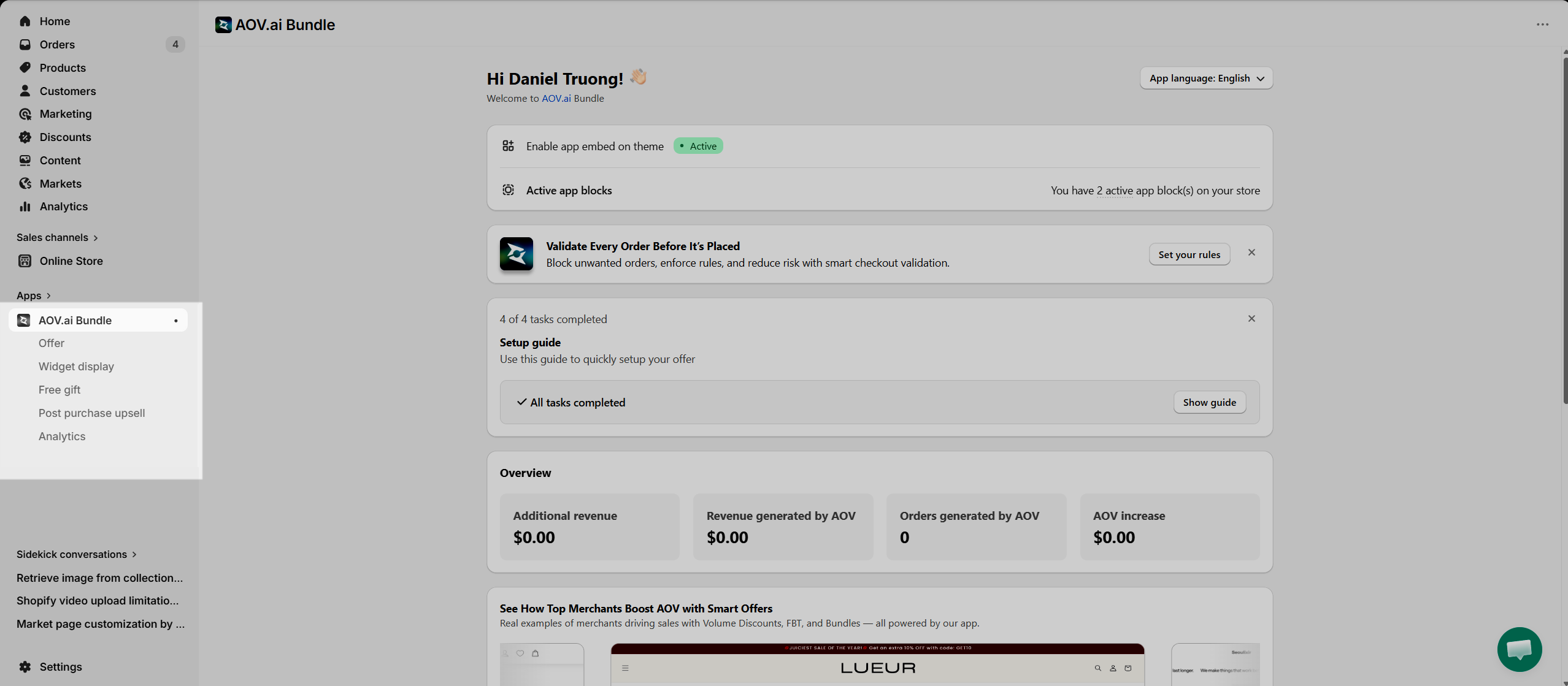
Step 2: Click Create new offer.
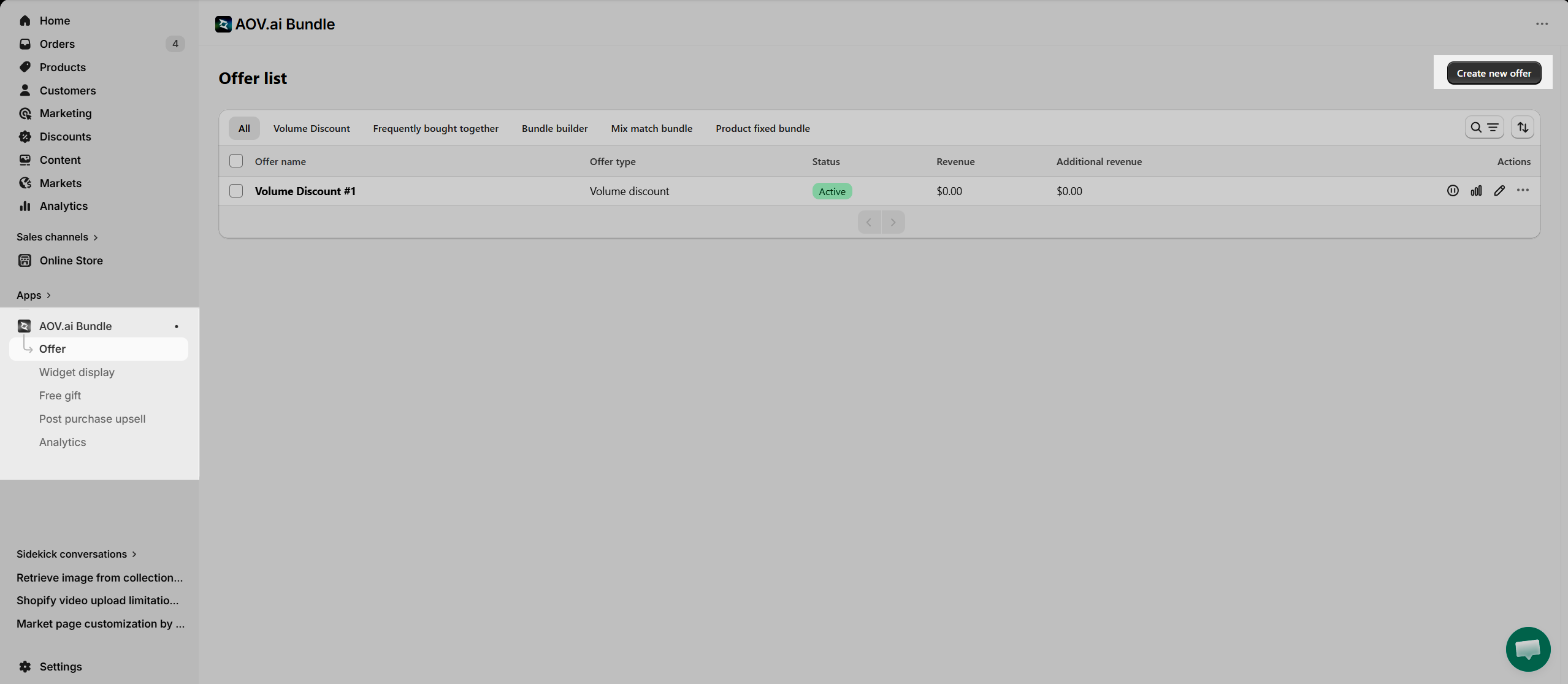
Step 3: Choose the bundle type you want to create (e.g., Volume Discount, Frequently Bought Together, Bundle Builder, etc.).
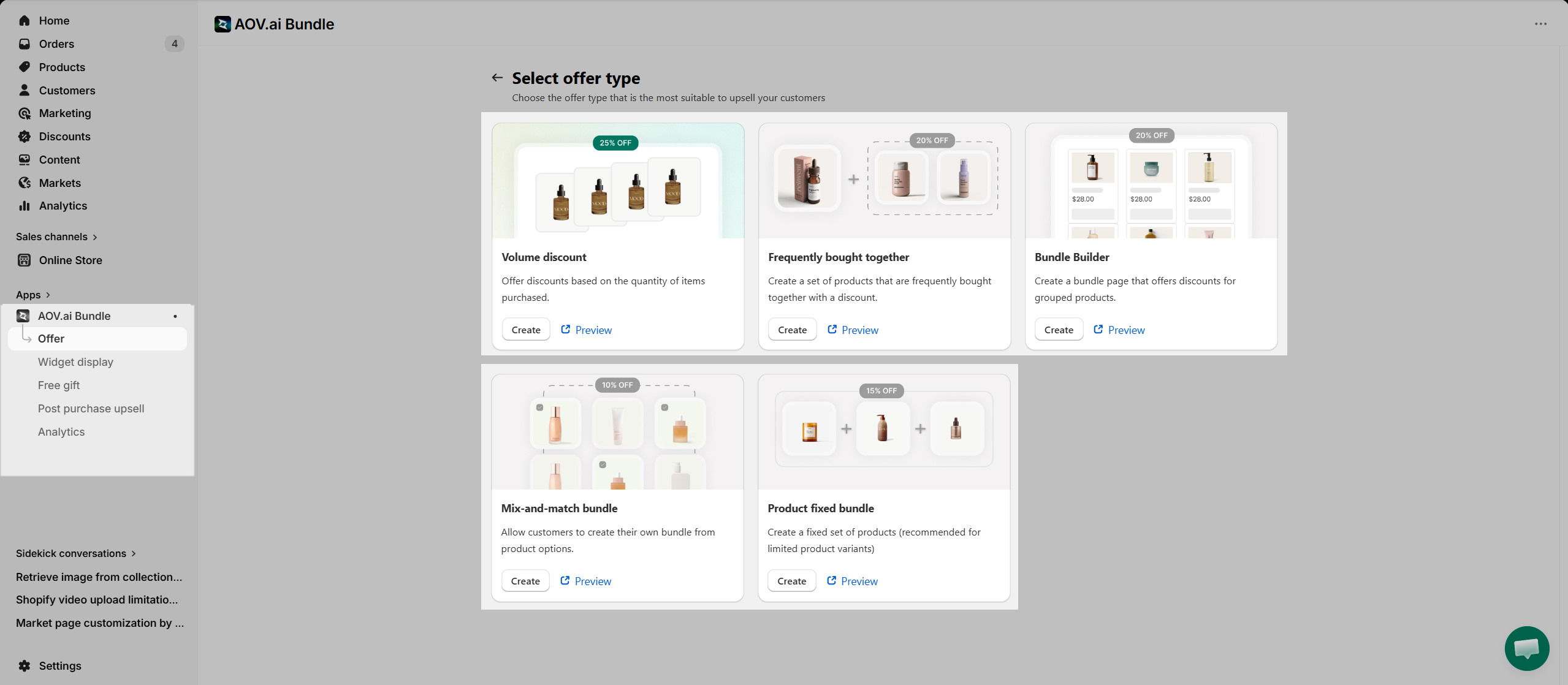
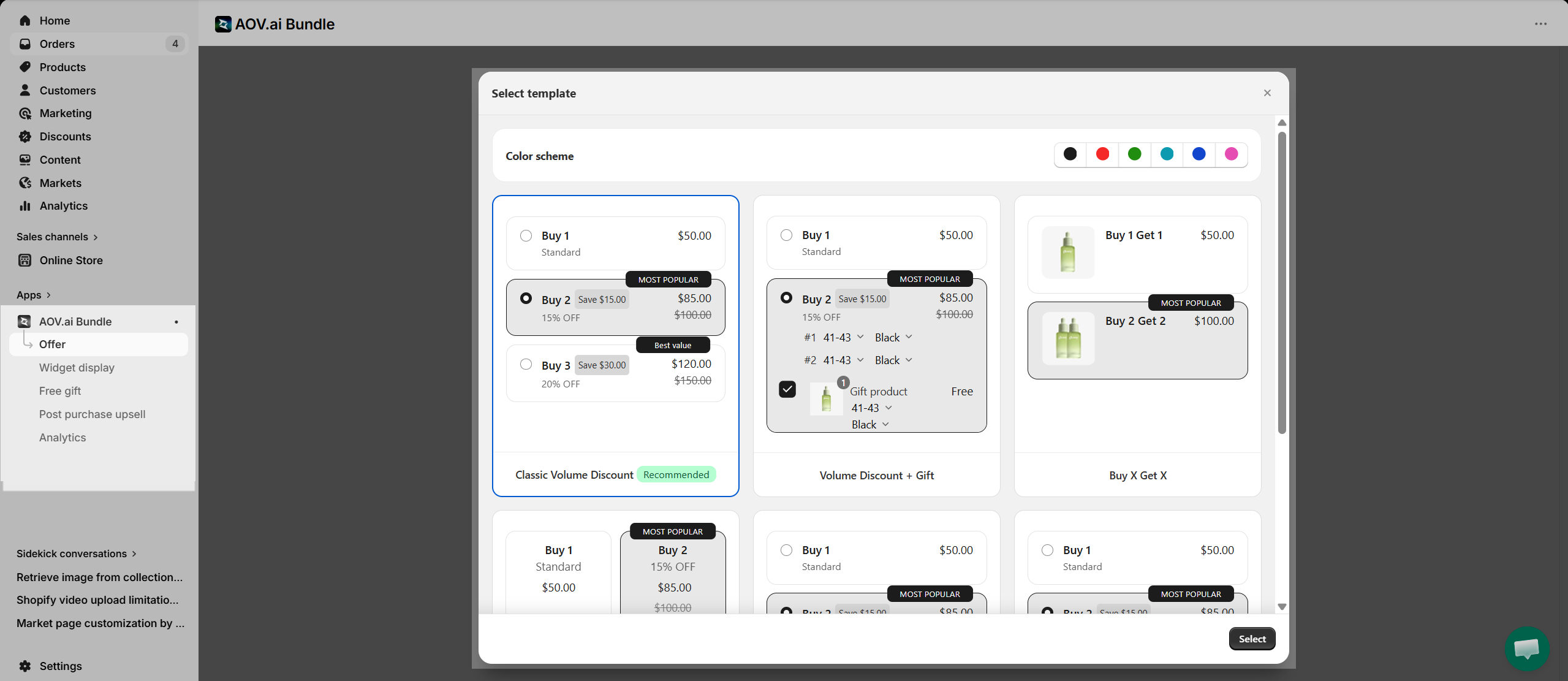
Step 4: Configure your offer settings (products, discounts, layout, etc.), then save it.
Step 5: (Optional) Go to the Widget display to customize how the bundle will appear on your store.
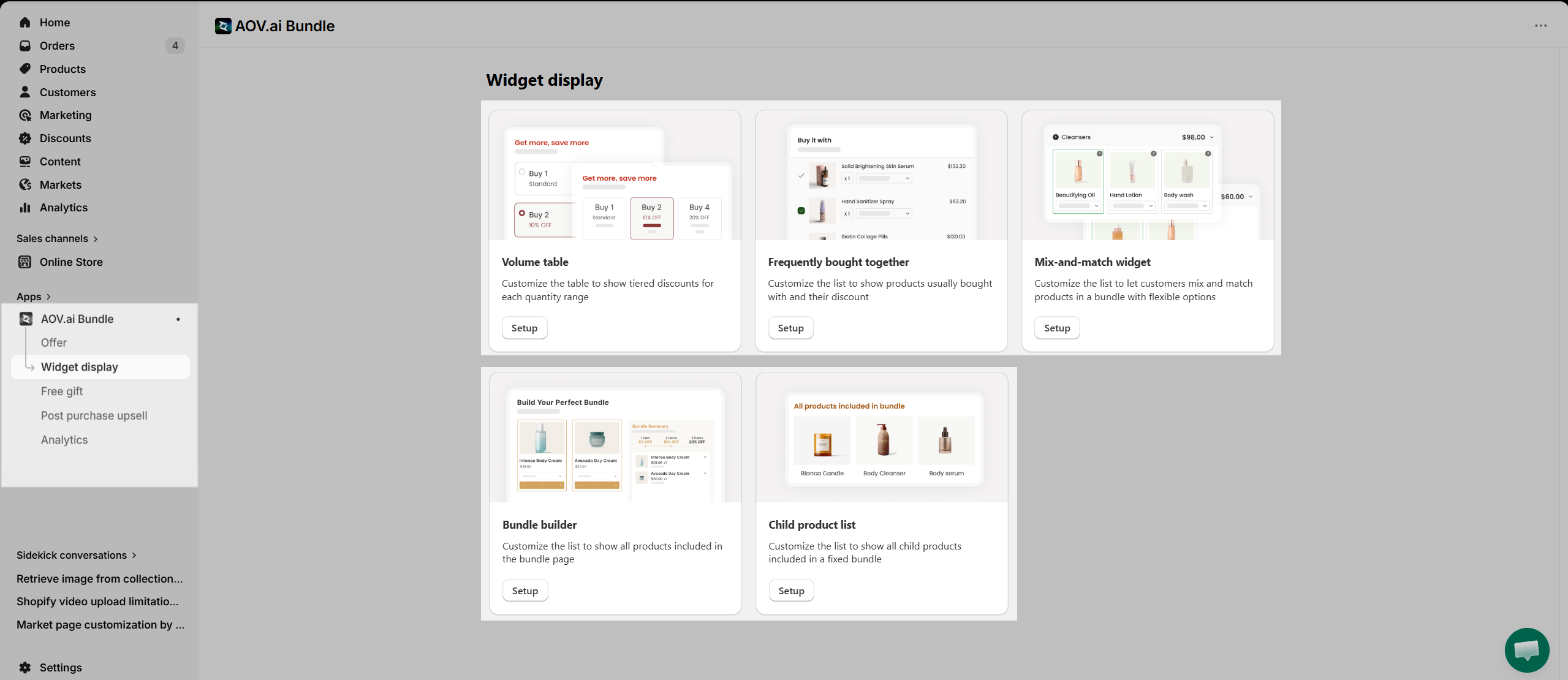
Notice: Make sure the bundle type you create in the AOV.ai app matches the widget type you select in the EComposer extension. Otherwise, the bundle will not display correctly on your page.
3. How to add the AOV.ai Bundles Upsell extension into EComposer
After creating your product page template in the EComposer app, you can proceed to add the AOV.ai Bundles Upsell extension. This allows you to display bundle offers directly on your product pages and optimize your upsell strategy.
We provide several bundle widget types that you can integrate depending on your use case:
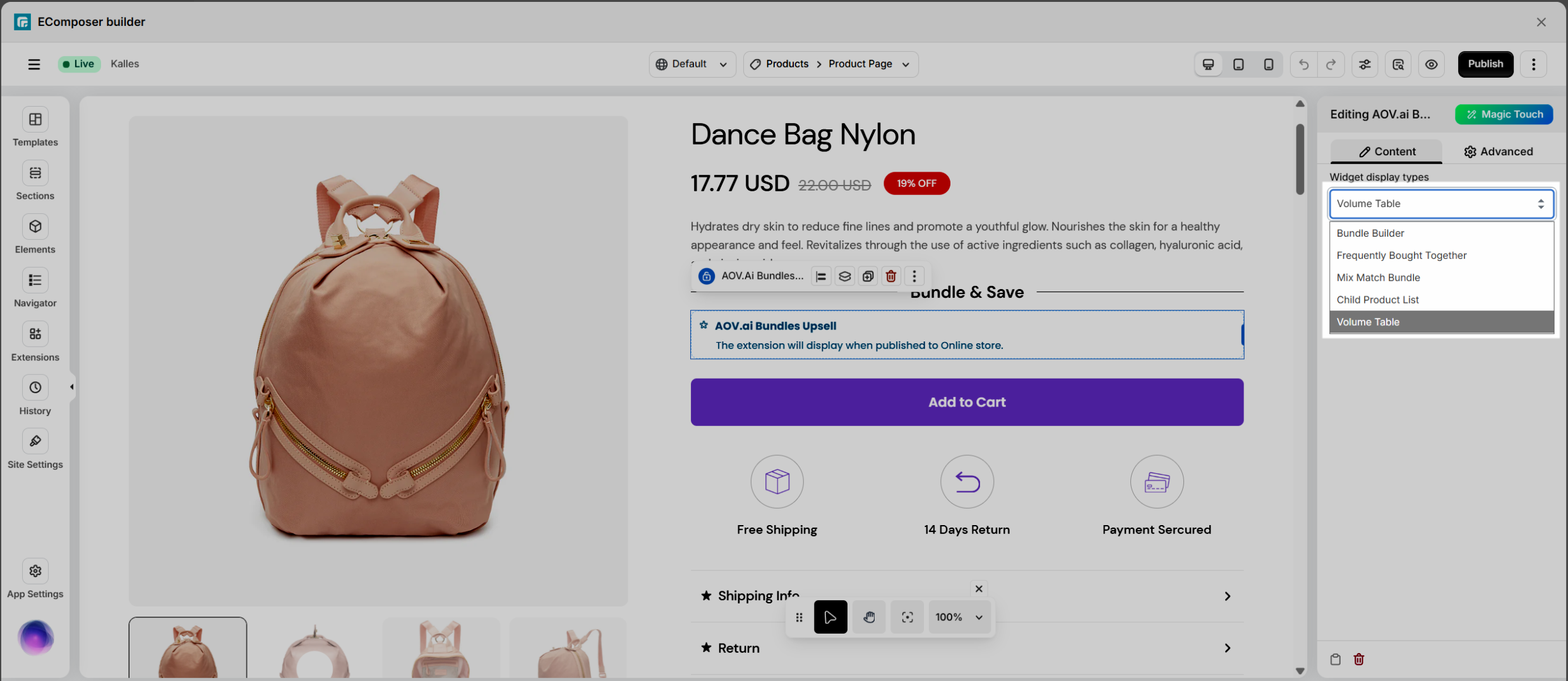
Notice: This extension only work on the live page
Step 1: First, you will go to Extensions to find the AOV.ai Bundles Upsell extension.
Step 2: In the second step, you need to drag and drop the extension anywhere that you expect it to be.
Step 3: Select Widget display types to choose the bundle layout you want to show, then click Save and Save & Publish.
Step 4: Finally, click View on the page to check how the bundle is displayed on your storefront.
For a clearer walkthrough, please watch the video below to learn how to add the AOV.ai Bundles Upsell extension into EComposer.
If you have any issues while using EComposer or the AOV.ai Bundles Upsell extension, feel free to contact us via live chat in the EComposer app. Our team is always ready to assist you and resolve any problems as quickly as possible.