

Yotpo Reviews Connector
Yotpo Reviews Connector is an app that helps merchants collect and display customer reviews, ratings, and user-generated content on their store. It enables you to build trust, increase credibility, and influence purchasing decisions by showcasing real feedback from your customers.
By integrating Yotpo Reviews Connector with EComposer on SHOPLINE, you can easily add and customize review sections directly within your pages using EComposer’s drag-and-drop builder. This allows you to create high-converting layouts while seamlessly displaying Yotpo reviews on landing pages, product highlights, or promotional pages without any coding required.
1. How to install the Yotpo Reviews Connector extension?
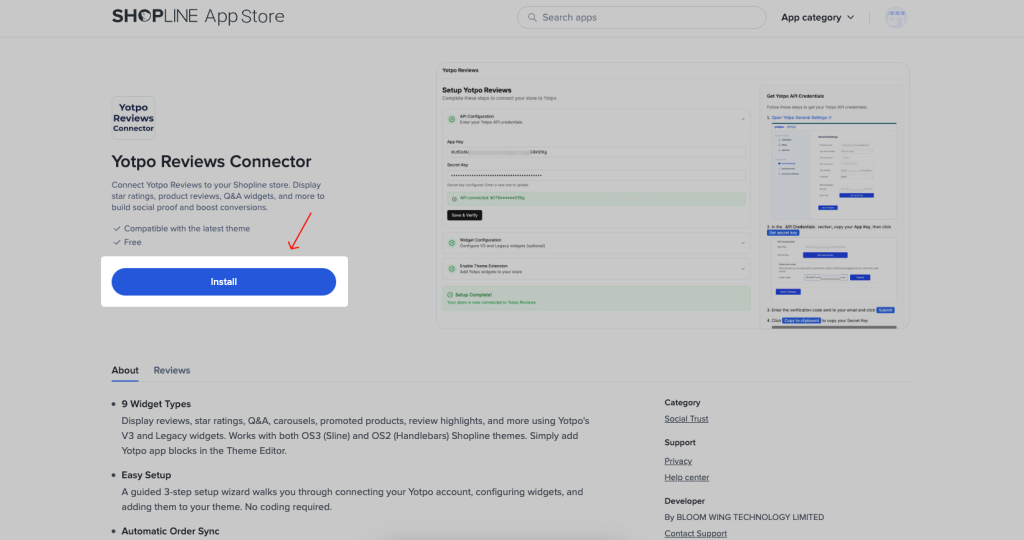
To use this extension, please install the Yotpo Reviews Connector app from your SHOPLINE store first.
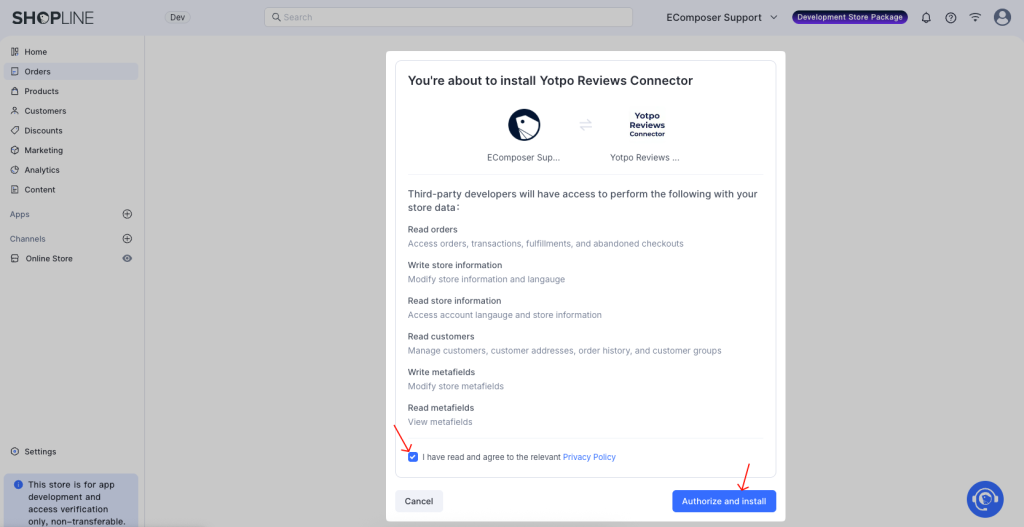
Then tick the “I have read and agree to the relevant Privacy Policy” checkbox and click the “Authorize and install” button to install the app to your store.
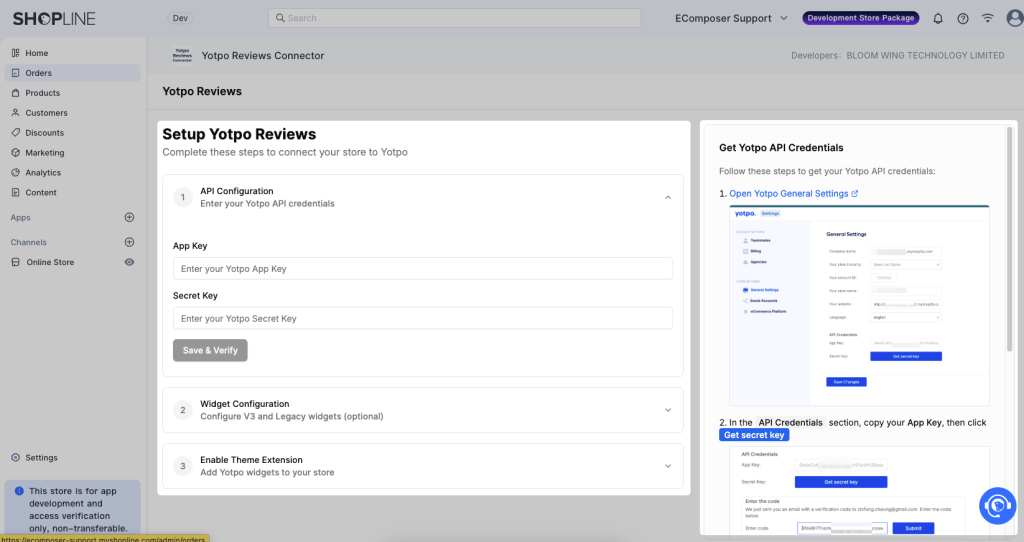
After installing the app, please complete the steps in the Yotpo app to connect your store to this app.
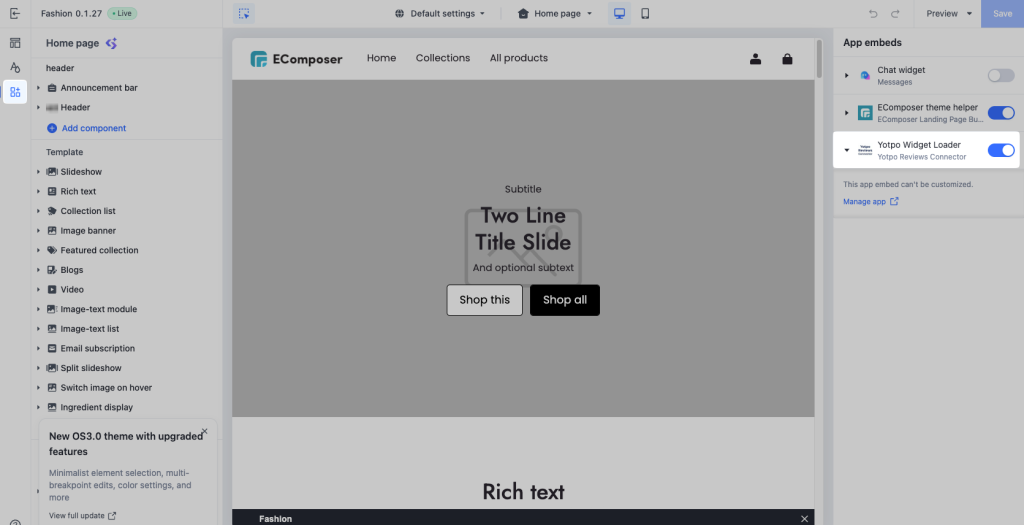
Ensure the App embed for the Yotpo app is enabled in the theme editor.
Next, open the EComposer app and go to your page to install the extension. Under the Extensions tab, find the Yotpo extension and click the Install now button to install it.
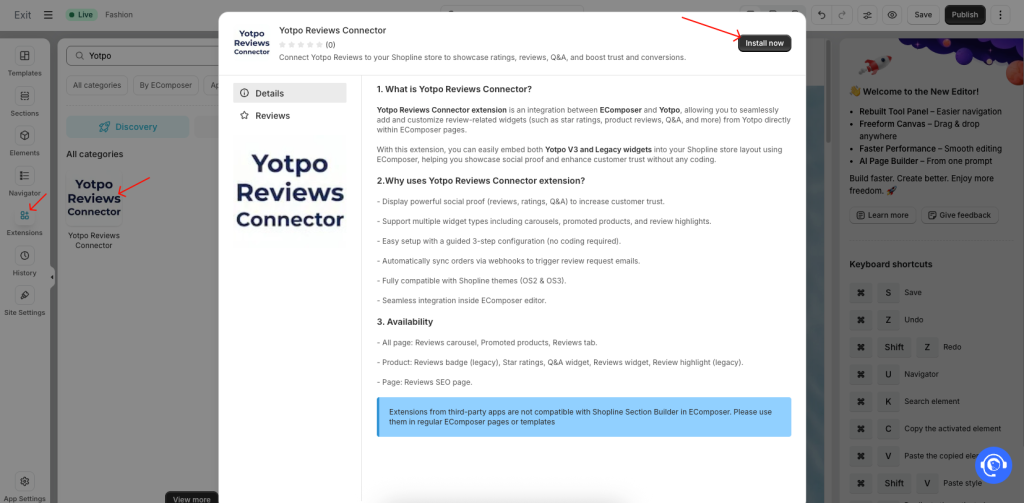
2. How to use the Yotpo Reviews Connector app in EComposer
After installing the Yotpo Reviews Connector extension, you can display reviews and ratings on your pages using EComposer in two main ways:
– Use Yotpo extensions (widgets) directly inside EComposer
– Display ratings on product elements (e.g., product grid)
2.1. Use Yotpo Widgets via EComposer Extension
Yotpo widgets can be used on different page types in EComposer.
– On all pages, you can use Reviews Carousel, Promoted Products, and Reviews Tab.
– On product pages, available widgets include Reviews Badge (legacy), Star Ratings, Q&A Widget, Reviews Widget, and Review Highlight (legacy).
– On custom pages, you can use the Reviews SEO Page widget.
To add the Yotpo extension to your page in EComposer, please follow the steps below:
Step 1: Open the page you want to edit in EComposer.
Step 2: In the left panel, go to Extensions -> Find Yotpo Reviews Connector extension, drag the extension into your page layout.
Step 3: Select the widget type you want to display.
Step 4: Click Publish your page, wait for a few minutes, and check the result on the live page.
2.2. Show Ratings on Product Elements
You can also display Yotpo star ratings directly on product-based elements such as: Product grid, Collection products, Related products.
Step 1: Select Yotpo in the App Settings. Before enabling ratings, you need to connect Yotpo as your review provider. Go to EComposer → App Settings. Find the Product Reviews Integration section and select Yotpo as the review app.
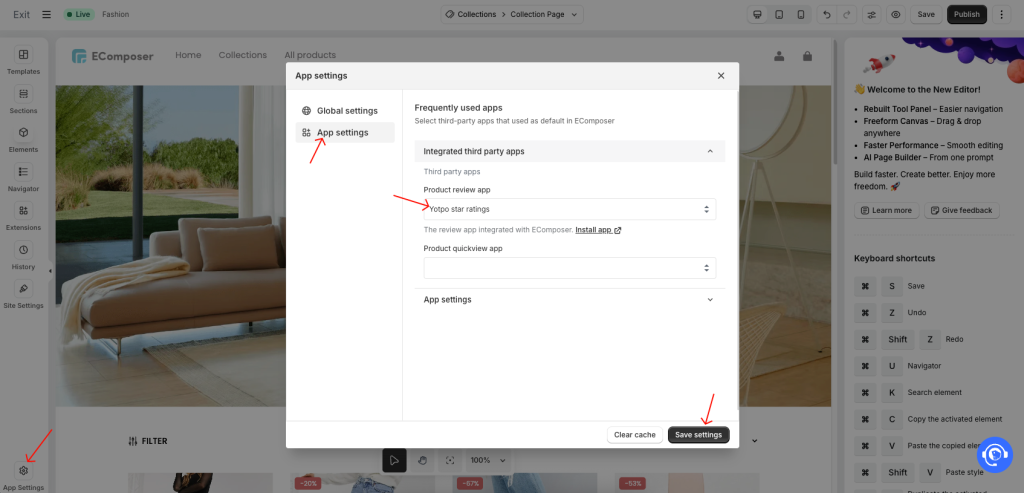
Step 2: Enable Ratings in Product Elements. Open your page in EComposer, click on a product element (e.g., Product Grid). Go to Element Settings → Product Cart → Enable the option: “Use rating 3rd party app”
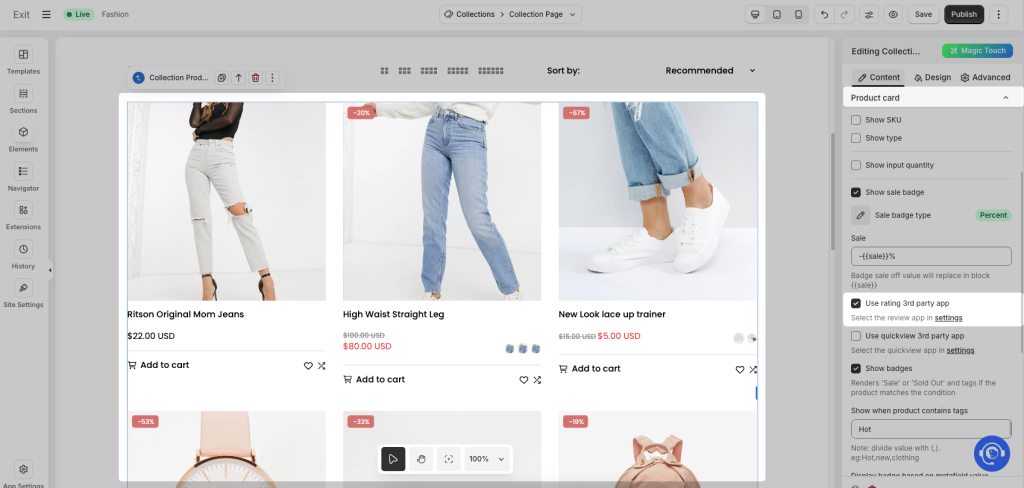
Once enabled, Yotpo star ratings will automatically appear on your product cards on the live page.
Common Issues
In some cases, Yotpo widgets or ratings may not appear immediately after setup. This is expected behavior due to data syncing and loading time.
After adding a Yotpo extension in EComposer and publishing the page, please allow around 2–3 minutes for the widget to load and display correctly on the live page.
Additionally, when a new review is submitted and published in the Yotpo app, it may take approximately 20–30 minutes for the review to be updated and displayed on your storefront. Even if the review is already marked as “Published” in Yotpo, it will not appear instantly on the page.
If the widget or ratings still do not display after this time, please try refreshing the page or clearing your browser cache.