
All about EComposer AI Credits
EComposer uses AI Credits to power all AI-related features within the app. These credits allow you to generate content, build layouts, and optimize your pages using AI tools.
Instead of a token-based system, AI Credits provide a simpler and more transparent way to track your usage.
1. What are AI Credits
AI Credits are the usage units required to run AI features in EComposer. Each time you use an AI-powered function, a certain number of credits will be consumed depending on the task.
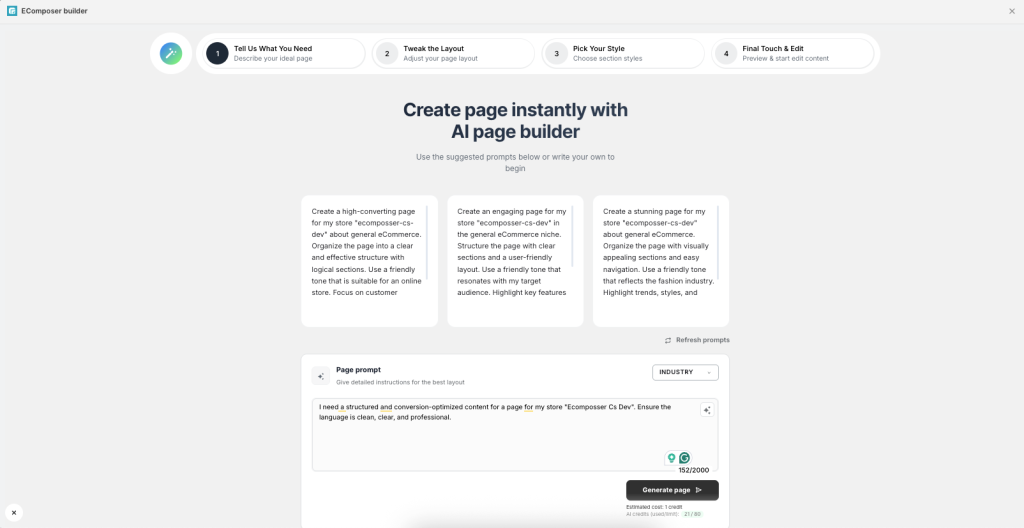
For example, generating text content, creating layouts, or optimizing SEO with AI will each use a different amount of credits.
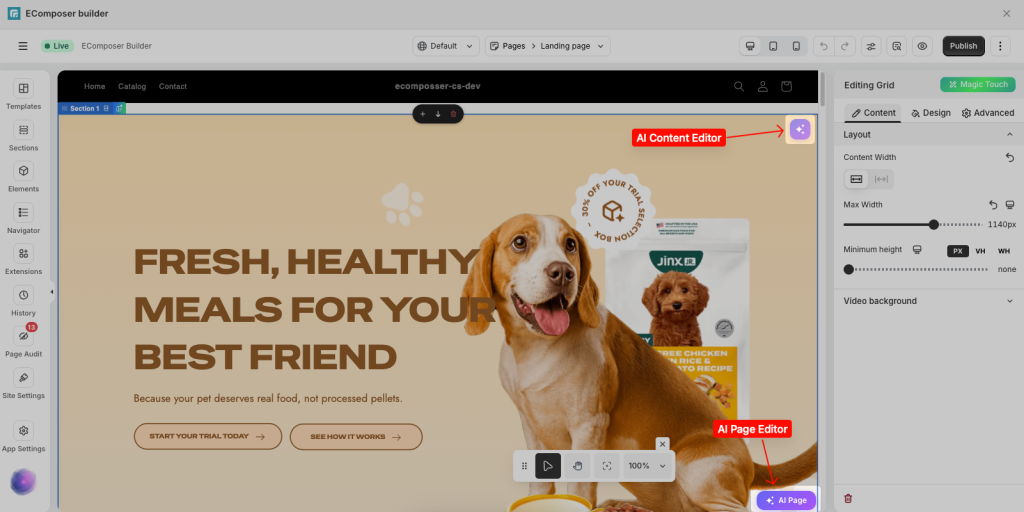
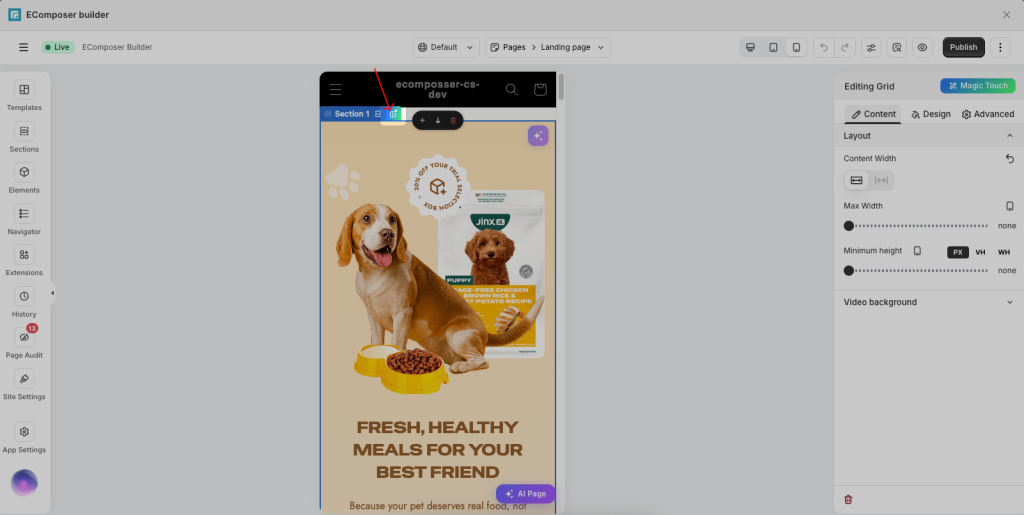
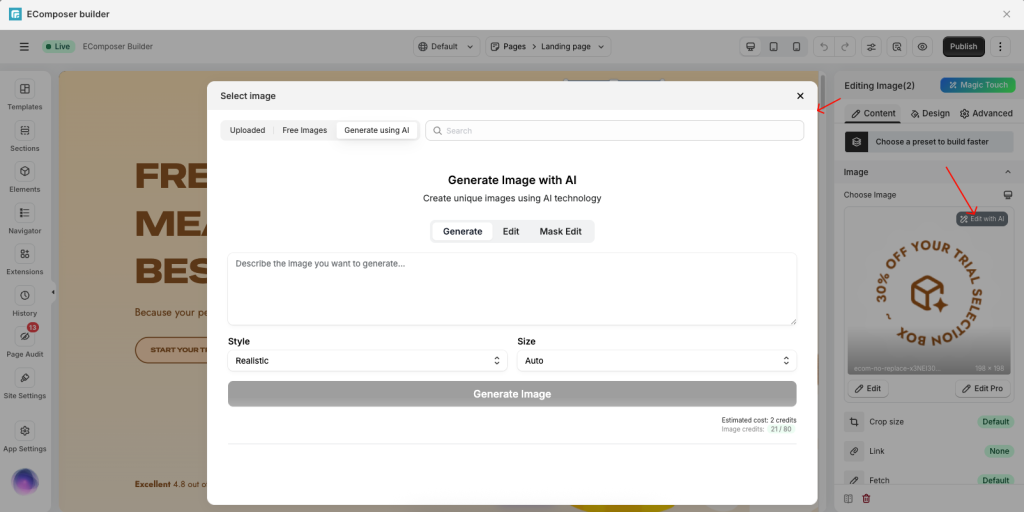
2. How AI Credits Work
- Every time you confirm an AI action, the required credits are deducted instantly from your balance.
- The number of credits consumed depends on the complexity & effort to analyze both your input (“in” credits) – the length of your question or prompt and the output (“out” credits) – the AI’s response.
Currently, AI actions are grouped into two main types:
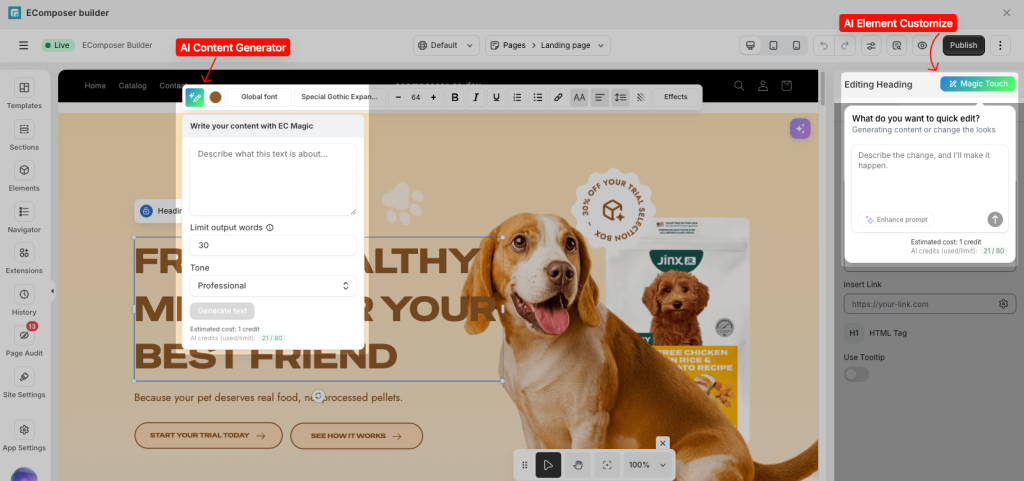
– Text generation (Prompt Text): 7 credits per generation
– Image generation (Prompt Image): 40 credits per generation
Estimated Credit Usage by Feature
| Feature | Unit | Credits Used |
|---|---|---|
| AI Content Generator | Per generation | 7 Credits |
| AI Layout Builder | Per layout (3 steps) | 21 Credits |
| AI Page/Section Content | Per section | 7 Credits |
| AI Image Generator | Per image | 40 Credits |
3. AI Credits by Plan (Monthly Renewal)
The number of AI Credits you receive depends on your subscription plan and is reset monthly based on your billing cycle. Each plan provides a different level of AI usage to match your needs.
| Plan | AI Credits | Estimated Usage |
|---|---|---|
| Free | 50 | ~7 text generations |
| Standard | 200 | ~28 text or ~5 image generations |
| Pro | 800 | ~114 text or ~20 image generations |
| Premium | 2,000 | ~285 text or ~50 image generations |
Notes:
- Estimated usage is for reference only and may vary depending on content length and complexity
- Image generation typically consumes more credits than text generation
- Credits are refreshed every billing cycle and do not roll over
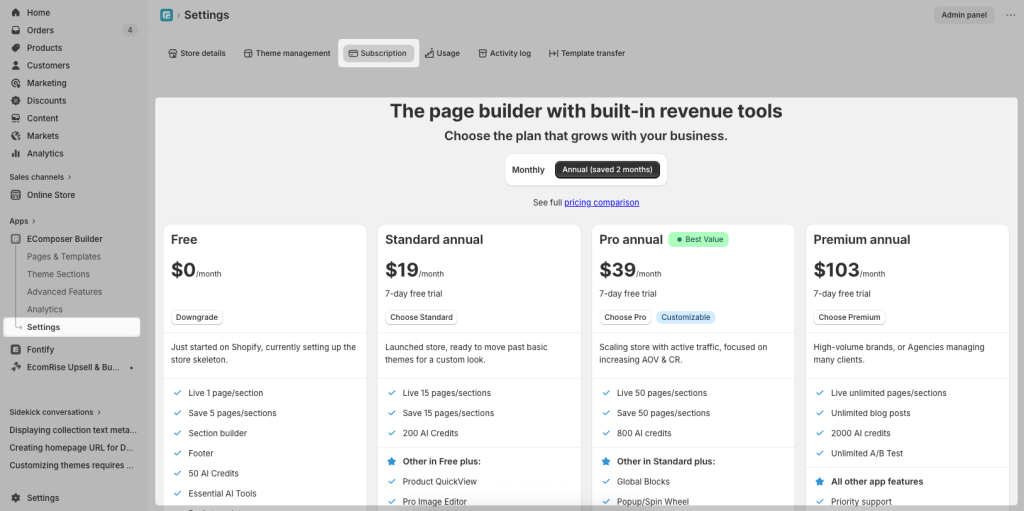
To check the number of credits on your plan, please open App Dashboard -> Settings -> Subscription.
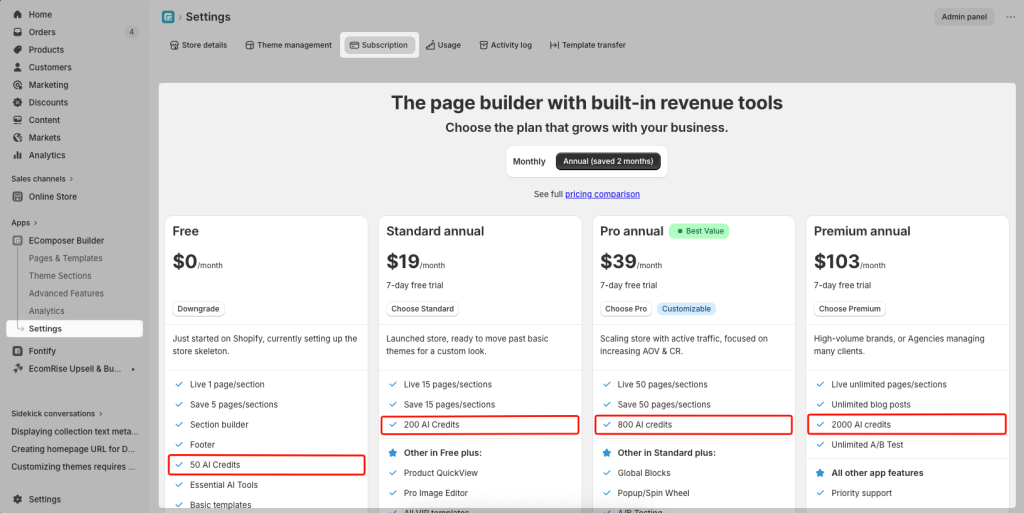
Notes: Higher plans provide more credits to support larger workloads and more advanced use cases. See full pricing compare here.
4. AI Credits Reset Policy
- Your monthly AI Credits balance resets according to your billing cycle date.
- Any unused credits at the end of the billing cycle do not carry over.
- The reset happens automatically, and no action is required from your side.
Example: If your billing date is the 15th of each month, your AI Credits will reset on the 15th, regardless of how many credits remain unused.
5. Purchasing Extra Credits
For users who exceed their monthly credit limit, EComposer offers additional AI Credit packs that can be purchased anytime. These credits do not reset monthly and remain in your account until used.
| Add-on Plan | AI Credits | Price (USD) |
|---|---|---|
| Starter Pack | 500 | $7.99 |
| Essential Pack | 1,500 | $19.99 |
| Growth Pack | 4,000 | $44.99 |
| Professional Pack | 10,000 | $99.99 |
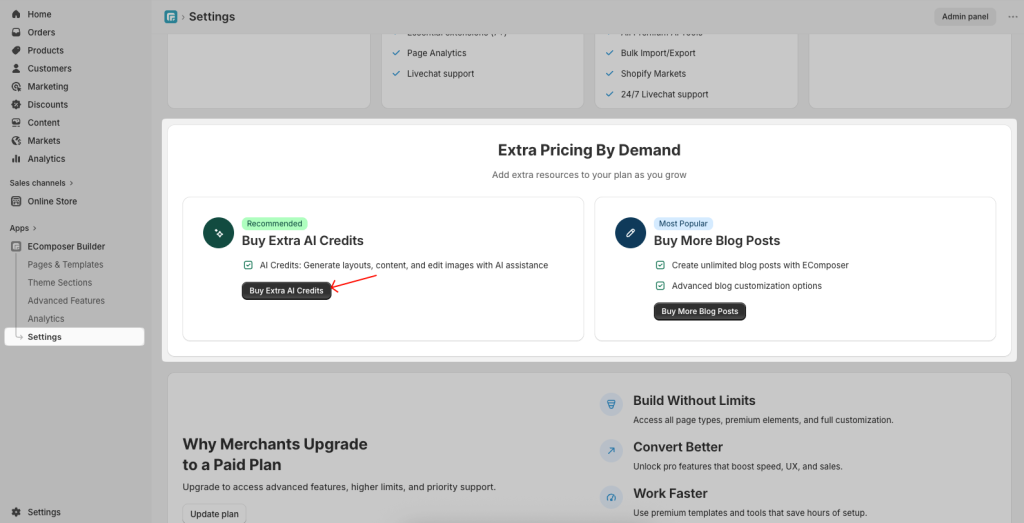
To buy more credits, go to App Settings → Subscription.
Find the “Extra Pricing By Demand” section → Click the Buy Extra AI Credits button.
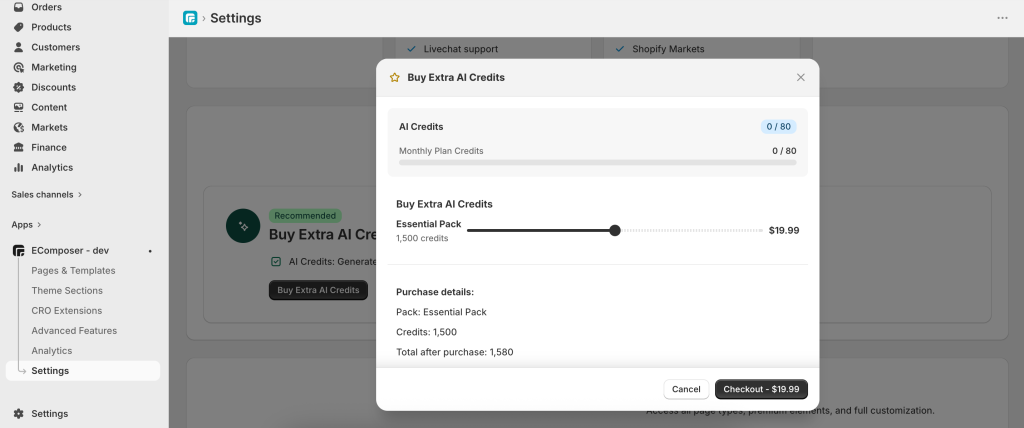
Choose the amount of credits → Click“Checkout” to proceed to the Shopify billing page.
Notes:
- Add-on credits are useful when you need additional usage beyond your monthly plan without switching plans
- Usage estimates are approximate and may vary depending on the complexity and length of each request
- Image-related actions typically require more credits than text-based actions
- Credits are applied to your account immediately after purchase
- Purchased credits remain valid until fully used and are not affected by billing cycles
- All extra credit purchases are non-refundable once any portion has been used
6. Billing Details
- Your subscription plan includes a fixed monthly AI Credit allowance
- Extra credit purchases are billed instantly and separately from your subscription plan
- If you upgrade your plan mid-cycle:
– Any extra credits you have purchased remain unchanged
– Your new monthly credit allowance applies immediately
– Remaining credits from your old plan are replaced with the new plan’s allocation
7. Frequently Asked Questions
Q: What happens when I run out of credits?
You will be prompted to purchase extra credit packs or wait until your next monthly reset.
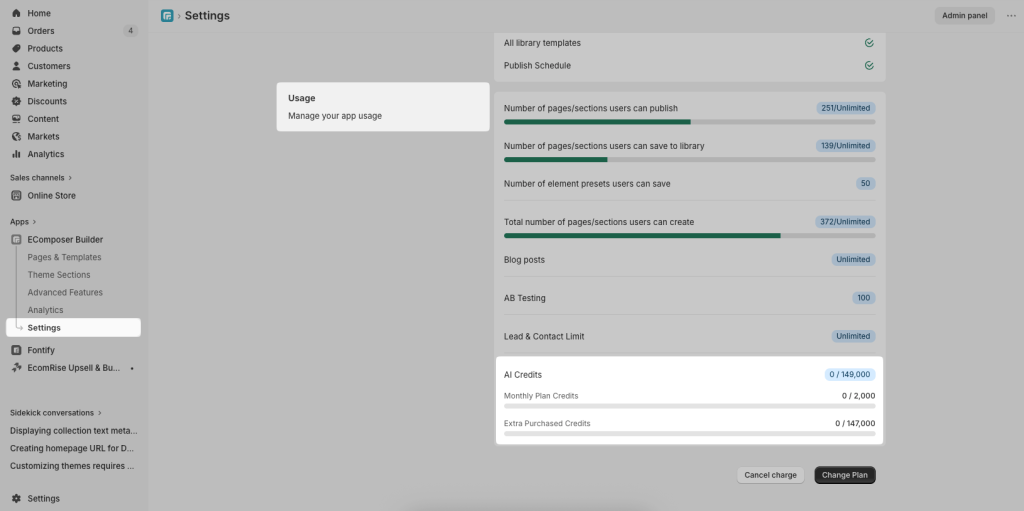
Q: How can I track my credit balance?
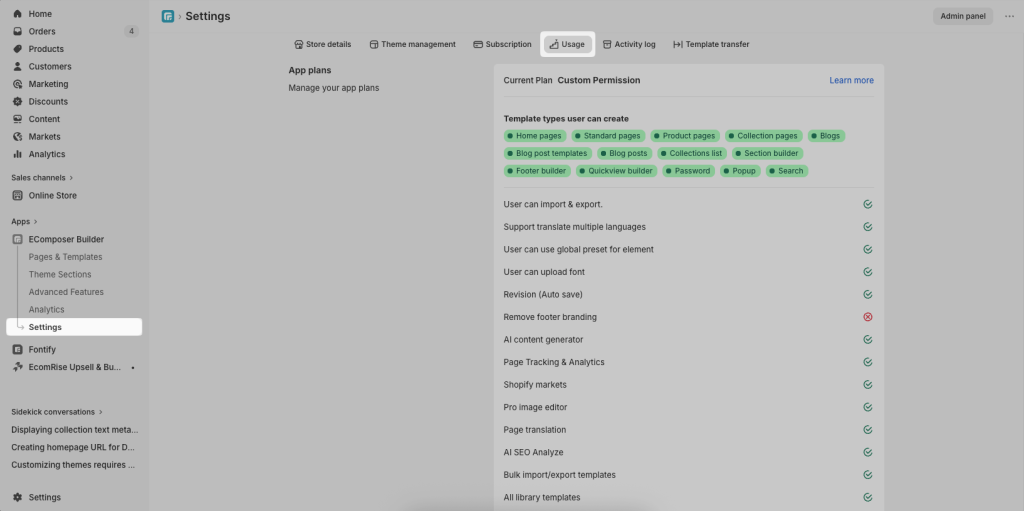
Go to App Settings → Usage → Usage to view your remaining AI Credits.
Q: Do credits roll over?
Monthly credits do not roll over, but purchased extra credits remain until used.
Q: Can I get a refund if I don’t use my credits?
Monthly credits are part of your subscription and have no cash value, so unused credits are not refundable. Purchased extra credits are also non-refundable once used.