

Preload Effects
Create a Memorable First Impression with Page Loading Effects – Keep your visitors engaged while your page loads by adding dynamic and visually appealing loading animations.
1. How to install the Preload Effect extension?
Note: When you finish installing the Page loading effect extension, it will automatically show.
You can use this extension on EComposer Pro and Premium plans. Upgrade now to unlock
To install the extension, go to the App dashboard -> CRO Extensions to find and install the Preload Effect extension.
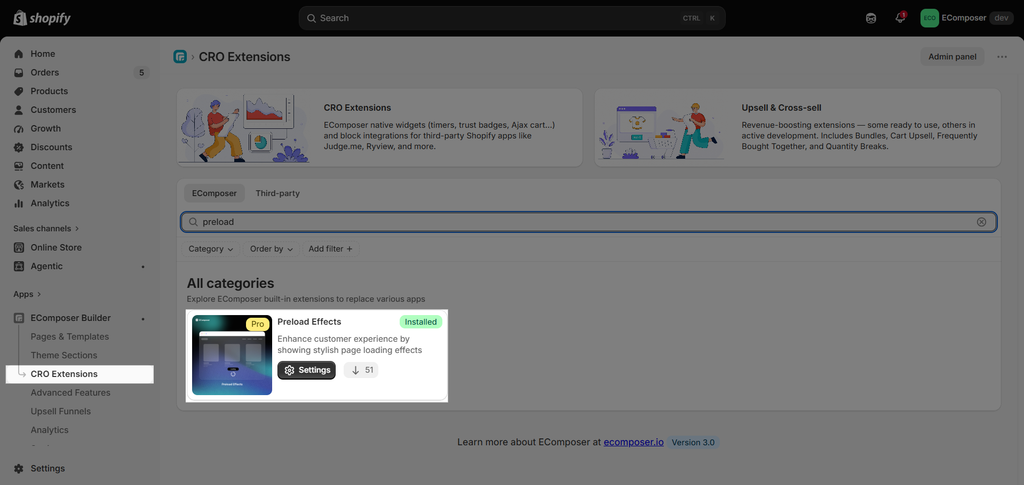
On the Extension popup, click Install extension to install it the right way.
2. How to set the Page loading effect extension?
General Settings
- Enable: You can enable/disable it without removing the extension.
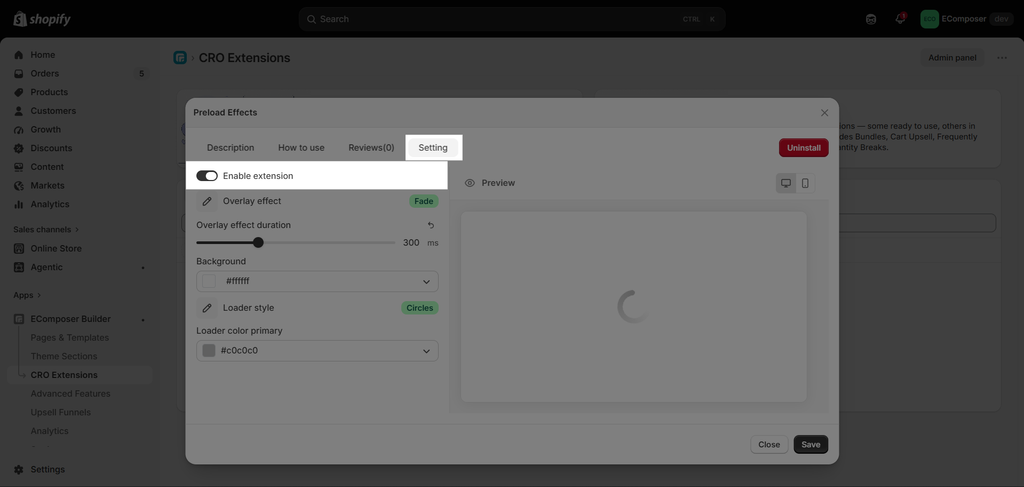
- Overlay Effects: Bring your design to life with animations like fade, slide, and zoom-out overlays, creating an engaging user experience.
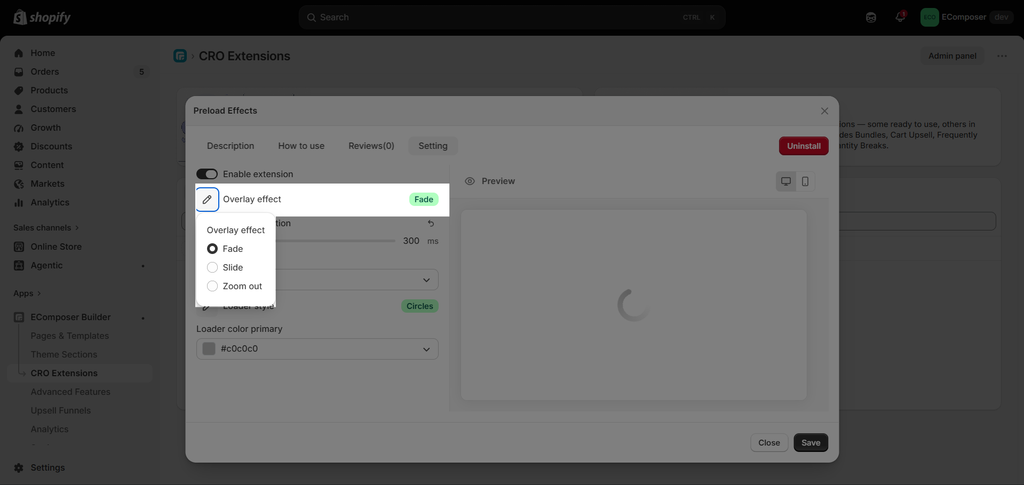
- Overlay effect duration: The duration of your overlay effects plays a crucial role in creating smooth, engaging animations that enhance the user experience.
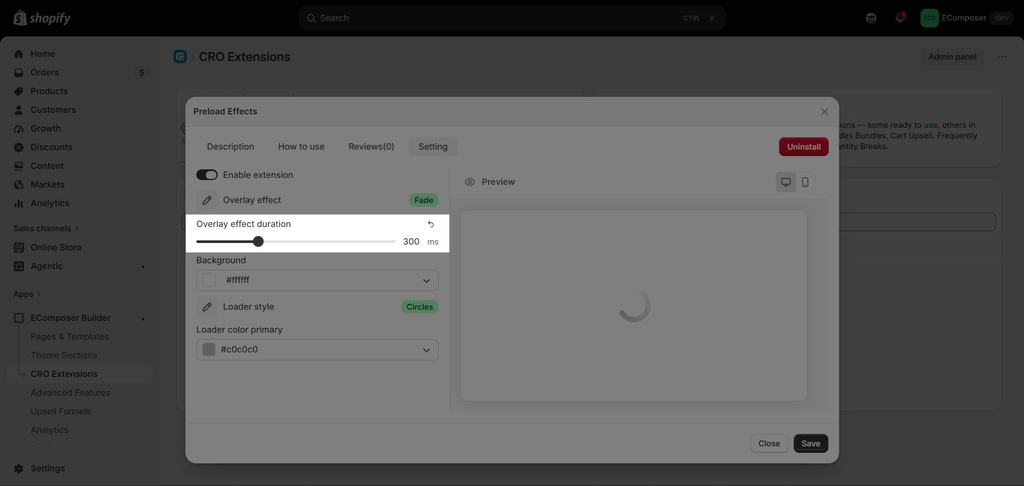
- Overlay background: Use overlay backgrounds to enhance content visibility, add depth, and elevate your design aesthetics.
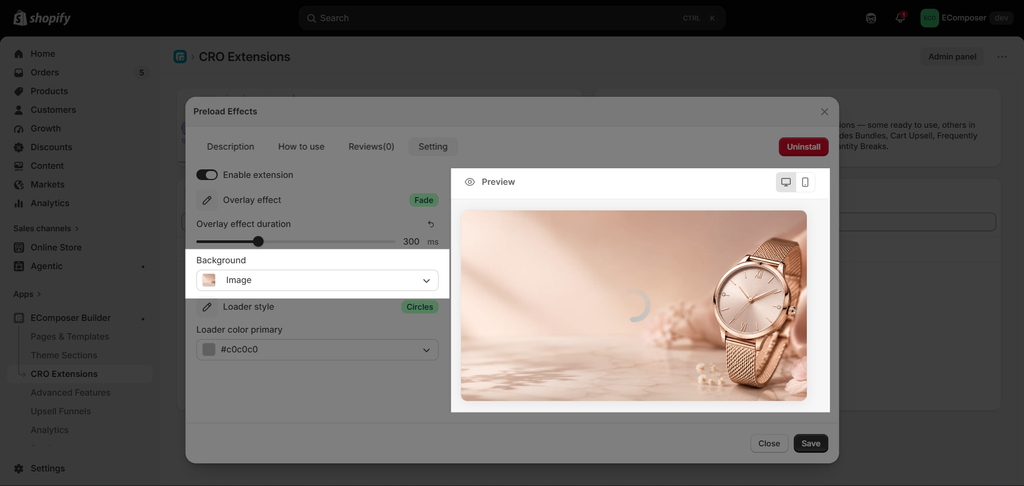
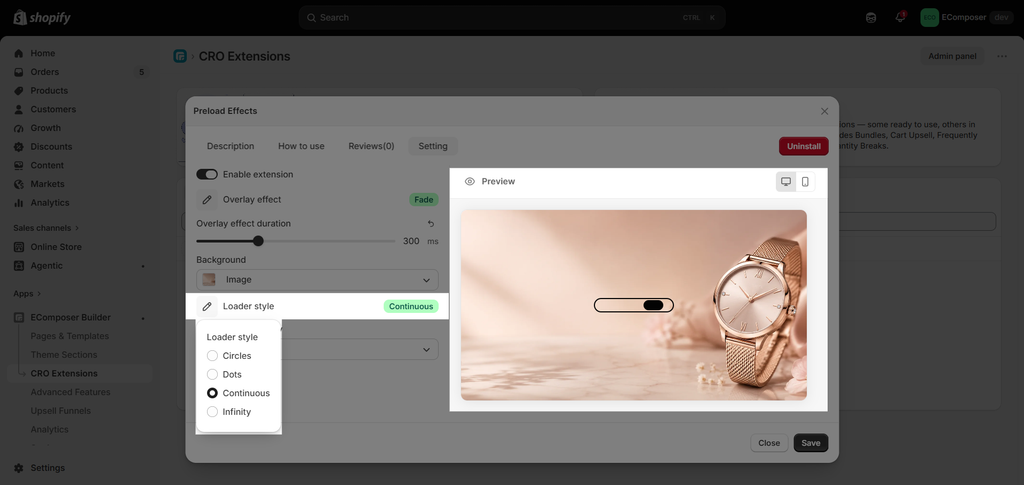
- Loader type: You can change the loader style to Circles, Dots, Continuous, or Infinity.
- Loader color primary: Change the color of the loader
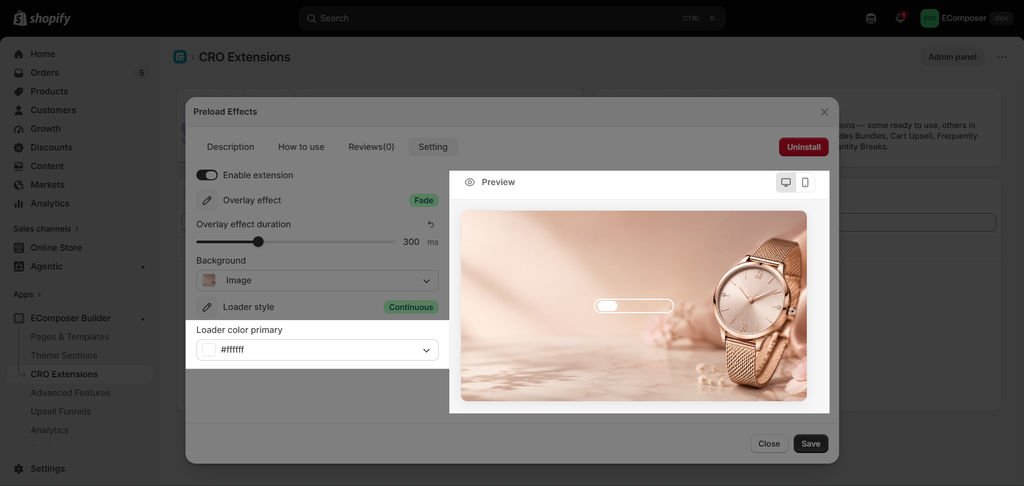
After setting everything up, you can view the result on the live page





2 Comments
prosperous
nice work on this extension, i think users should be able to use custom html, css and js to add their own loaders
Shashank
This looks good.
can we add our logo as pre load?, that would be very beneficial in terms of branding