
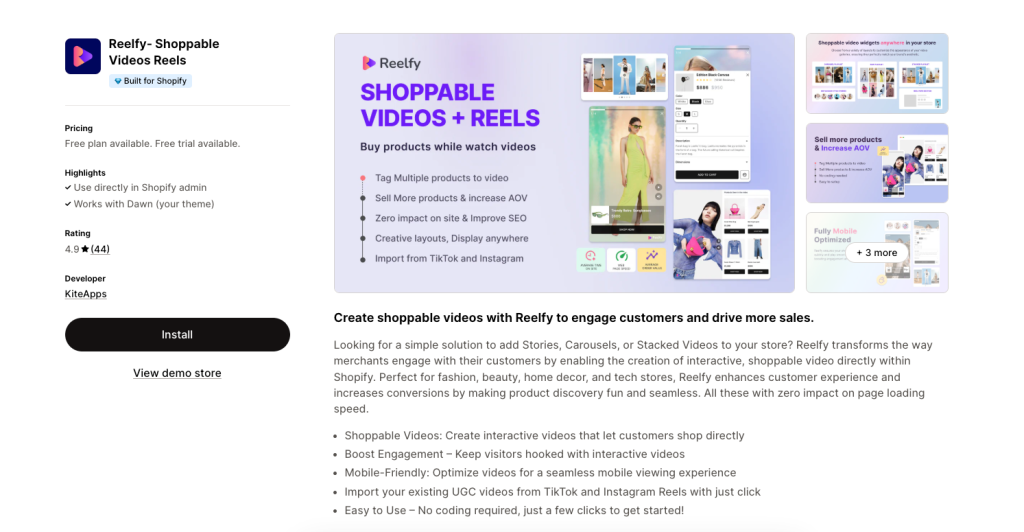
Reelfy ‑ Shoppable Videos Reels
Bring immersive shopping experiences to your Shopify store!
With the integration between Reelfy and EComposer, you can now turn inspiring video reels into shoppable experiences right on your website.
1. How to install the Reelfy ‑ Shoppable Videos Reels app?
- To use this extension, please install the Reelfy ‑ Shoppable Videos Reels app from your Shopify store first.
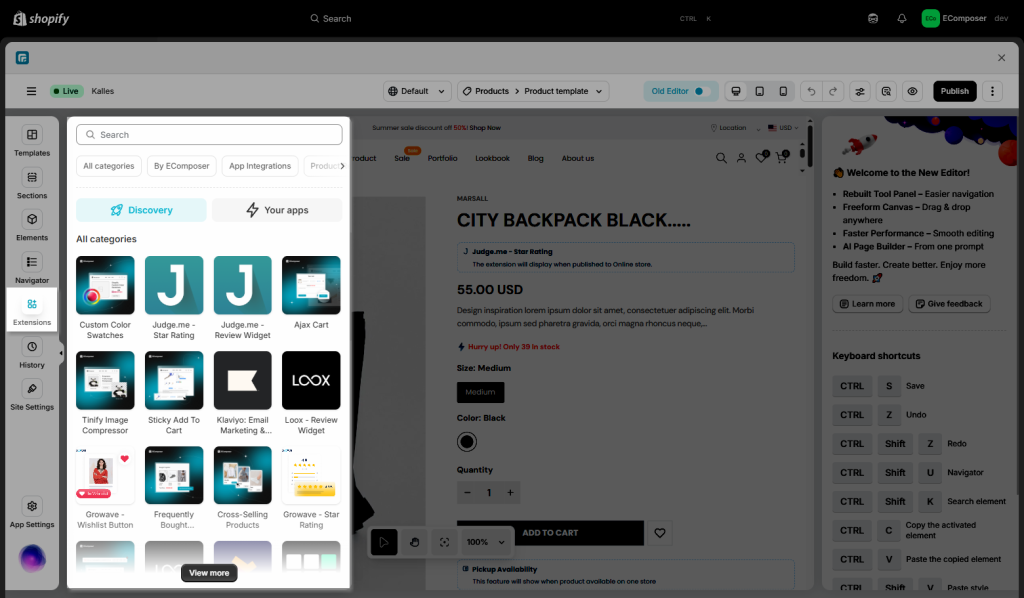
To open the Extension popup: From the left sidebar, go to Extensions → search for the extension name and click to install, or click View more to browse all available extensions in the app.
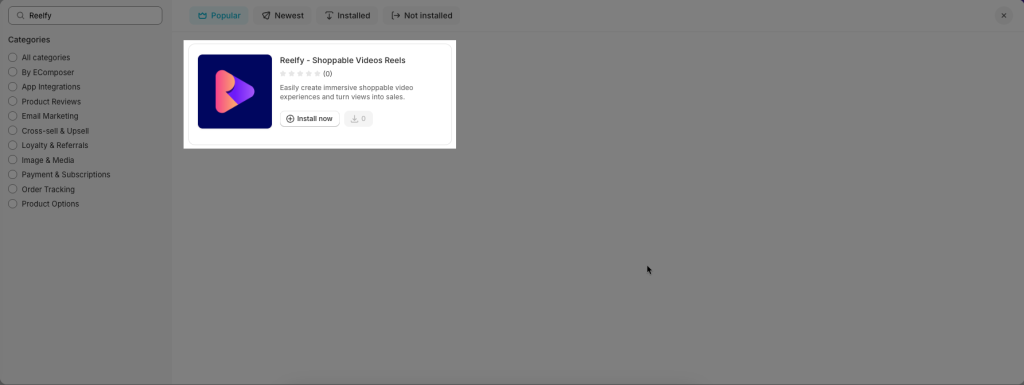
In the last stage that we have to do to complete all the adding steps, now you can search Reelfy ‑ Shoppable Videos Reels –> click on the “Install now” button to install it
Notice: This extension does’t work with EComposer section builder.
2. How to make the Reelfy ‑ Shoppable Videos Reels show on page?
Notice: This feature only works on the live page
- Go to Shopify admin > Online Store > Theme > Customize.
- Open the App Embed tab.
- Turn on the Reelfy Reel Pops app and click the Save button.
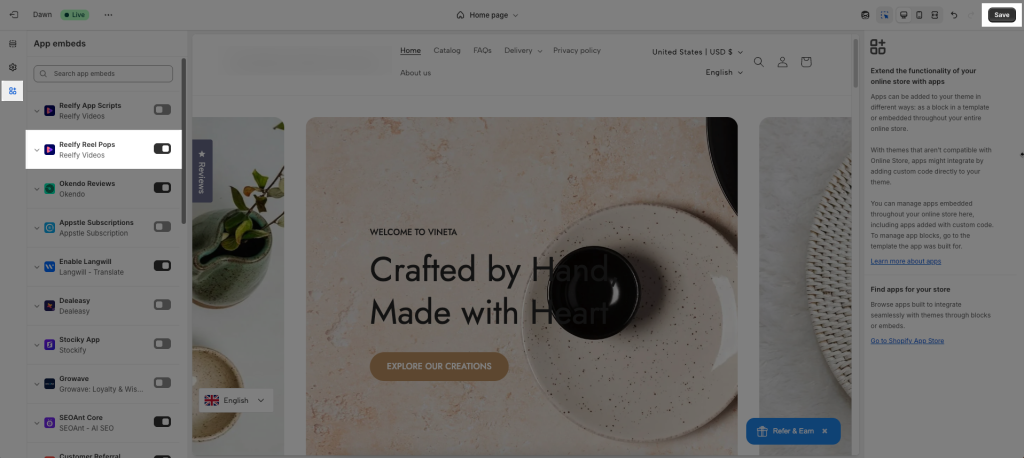
- Go to Reelfy Videos app & add widgets
- Step 1: Add videos
- Step 2: Add Widget (You can add Videos Section, Stories & Reel Pops)
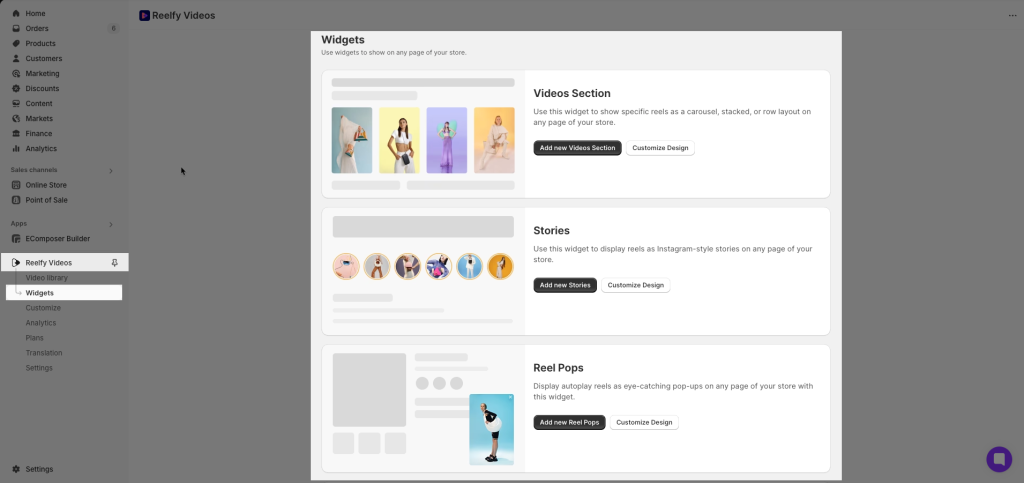
Ex: Videos Section
Follow this video:
- Step 3: Copy Gallery ID
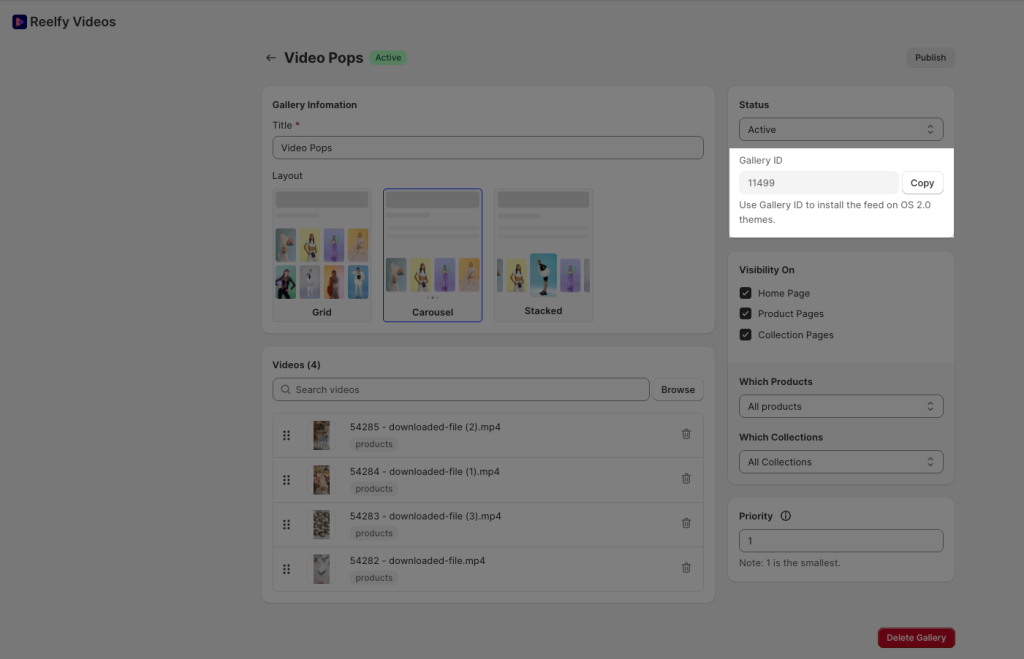
- Adding the Reelfy ‑ Shoppable Videos Reels extension to EComposer’s page.
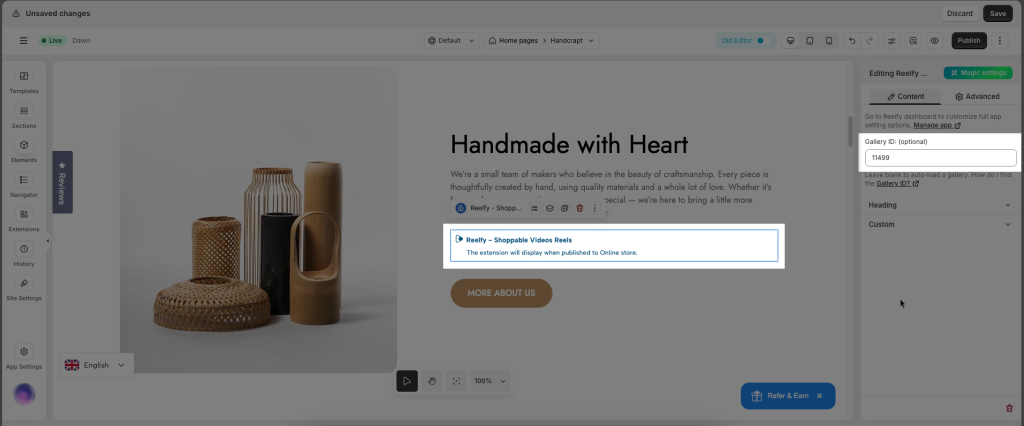
- Step 1: On the EComposer page, drag & drop Reelfy ‑ Shoppable Videos Reels extension
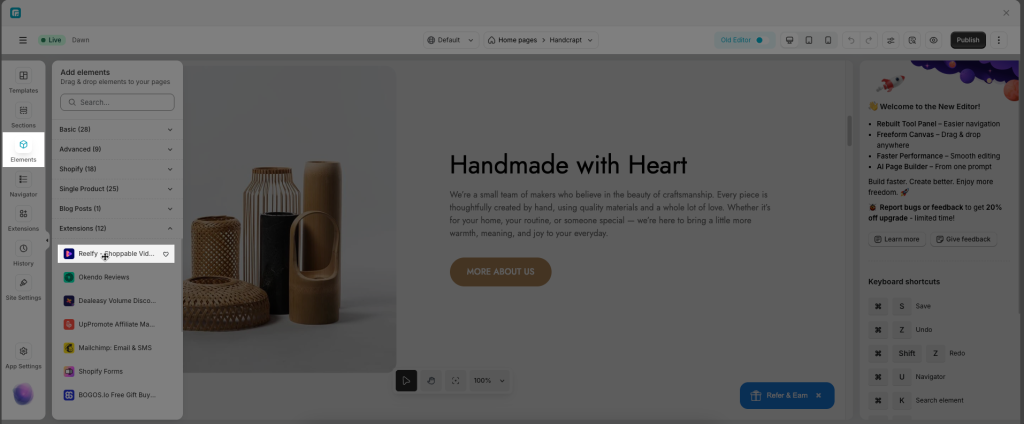
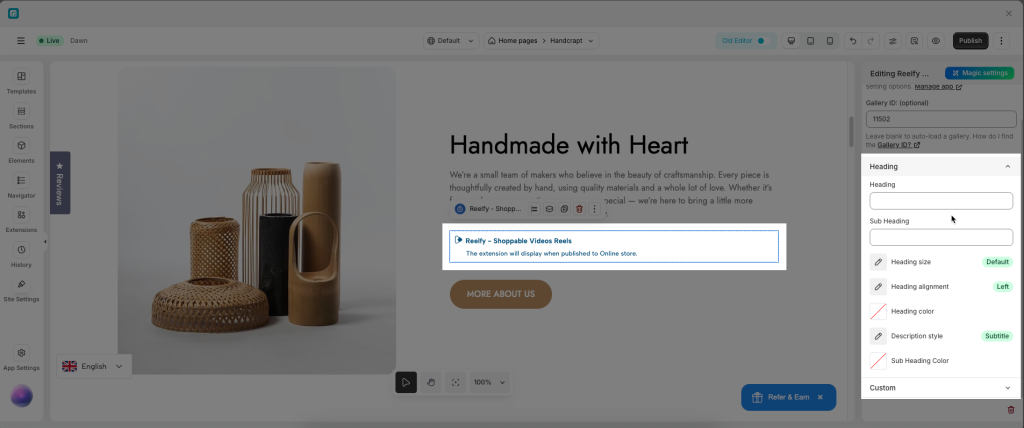
- Step 2: Paste Gallery ID widget you want to display
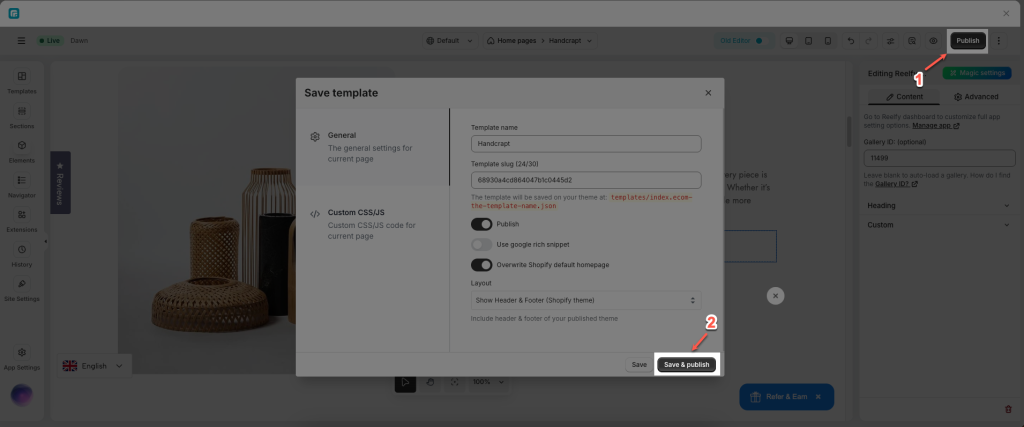
- Step 3: Save & Publish page
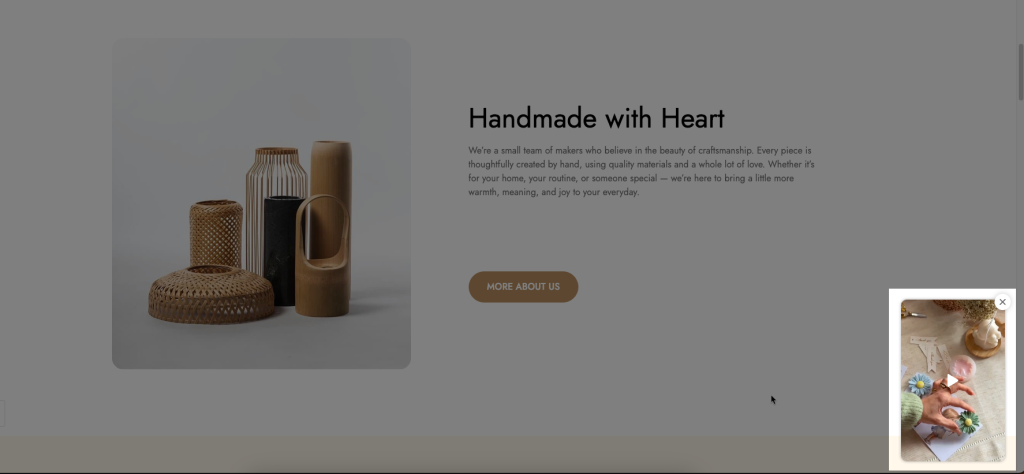
Result on the live page:
Videos section

Stories

Reel Pops
You can config for Heading & Section Custom