
Quickview Template in EComposer
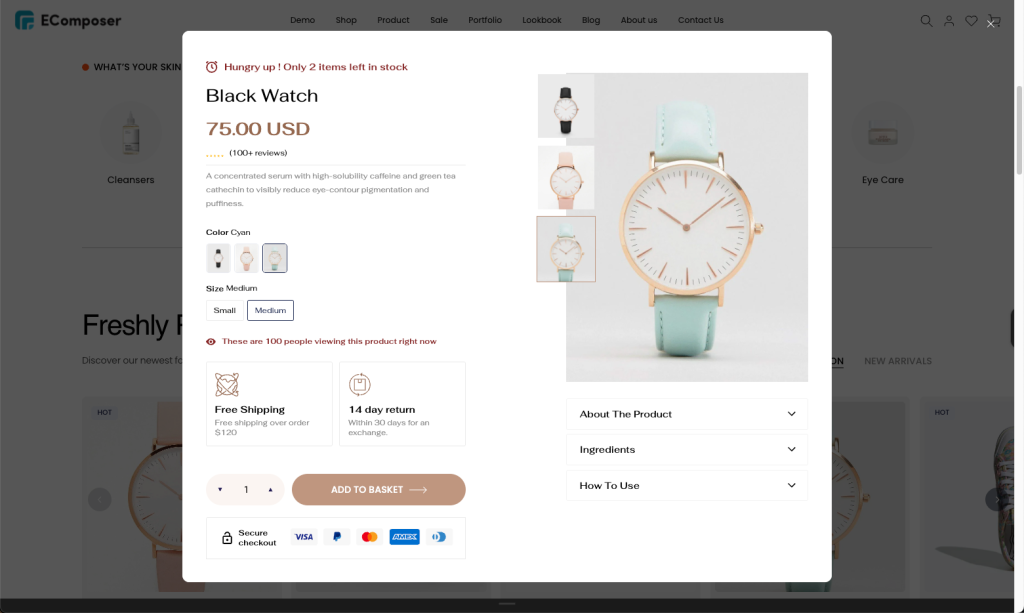
The Quick View feature allows customers to quickly preview important product information such as images, price, variants, quantity selector, and add to cart options in a popup window without leaving the current page. It is typically triggered when customers click the Quick View button from elements like a Product Grid or product listing section.
This helps create a smoother shopping experience by reducing navigation steps, allowing customers to browse products faster and make purchase decisions more efficiently.
1. Create a Quick View template
To create a new Quickview template, go to Page & Template -> Quickview -> Start Building.
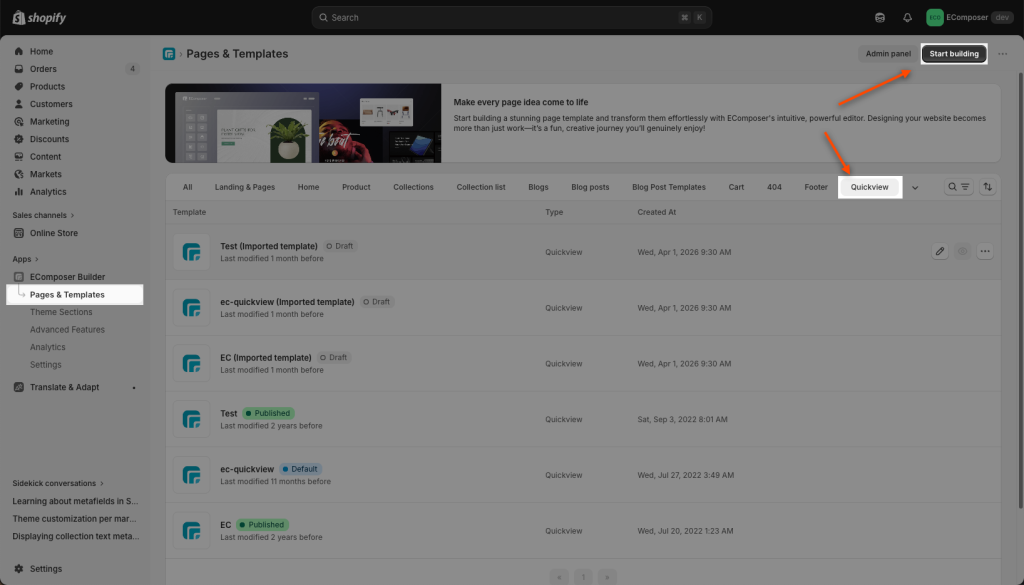
You can follow the video below for more steps on how to build a Quickview layout:
On the Quickview template, you can choose a Product detail section from our Template library to save time.
2. Enable Quickview from the Product Grid element.
Product grid often has “quick view” buttons to let customers preview details or add items to their cart in a pop-up directly without leaving the main catalog page. You can follow the 3 steps below to set it up:
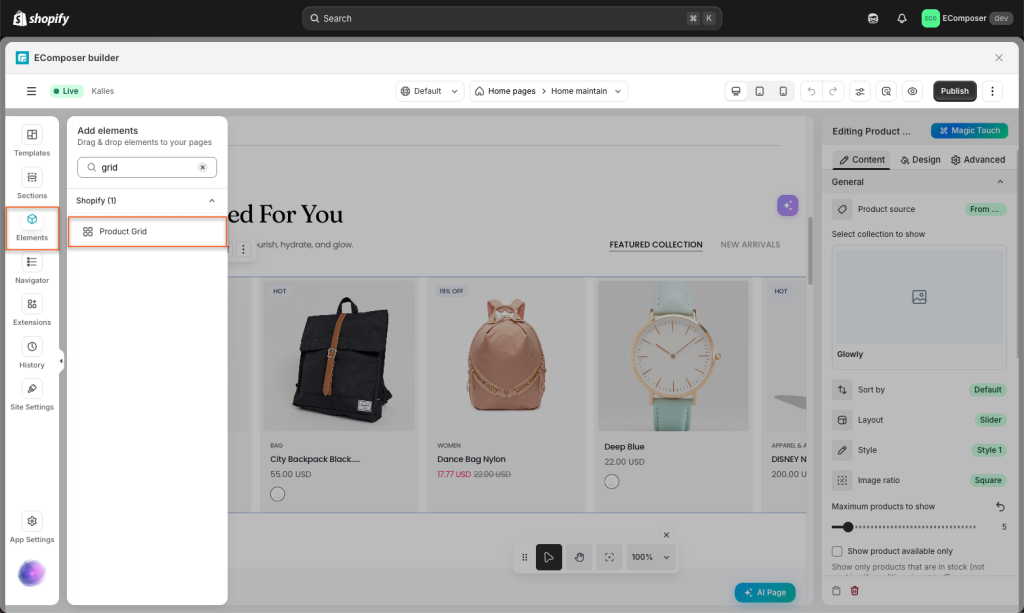
Step 1: Drag/Drop the Product Grid Element or use the available one from your page.
Step 2: Enable Quickview in the App settings and Content tab option.
Step 3: Publish and view the page to see the result.
Please check this video to learn in detail:
Note: The Quickview pop-up can only working well on the live page.