

Shopify Markets
Shopify Markets helps merchants expand their business to a global audience by creating shopping experiences in local languages and currencies. It is a cross-border management tool that helps you identify, set up, launch, optimize, and manage your international markets – all from a single store.
Shopify Markets centralizes international selling tools for your business to help you manage and expand your global sales. With Shopify Markets, you can create customized online shopping experiences for different customer segments. You can create markets in Shopify to target specific countries or regions, or you can group countries and regions together to simplify your expansion efforts.
EComposer is integrated with Shopify markets to help our users customize their web pages for different countries/regions right on the EComposer editor.
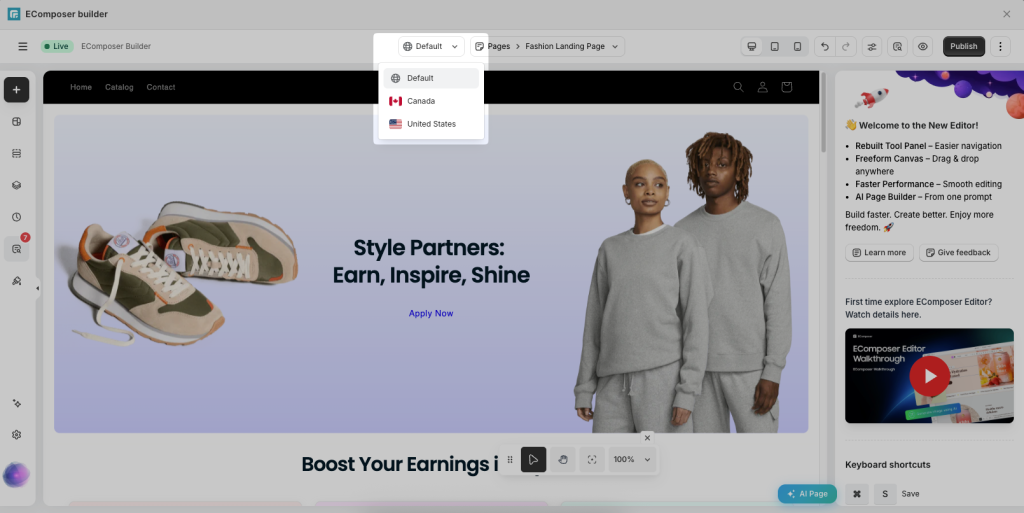
Note: EComposer Market Integration is available in Pro and Premium plans only.
Please also note that your Shopify plan must support Customize themes for each market for this feature to work. This functionality is generally available on Shopify Advanced and Shopify Plus plans. If the Market option does not appear in your Theme Editor, please check your Shopify plan and Markets configuration.
To use the Market feature in EComposer, please follow the steps below:
Step 1: Create a market on Shopify
You need to create a market in Shopify first for it to appear in the EComposer’s editor. Go to Shopify admin -> Markets -> Create market.
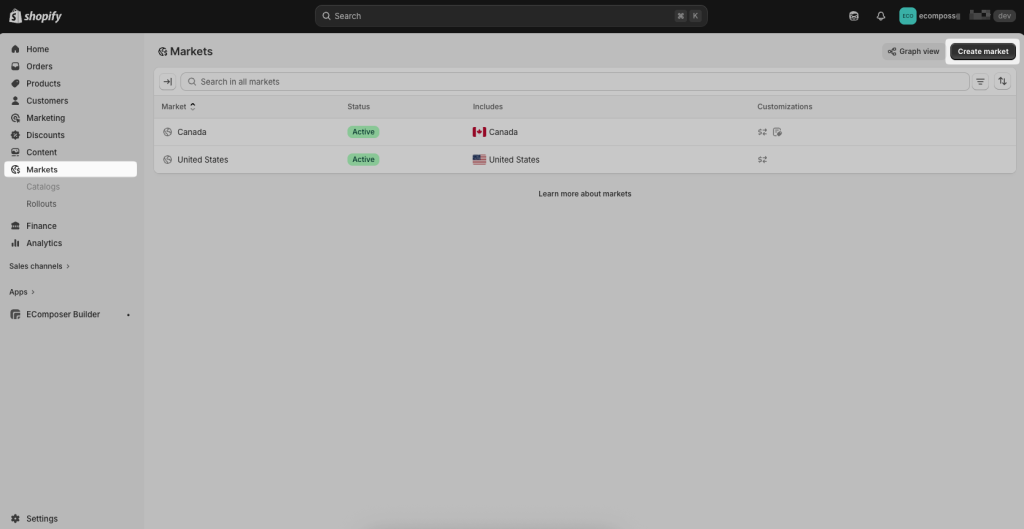
Step 2: Open/Customize the market from EComposer’s editor
If you create new pages in EComposer, you need to save/publish them first (called Default page/template), then they will show in other markets in that page editor for you to customize.
If you open a saved/published page in EComposer, markets will be shown in that page editor as long as you created Markets in Shopify admin. You can open Markets to edit content and click the Publish button to publish it.
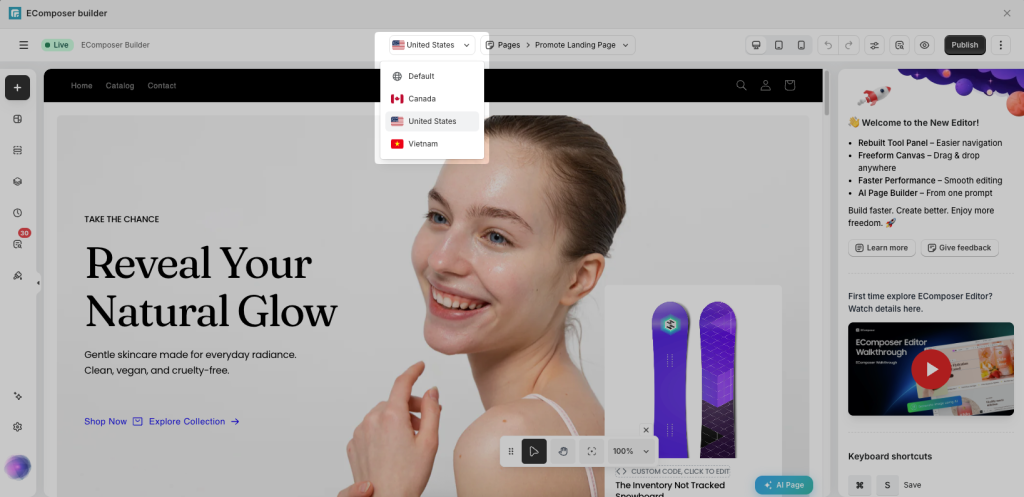
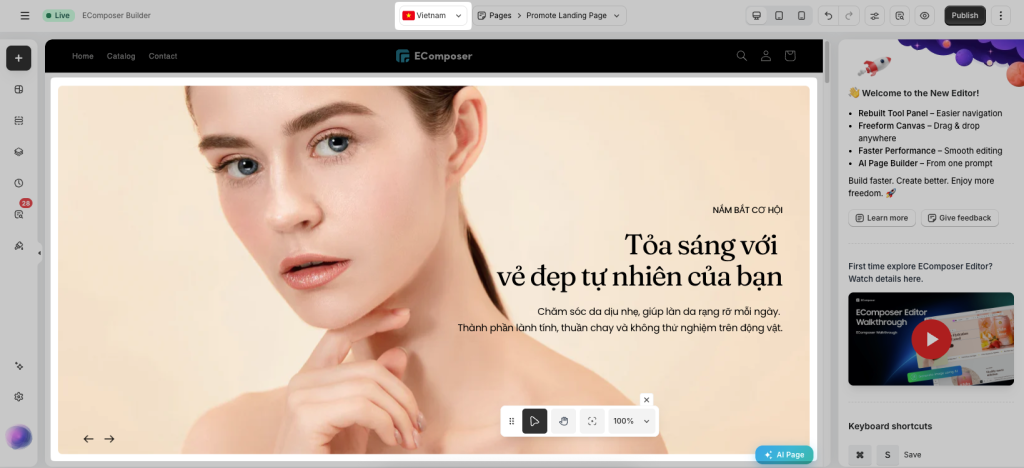
For example, you can enter different content, an image for the Vietnam market.
Whatever you choose, Shopify Markets automatically sets the right SEO tags, so your international buyers see the right domain in their search results. Visitors who navigate to the wrong domain can be automatically redirected to the right shopping experience based on their location. In instances where auto-redirects don’t work as intended (like in the EU, where you aren’t allowed to automatically redirect visitors), the Geolocation app can prompt customers to choose the correct market based on their location.
Important: We recommend using the Markets feature only when you need to display different content for different markets, such as unique text, images, videos, sections, layouts, or promotions for each region.
If your goal is simply to show the same page content in different languages, you do not need to create separate market versions. Instead, use a translation app to translate the content while maintaining a single page version. This approach is easier to manage and helps keep your content consistent across all markets.





3 Comments
Simone
Hello
we are installing one shop on Shopify and we would like to work with Shopify Market ( because we have problems with law to sell products in a basic shop)
We would like to know if we can utilize in our Shopify Basic with the option Markets activate and take the Ecomposer license at 19$
Waiting for your replay
Kind regards
Simone De Rosa
Anna Nguyen
Hi Simone,
Could you please ping us via live chat in the app about this? Our support team will assist you with this.
Rohan
Thanks for sharing the good information.