
How to install EComposer on SHOPLINE
EComposer is a powerful, easy-to-use page builder designed specifically for SHOPLINE stores. It allows merchants to create high-converting pages using a visual drag-and-drop editor, without any coding knowledge.
EComposer provides a rich library of ready-made templates and flexible elements, enabling you to build various page types such as landing pages, content pages, and promotional pages. The app works seamlessly with SHOPLINE’s native page system and multi-language feature, helping merchants create beautiful, localized shopping experiences with ease.
Whether you are a beginner or an advanced user, EComposer helps you design professional-looking pages while fully respecting SHOPLINE’s core system and limitations.
EComposer Key Features
- Free Plan: EComposer offers a free plan that allows you to explore its core features before upgrading. You can start building and testing your pages without providing any payment information.
- Drag-and-Drop Editor: EComposer uses an intuitive drag-and-drop interface, making it easy to add, edit, and rearrange elements on your pages in real time.
- Pre-built Templates: Get started quickly with a collection of professionally designed templates for different use cases such as promotions, campaigns, and content pages.
- Rich Element Library: Build engaging pages using a wide range of elements, including text, images, banners, buttons, icons, countdown timers, and more.
- Mobile Responsive Design: All pages created with EComposer are fully responsive. You can customize layouts separately for desktop, tablet, and mobile to ensure the best experience on every device.
- Multi-language Support (Native SHOPLINE): EComposer works seamlessly with SHOPLINE’s native multi-language system, allowing you to translate page content per language without duplicating pages or installing third-party translation apps.
- SEO-friendly: Pages built with EComposer follow SEO best practices, helping improve your store’s visibility on search engines.
How to Install EComposer on SHOPLINE
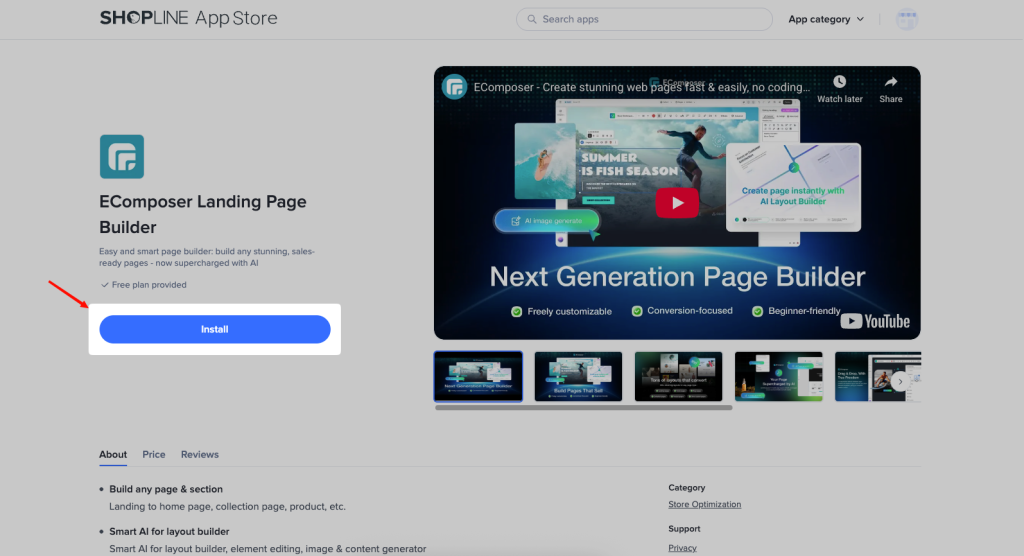
To install EComposer on SHOPLINE, find the EComposer app on the SHOPLINE App Store -> Click the Install button.
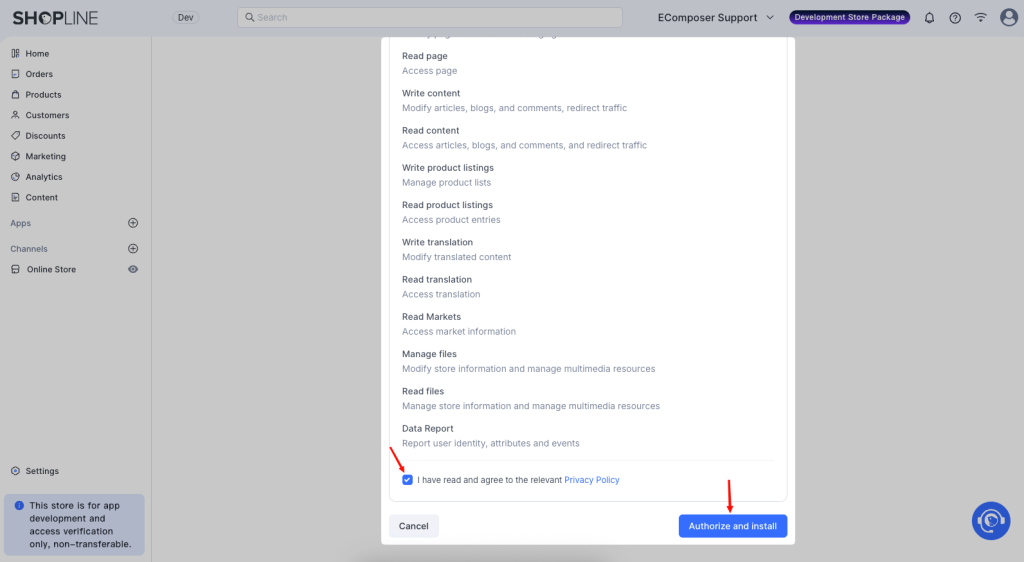
You will be redirected to the installation confirmation page inside SHOPLINE. Tick the “I have read and agree to the relevant Privacy Policy” and click the “Authorize and install” button to complete the process.
Note: Before installing the app, please carefully review our Privacy Policy
Now, let’s start with EComposer and walk through the steps to create your page.