
AI Search Optimization
1. What is AI Search Optimization?
AI Search Optimization is a feature in EComposer designed to help your store rank higher and look better on modern search engines.
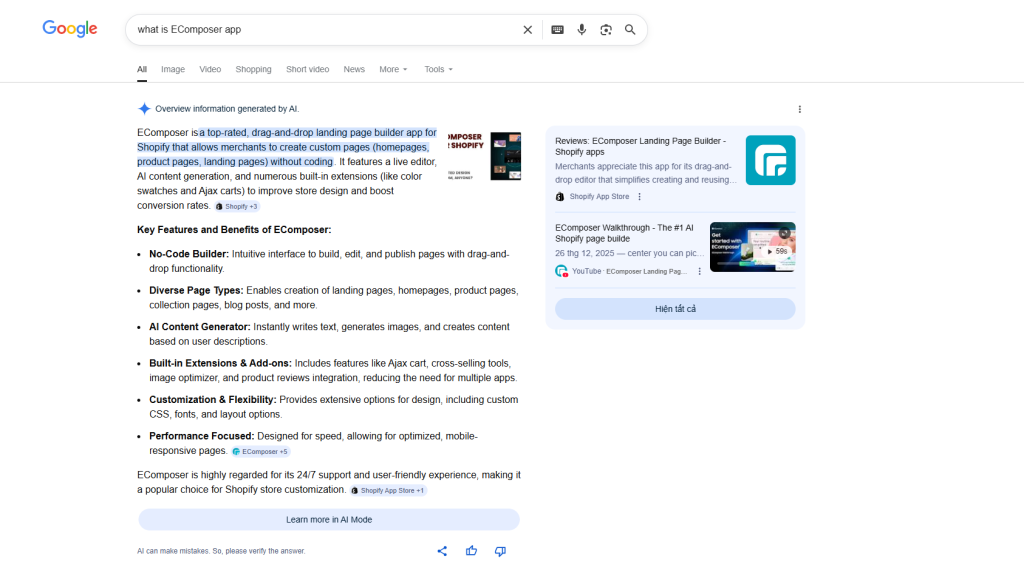
Unlike traditional SEO that only looks at keywords, AI Search Optimization helps AI tools (like Google’s new AI search, ChatGPT, or Bing) understand exactly what your page is about. It bridges the gap between your products and what customers are actually searching for in a natural way.
Using this feature brings three main benefits to your business:
- Better Visibility: Your store is more likely to appear when customers ask AI-powered search engines for recommendations.
- Saves Time: You don’t need to be an SEO expert. The AI automatically suggests the best titles and descriptions for your pages.
- Higher Click Rates: By creating clear and relevant summaries, customers are more likely to click on your store link because they see exactly what they are looking for.
- Professional Content: It helps you write product descriptions and headings that sound natural, helpful, and persuasive.
To activate this feature, go to EComposer App Dashboard > Extra features > AI Search Optimization
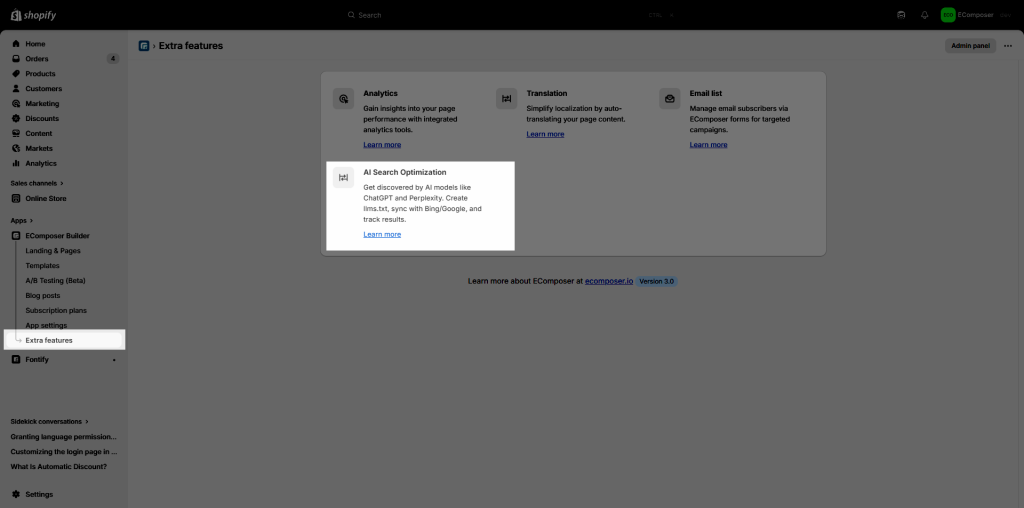
2. Config settings
To make your store ready for the future of AI search, you should turn on these settings. Here is a simple breakdown of what they do:
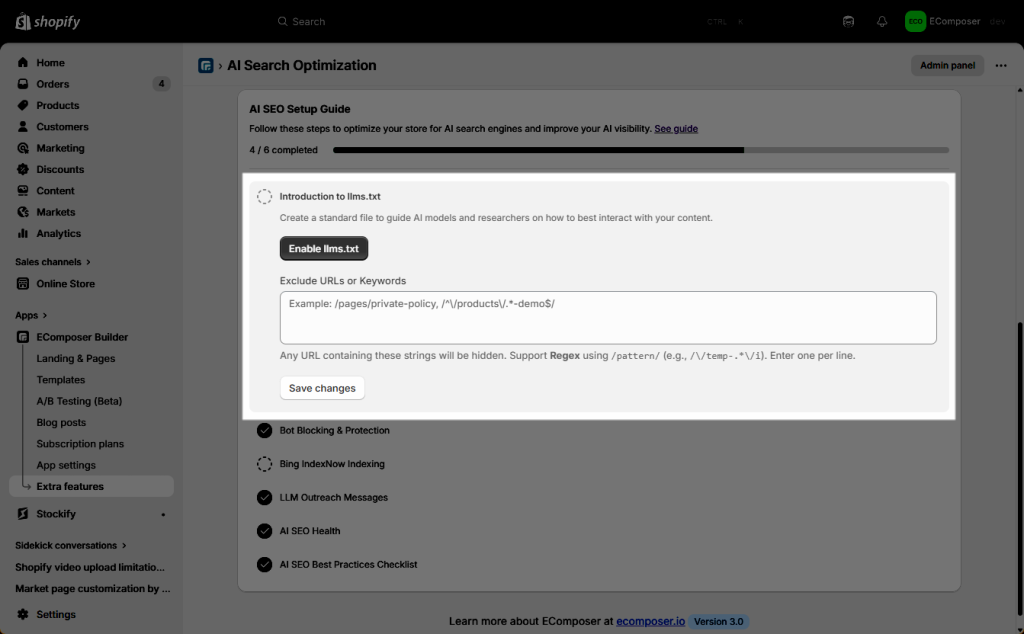
- Introduction to llms.txt: This creates a simple instruction manual for AI models (like ChatGPT). It tells them exactly how to read and use your website content correctly.
- Enable llms.txt: Enabling the llms.txt button is essentially like handing an AI model a cheat sheet. It creates a specific file on your website’s server that serves as a structured guide for AI crawlers (such as those from OpenAI, Anthropic, or Google).
- Exclude URLs or Keywords: Essentially a “Do Not Disturb” sign for AI models. It gives you control over which parts of your website are shared with Large Language Models (LLMs) like ChatGPT or Claude when they “crawl” your site to index information.
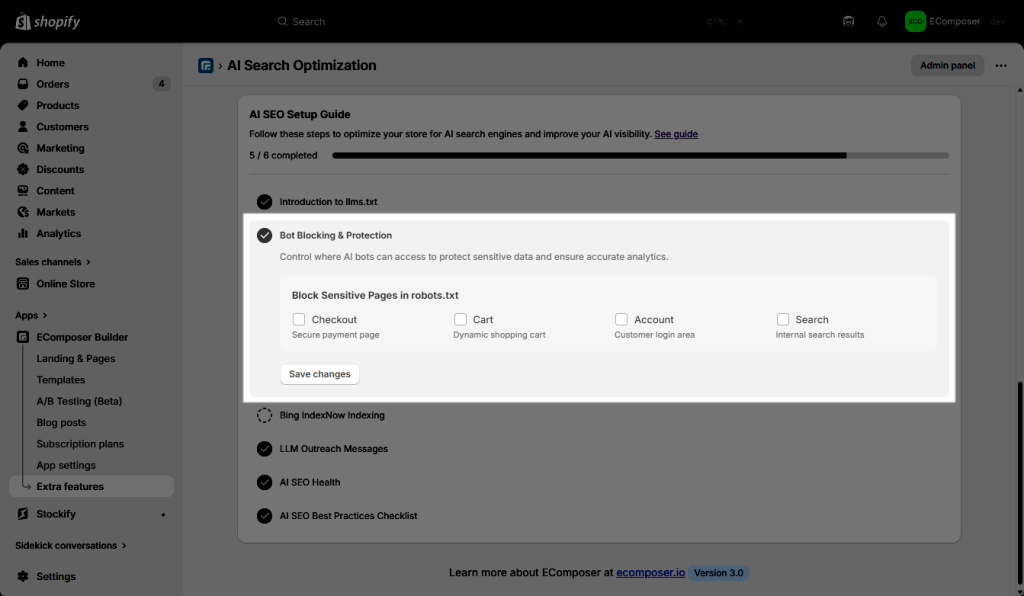
- Bot Blocking & Protection: Think of these settings as a Security Perimeter. While the AI Search Optimization helps “good” AI find and promote your brand, these checkboxes ensure that “malicious” or “unnecessary” bots don’t interfere with your actual sales operations or site speed.
- Bing IndexNow Indexing: This feature will let you submit the URL of your store to IndexNow. For example, today, you have 20 pages as 20 URLs – you submitted them. Then tomorrow, you have 2 new pages as 2 new URLs, you should hit the button Submit for Indexing to update to the IndexNow. If not, it will auto-submit after a week.
To enter the Bing IndexNow API Key, kindly get your API key from here

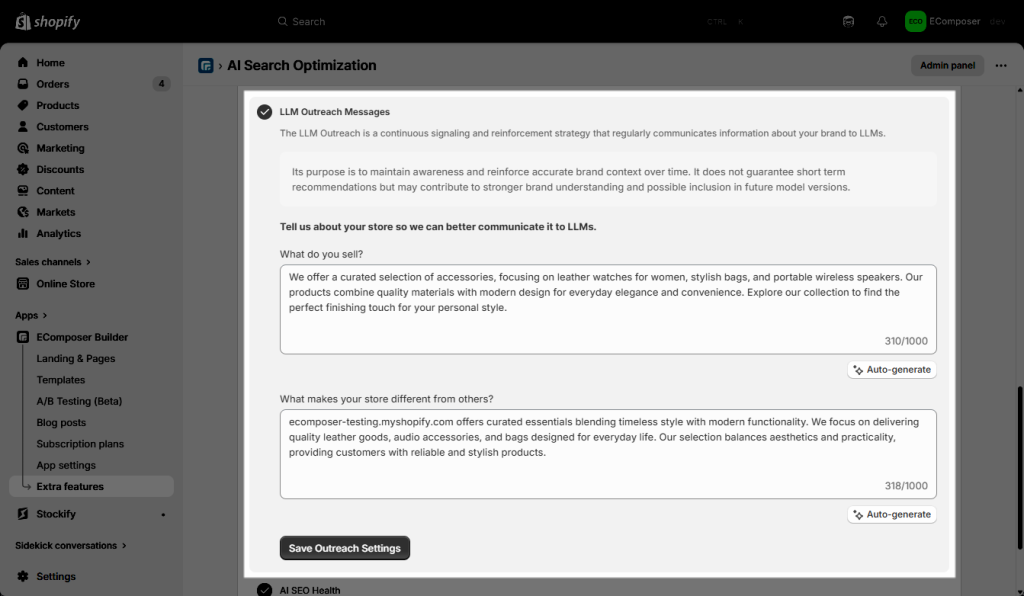
- LLM Outreach Messages: Regularly “reminds” AI models about your brand. It’s like sending a frequent status update to AI so they don’t forget your store.
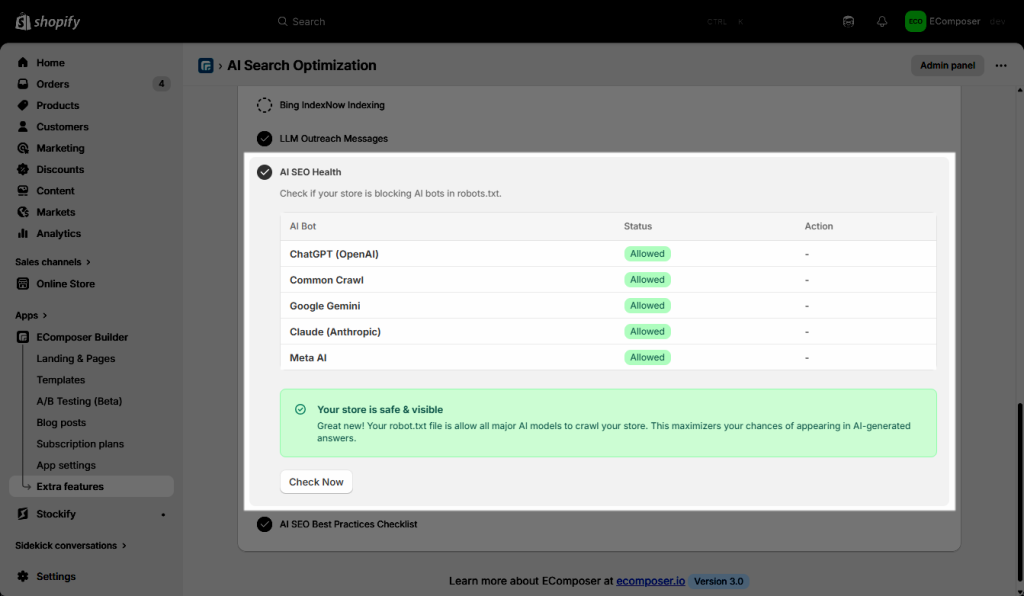
- AI SEO Health: AI quick scan to see if your store is accidentally “hiding” from AI. It makes sure your site’s settings aren’t blocking the bots you want. It is a diagnostic tool that performs a comprehensive scan of your store’s “discoverability” from the perspective of an AI model.
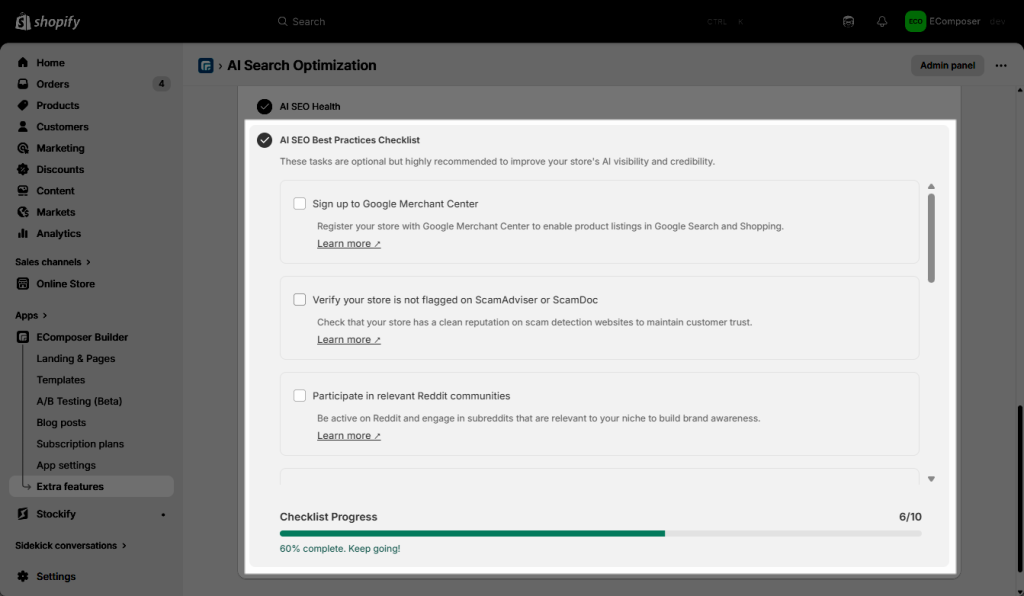
- AI SEO Best Practices: A simple “To-Do” list. It gives you extra tips to make your store look more professional and trustworthy to AI systems.
3. AI Traffic & Insights
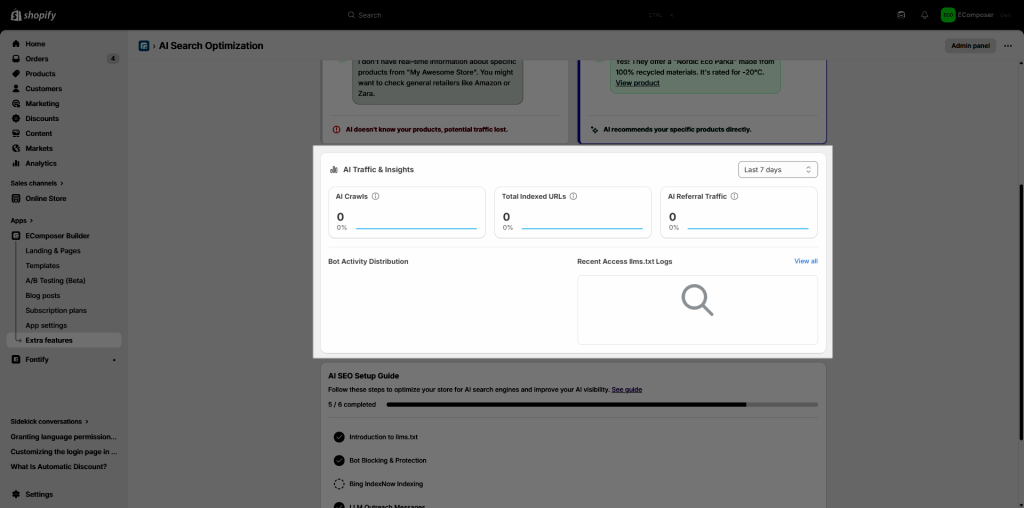
| AI Crawls | How many times AI bots (like ChatGPT or Google Gemini) have visited your site to read your content. | It helps you know if AI is actively paying attention to your store. More crawls mean your data is always fresh in the AI’s “brain.” |
| Total Indexed URLs | The number of pages on your store that AI models have successfully saved in their memory. | It helps ensure all your products and blogs are “discoverable.” If this number is high, AI can recommend any part of your store to a user. |
| AI Referral Traffic | The number of actual shoppers who clicked a link to your store after an AI gave them an answer. | It helps you see the real profit. It proves that AI isn’t just reading your site—it’s actually sending you “ready-to-buy” customers. |