
Enable EComposer App Embed
If your EComposer pages or sections are not showing on the storefront, the most common reason is that the EComposer app embed is disabled. App embeds are required for EComposer to load and display content correctly on your theme.
How to enable EComposer app embed
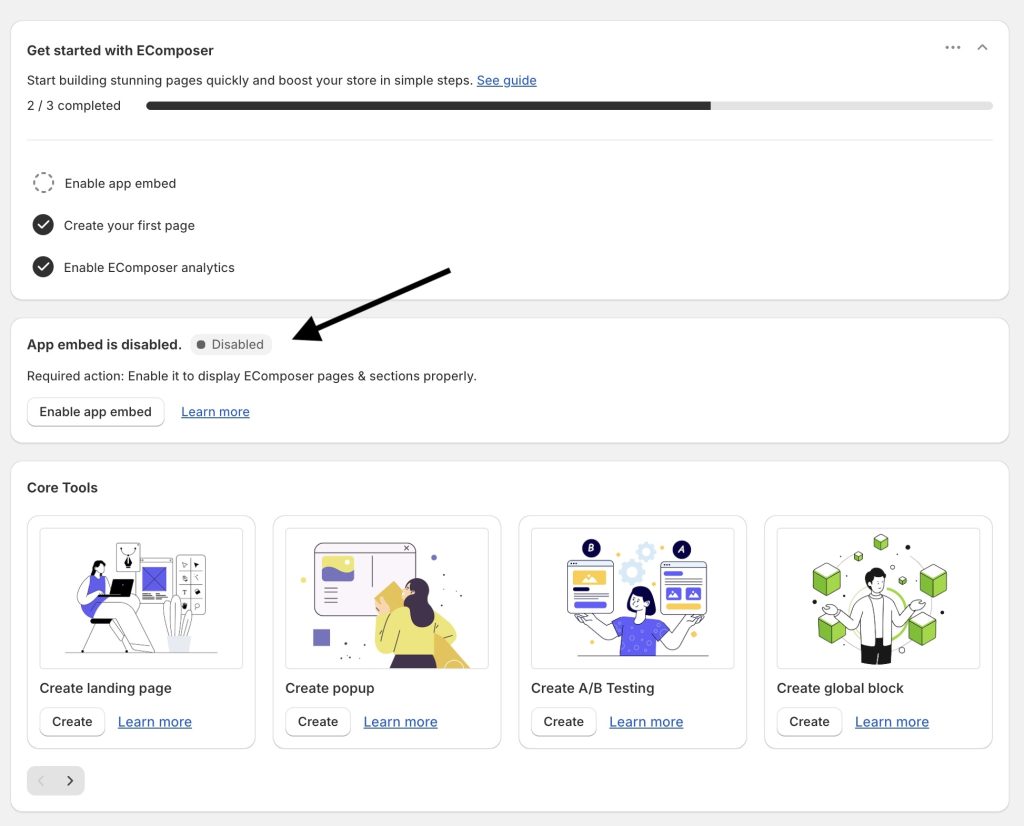
- From EComposer App Dashboard, find the section “App Embed status”.
If you see “Disabled” status, please click “Enable app embed” button right below.
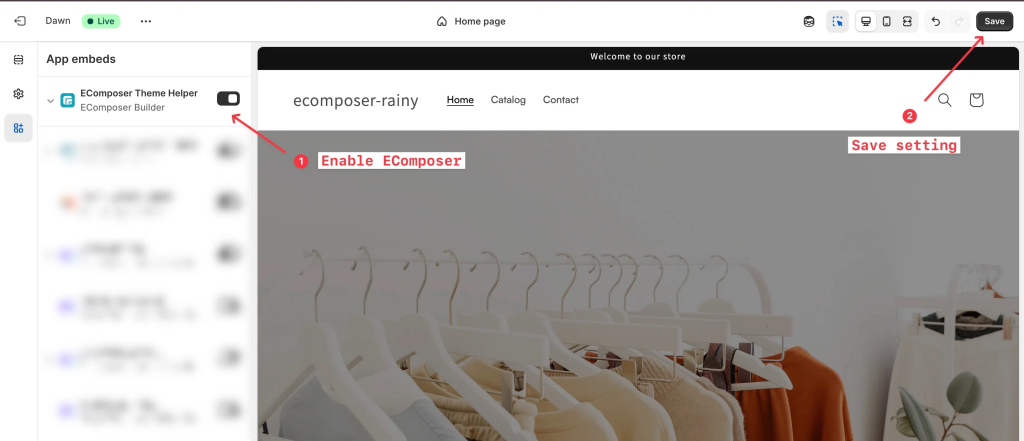
2. It will then direct you to your theme editor page. Here, the EComposer App Embed (or EComposer Theme Helper) is auto-toggled on. All you need to do is “Save” the setting.
3. Back to EComposer, reload the app dashboard and see if the status App Embed is enabled now.
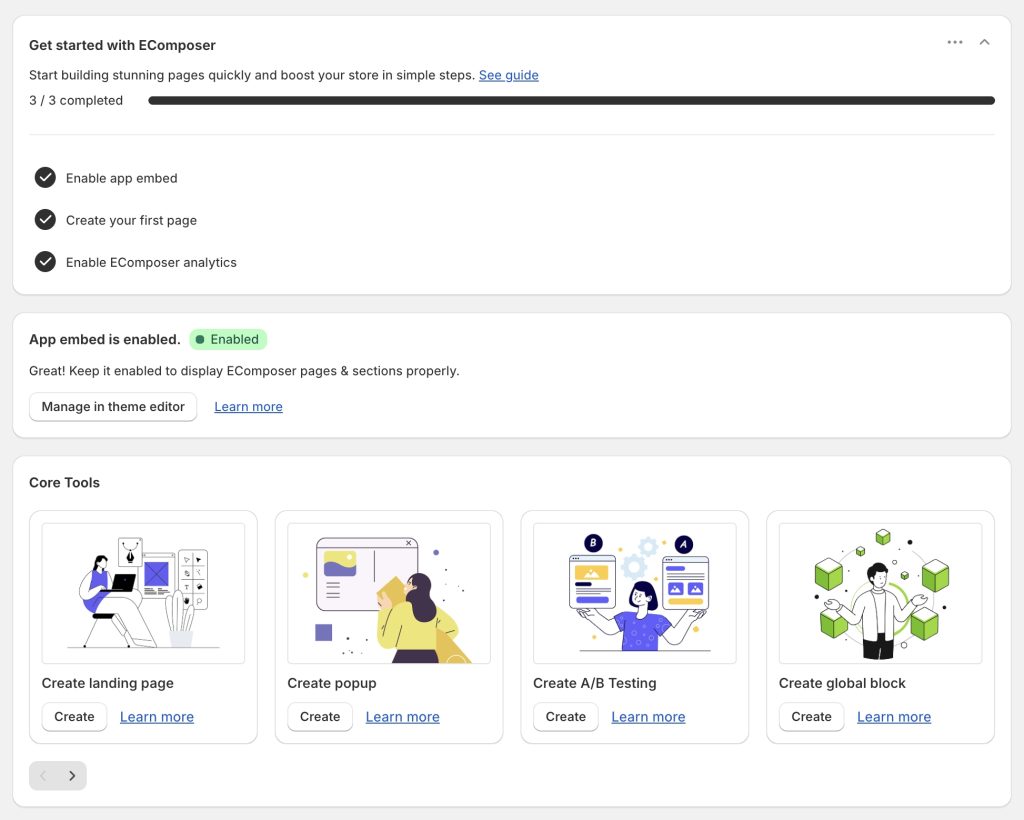
Once enabled, your EComposer-built pages and sections will appear properly on your store.
💡 Tip: If you switch themes, you’ll need to enable the EComposer app embed again for the new theme.
If any issue of not showing pages on your storefront persists, please contact EComposer support for further assistance.