
Recently Viewed Product
Recently Viewed Products is a feature that shows products a customer has viewed recently on a website. It helps users quickly return to items they were interested in, improves the shopping experience, and can increase conversion rates.
The feature usually tracks viewed products using the browser (cookies or local storage) and displays them on pages like the product page, homepage, or cart page.
1. Install the Recently Viewed Products extension
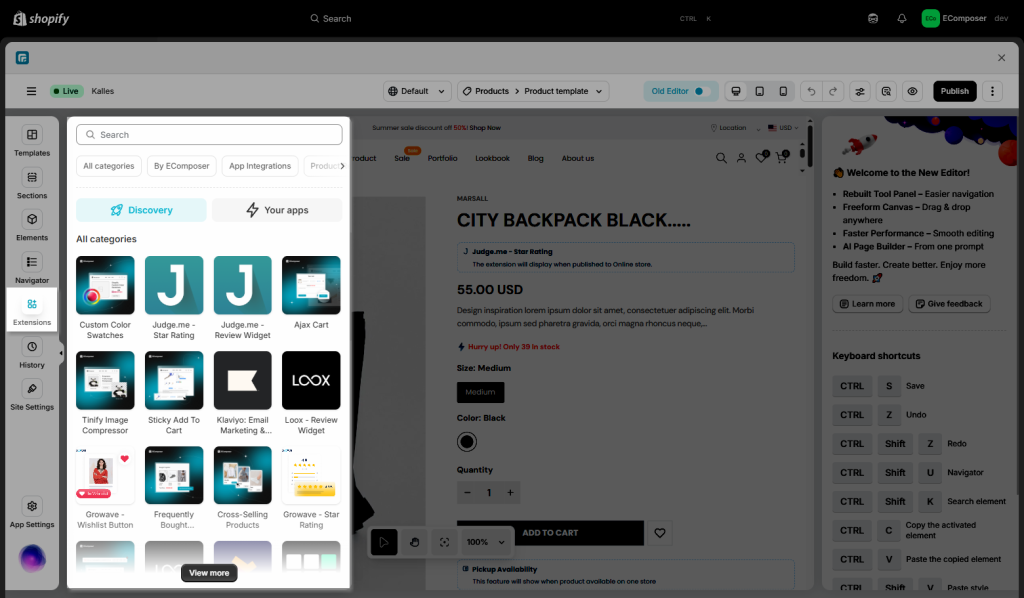
To open the Extensions popup: From the left sidebar, go to Extensions → search for the extension name and click to install, or click View more to browse all available extensions in the app.
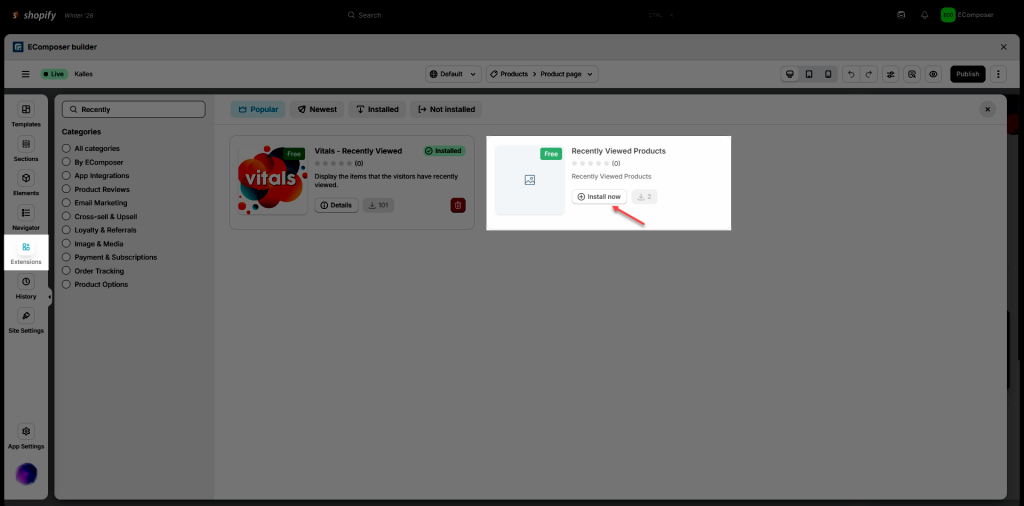
On the Extension pop-up, you can see the Recently Viewed Products extension. Click Install now to install it to your Extensions.
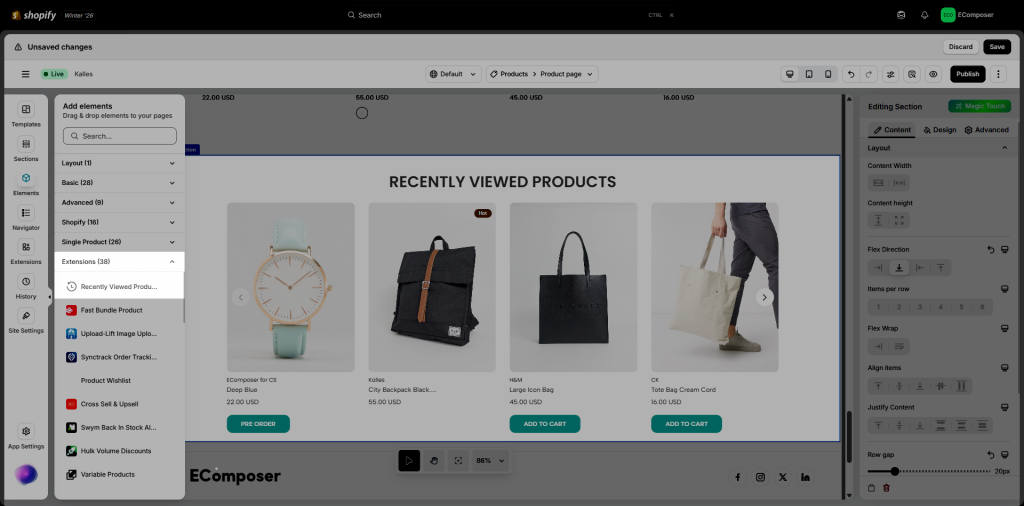
The next step, adding the extension, is really easy; all you need to do is drag and drop the extension under the Elements -> Extensions tab to your page.
2. Configuring the extension
2.1 Content
General Settings
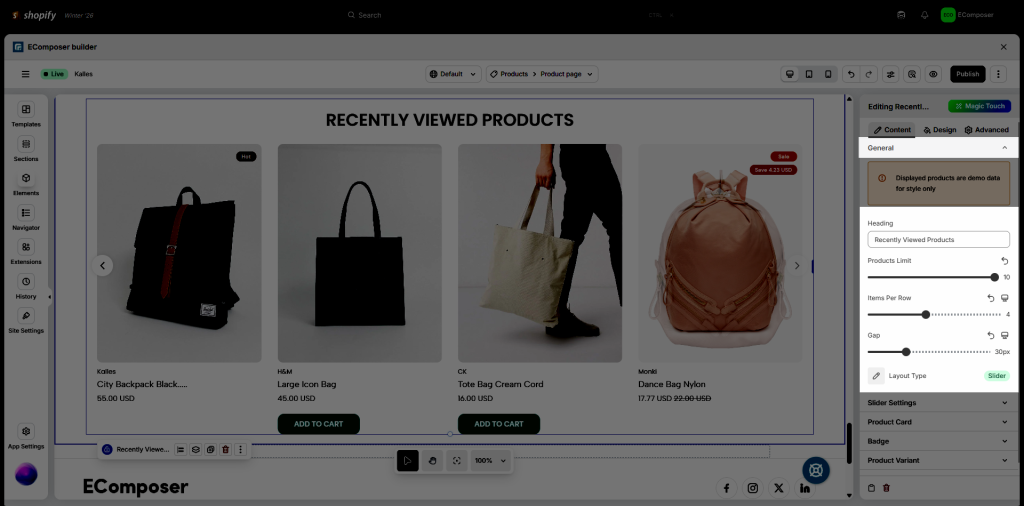
Note: Displayed products in the editor are demo data for style only.
In this tab, you can set Heading, Product Limit, Item Per Row, Gap, and Layout Type.
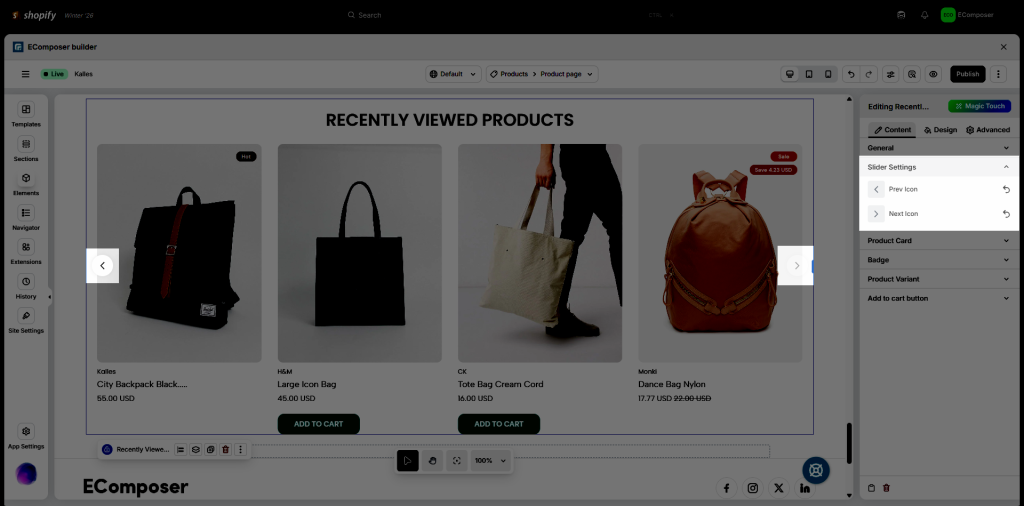
Slider Settings
In this option, you can set the icon for Next and Previous navigation:
Product Card
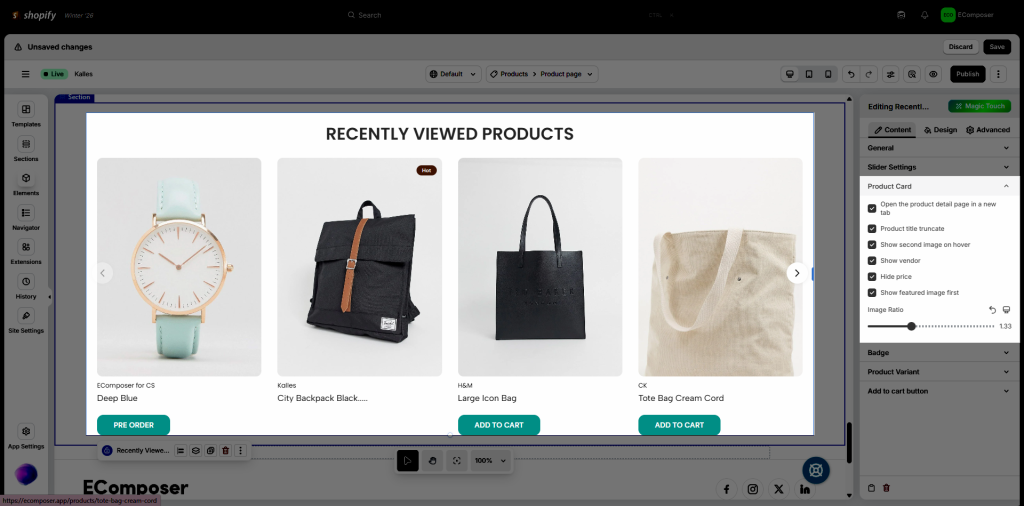
In this option settings, you can set:
- Open the product detail page in a new tab: redirect the customer to the product details page when clicking on the product image and product title.
- Product title truncate: show the product title in short form.
- Show second image on hover: show the second image when hovering on the corresponding product.
- Show vendor: show or hide product vendor.
- Hide price: hide or show product price.
- Show featured image first: show the featured image of the product first, instead of the variant image if the product has variants.
- Image Ratio: config the image ratio.
Badge
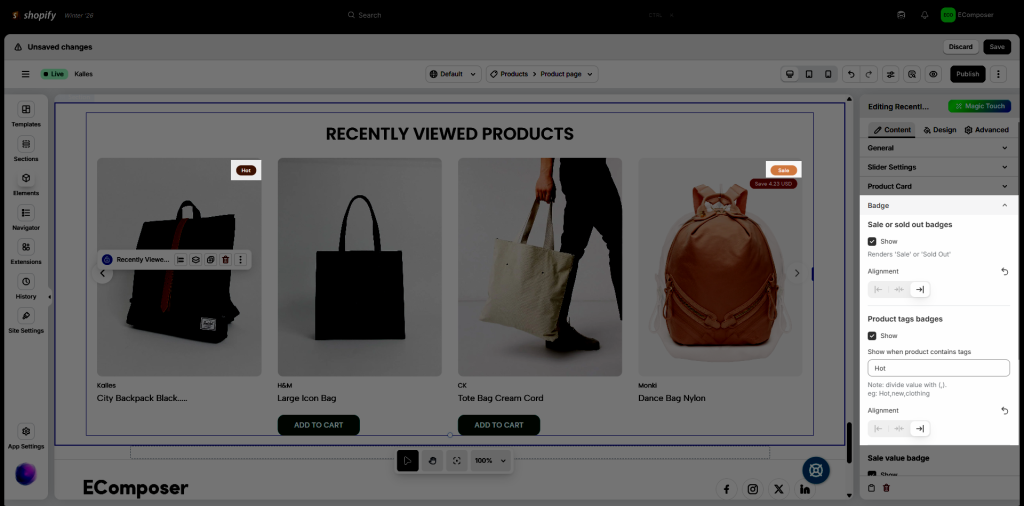
Sale or sold out badges
- Show: This option will render a ‘Sale’ or ‘Sold Out’ badge based on the condition of each product.
- Alignment: Align the badge based on each product container on the left, center, or right.
Product tags badges
- Show: This option will show or hide the badge based on the product tag.
- Show when product contains tags: if the product has the tag in this option, that tag will be shown on the product as a badge.
- Alignment: Align the badge based on each product container on the left, center, or right.
Sale value badge
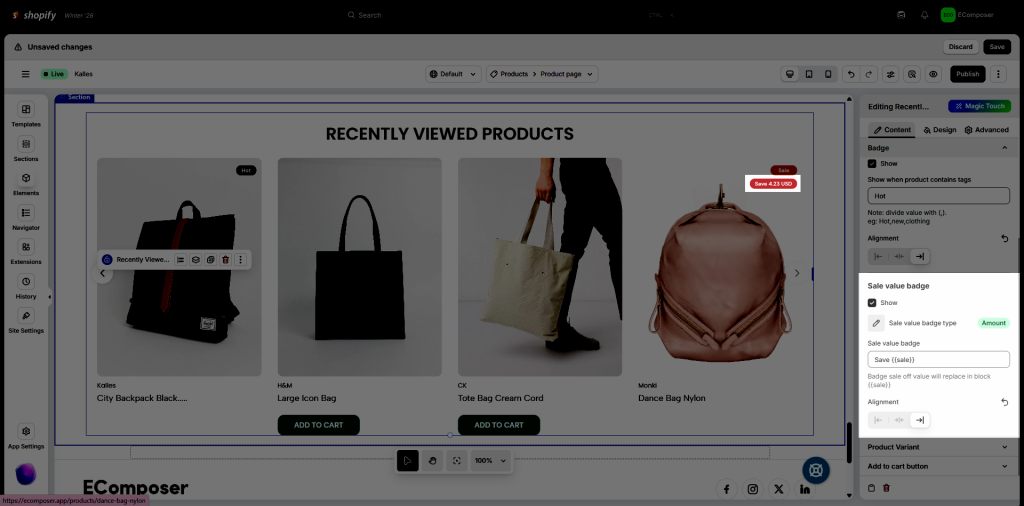
- Show: This option will render or show a sale value badge.
- Sale value badge type: You can choose to show Percent or Amount.
- Sale value badge: Enter the value or text to let the customer know the sale value. Badge sale off value will replace in block {{sale}}.
- Alignment: Align the badge based on each product container on the left, center, or right.
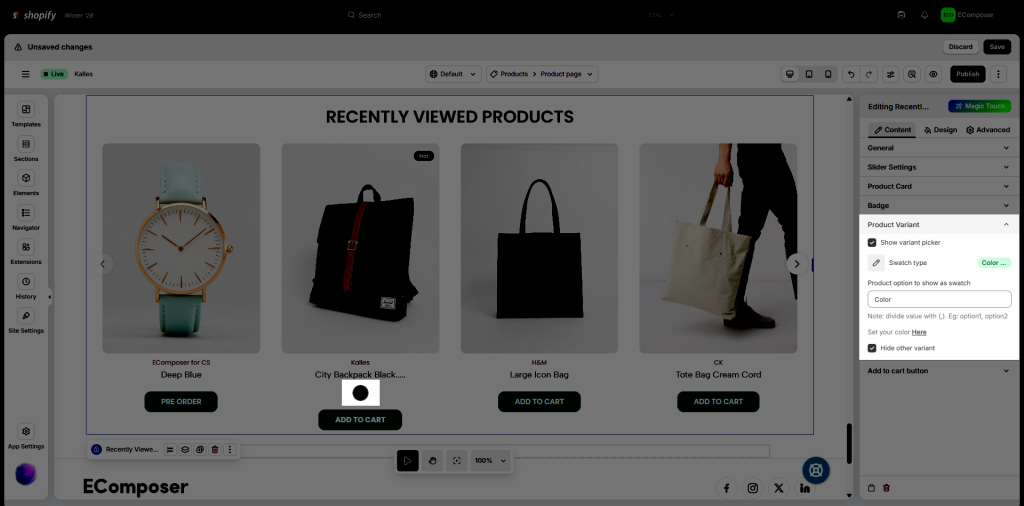
Product Variant
- Show variant picker: hide or show the variant of each product
- Swatch type: We provide the Color picker and Image picker options.
- Product option to show as a swatch: name of the variant option that you want to show as a swatch. If it has more than 1, divide the value by (,). Eg: option1, option2
- Hide other variants: You can hide other variants that are not a swatch option.
Add to cart button
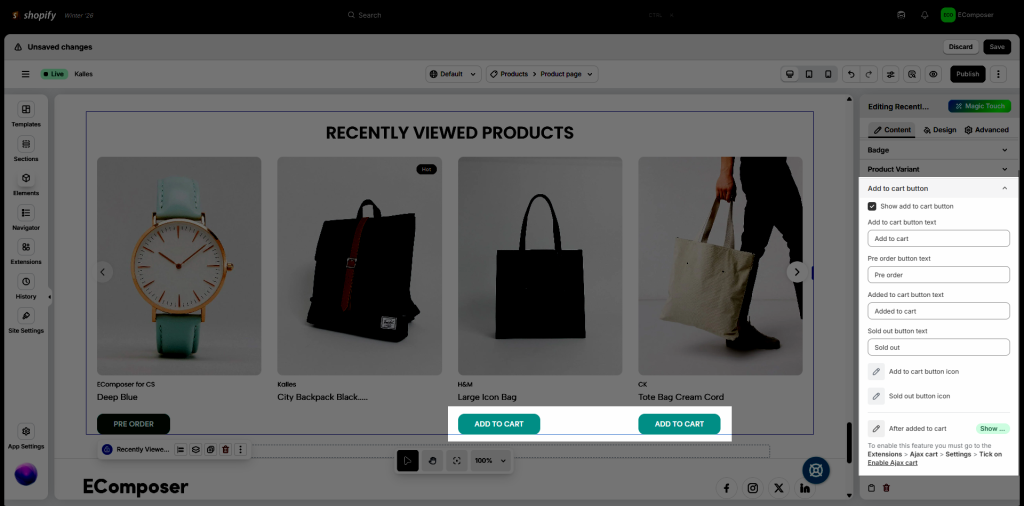
- Show add to cart button: show or hide the add to cart button on each product.
- Add to cart button text: Set the text content for the add to cart button.
- Pre-order button text: Set the text content for the pre-order button.
- Added to cart button text: set the text content for the button after the customer clicks into the add to cart button
- Sold out button text: Set the text content for the button on the out-of-stock product.
- Add to cart button icon: Set the icon for the add to cart button
- Sold out button icon: Set the icon for the sold-out button.
- After added to cart: There is a list of options to choose from after you click add to cart (Most of the options require an Ajax cart extension, besides Redirect to the cart page).
- Show cart popup: This will open a pop up.
- Reload page: Reload the page after clicking add to cart.
- Show a message: This will show a message.
- Redirect to cart page: Go to the cart page.
- Go to checkout page: Go to the checkout page.
- Go to a Special url: You can set a link to redirect to after clicking the Add to cart button.
2.2 Design
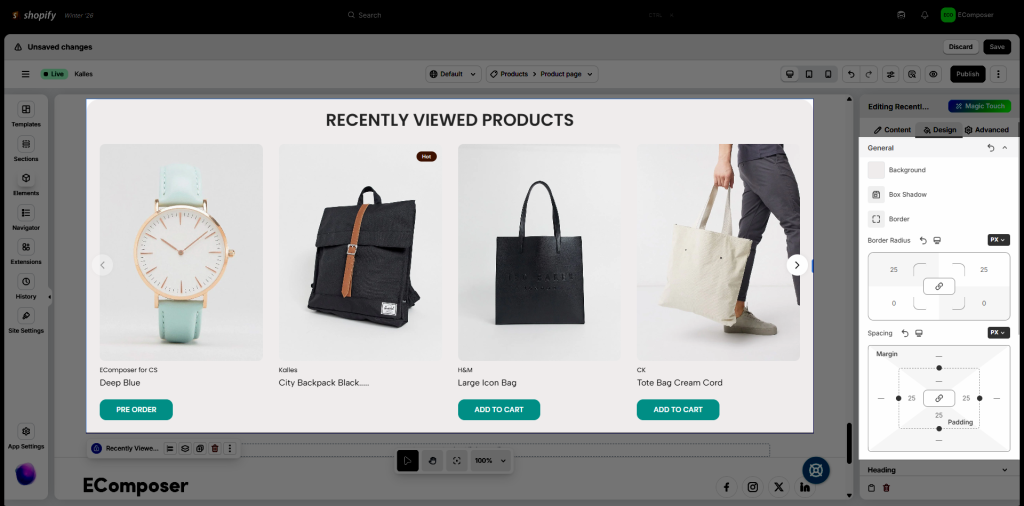
General
In this setting, you can set Background, Box Shadow, Border, Border Radius and Spacing
Heading
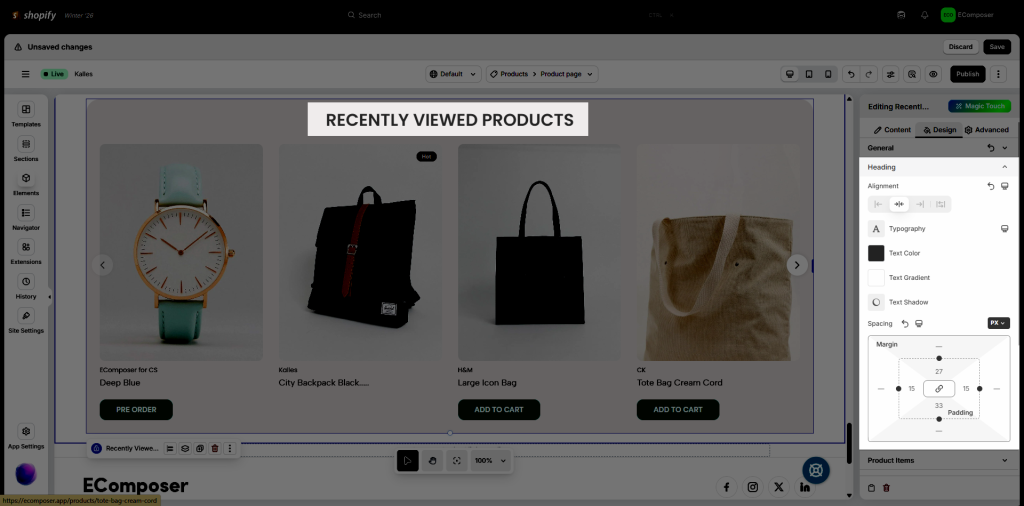
You can set style for Alignment, Typography, Text Color, Text Gradient, Text Shadow, and Spacing.
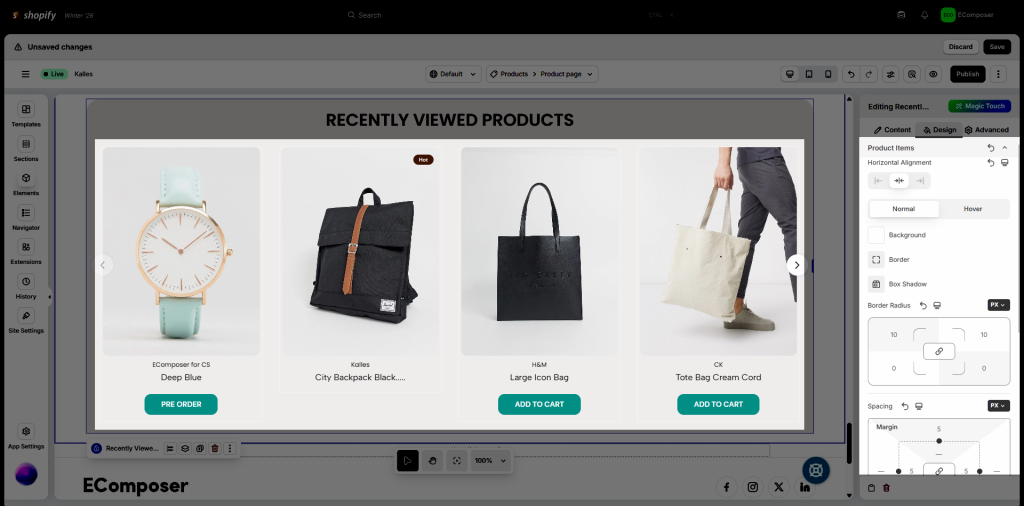
Product Items
You can adjust Horizontal Alignment, and Spacing. On both NORMAL and HOVER mode, Background, Border, Box Shadow, Border Radius can be edited.
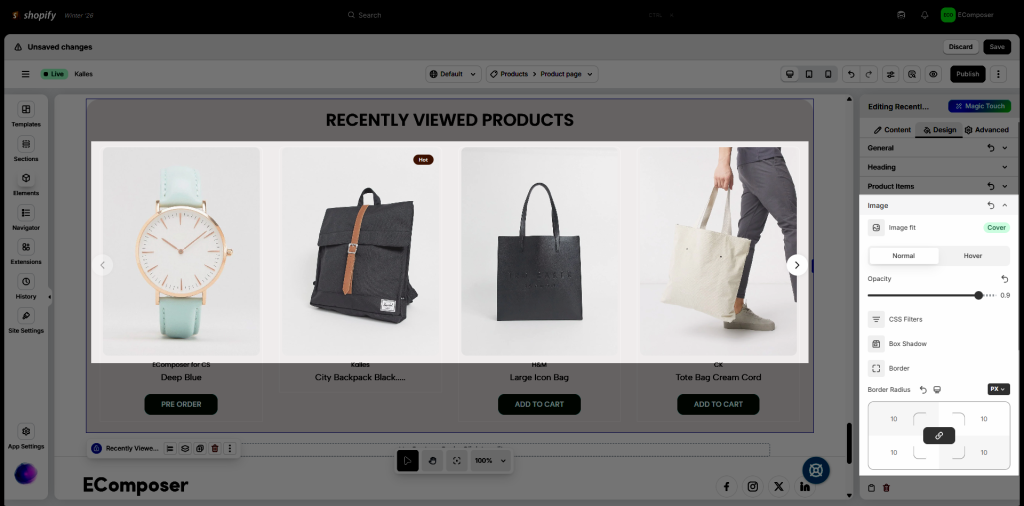
Image
You can adjust Image fit. Opacity, CSS Filter, Box Shadow, Border, Border Radius in both NORMAL and HOVER mode.
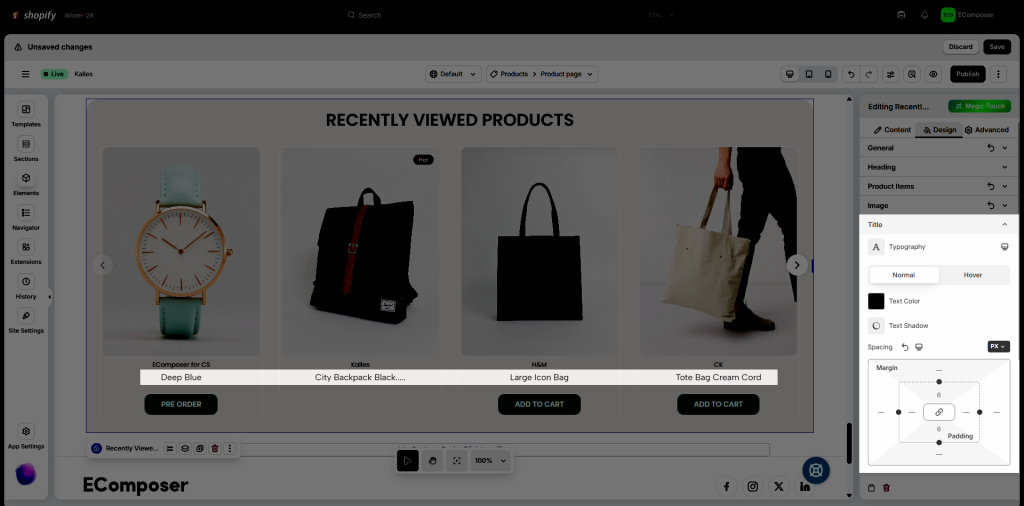
Title
- You can adjust Typography
- Normal: set Text Color, Text Shadow, Spacing
- Hover: Some of the features, such as Text Color, Text Shadow, Hover Animation, and Transition Duration
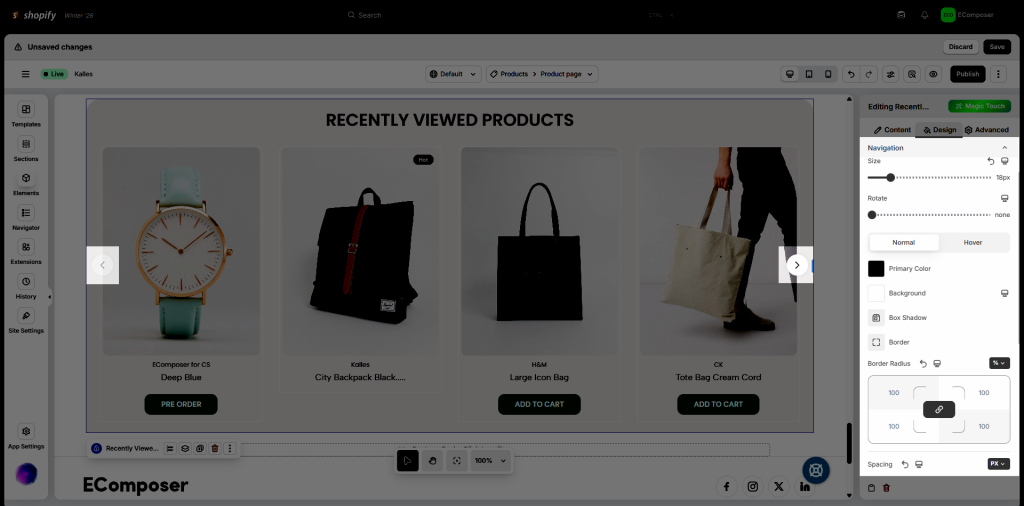
Navigation
Design Navigation focuses on crafting intuitive pathways for users to explore your website. Config Size, Rotate, Background,…
Vendor
- You can adjust Typography
- Normal: set Text Color, Text Shadow, Spacing on normal mode for Vendor
- Hover: Some of the features such as Text Color, Text Shadow, Hover Animation, Transition Duration on hover mode for Vendor
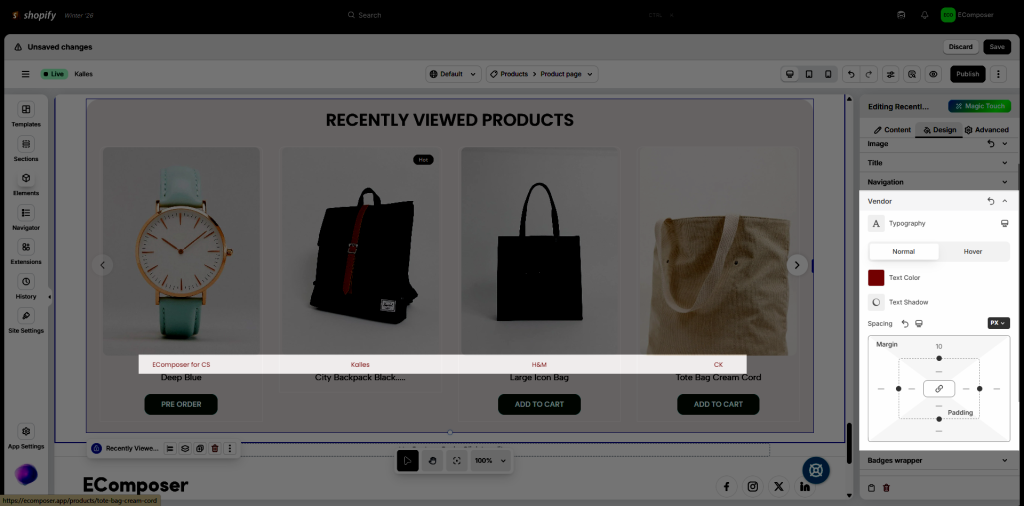
There are still a few options below, such as Badges wrapper, Sale badge, Sold out badge, Tags badge, Sale value badge, Sold out button and Add to cart button.
All of the settings in this tab are covered in detail here.
3. Advanced
These tabs have been very well documented here.